


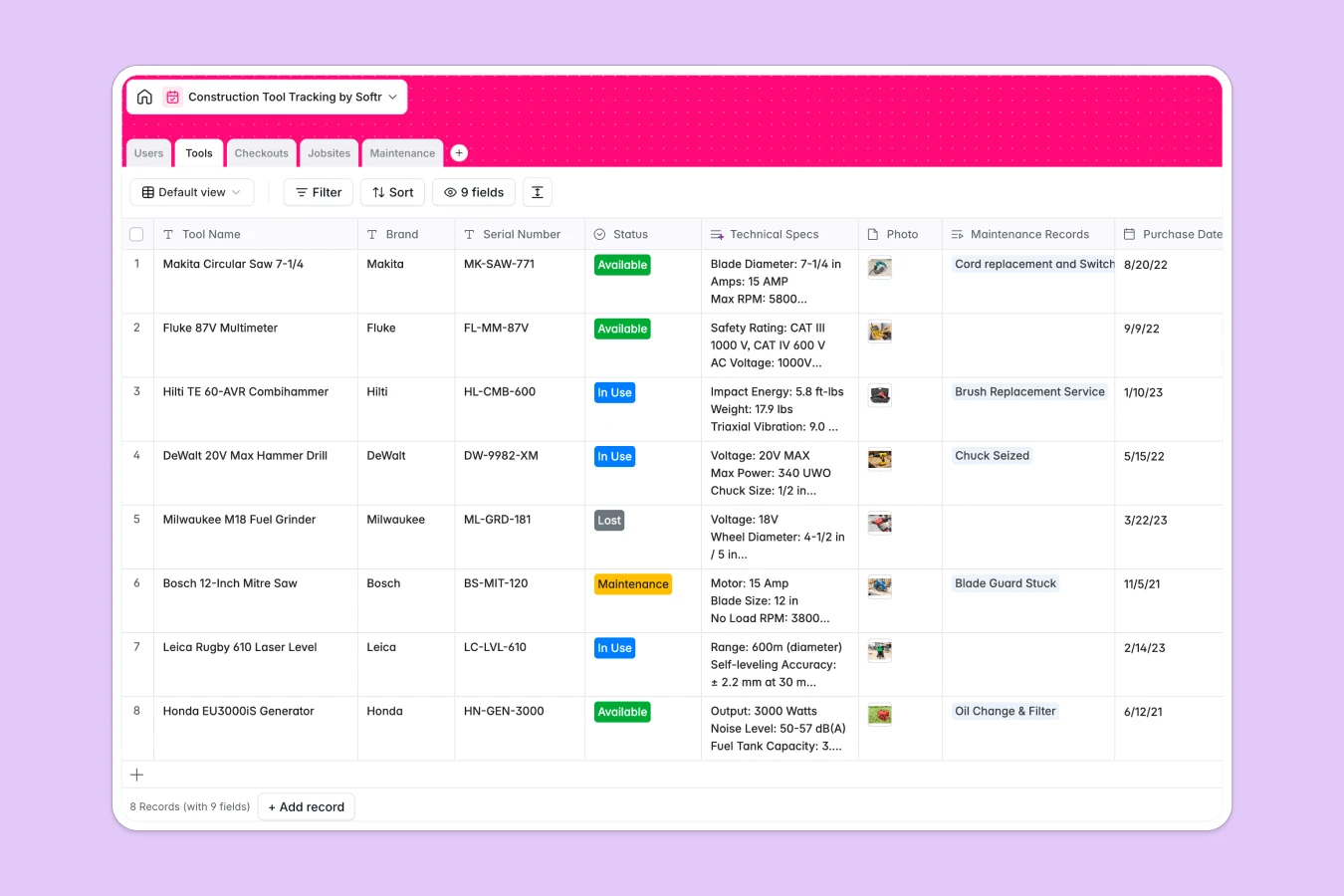
Your Construction Tool Tracking database at a glance
This template gives you complete visibility over your equipment, helping you track exactly who has which tool and where it is located. It replaces messy tracking sheets with a real-time system that prevents hardware loss and costly project delays.
It organizes your field operations into connected tables for Tools, Users, Jobsites, Checkouts, and Maintenance tasks. When a worker borrows a drill, you simply link the user to the tool and the active jobsite, automatically updating its usage status across the entire company.
Built-in AI agents automatically search the web to enrich your tool inventory with technical specs like weight and voltage. They also generate step-by-step repair guides from online forums directly inside your maintenance tickets.
Why tracking tools gets messy in Excel
Managing physical inventory across multiple active jobsites quickly exposes the limitations of static spreadsheets. When tools change hands daily in the field, rows get accidentally deleted, statuses become outdated, and tracking historical usage becomes nearly impossible.
What a structured database changes
In a database, your information stays clean and strictly categorized as your team grows. A tool's condition is restricted to specific options like "In Use" or "Maintenance" so data never gets mixed up in the wrong columns.
Furthermore, checkouts are linked directly to workers and jobsites without fragile formulas breaking. This is exactly what Softr Databases are designed for, keeping your inventory flawlessly organized automatically.
What you can do with this template
You can immediately log tool conditions, track overdue checkouts, and monitor which jobsites hold your most valuable equipment. Everything is ready to use from day one to keep jobsite operations moving smoothly.
You can also leverage native Database AI agents to automate administrative research. Simply type in a broken tool's issue, and the system will actively search online to provide a projected solution for your maintenance technicians.
-
Users
Manage worker profiles, roles, and real-time tool checkout counts
-
Tools
Inventory tracking with AI-powered technical specification generation
-
Checkouts
Log tool assignments to workers and monitor return status at sites
-
Jobsites
Organize work locations and monitor equipment distribution per site
-
Maintenance
Manage repairs using AI to generate step-by-step technical solutions
Who is this Construction Tool Tracking database for
This inventory system is built for construction teams, contractors, and facility managers who need tight, reliable control over their expensive hardware.
- Site Managers: Track exactly which tools are actively deployed at your jobsite to prevent workflow bottlenecks and theft.
- Maintenance Technicians: Monitor repair histories, log associated costs, and get AI-assisted repair guidance instantly.
- Operations Admins: Maintain a clean directory of reliable workers and document their ongoing checkout history to ensure accountability.
How to take it further
You can easily customize this database to fit your exact operational structure and workflow. Add new status choices like "In Transit" to the Checkouts table, or create new fields to calculate hourly equipment rental rates.
If your current inventory lives in a massive spreadsheet, simply upload a CSV file to map your existing records in bulk. Your historical checkouts and tool data will instantly populate so your team can work without interruption.
When your operations scale, you can use the no-code interface builder to create a custom mobile app for your field crew. Workers can log in on their phones to request tools on the go, while site managers get a dedicated dashboard to approve checkouts instantly.
Connecting a well-structured database makes launching this app incredibly fast. Using built-in users and permissions, you can ensure field workers only see their own active tool assignments while administrators can view and manage the entire company fleet.
-
1
-
2
-
3
-
4
Frequently asked questions
-
What is a construction tool tracking database?
-
Why use a no-code database to build a tool management system?
-
How can AI help managing data for tool tracking?
-
Can I build an app with this construction tool tracking database?
-
Is this construction tool tracking template free?
-
How is a tool tracking database different from Excel?
Start building today. It's free!
Build and launch your first app in under 30 minutes.