


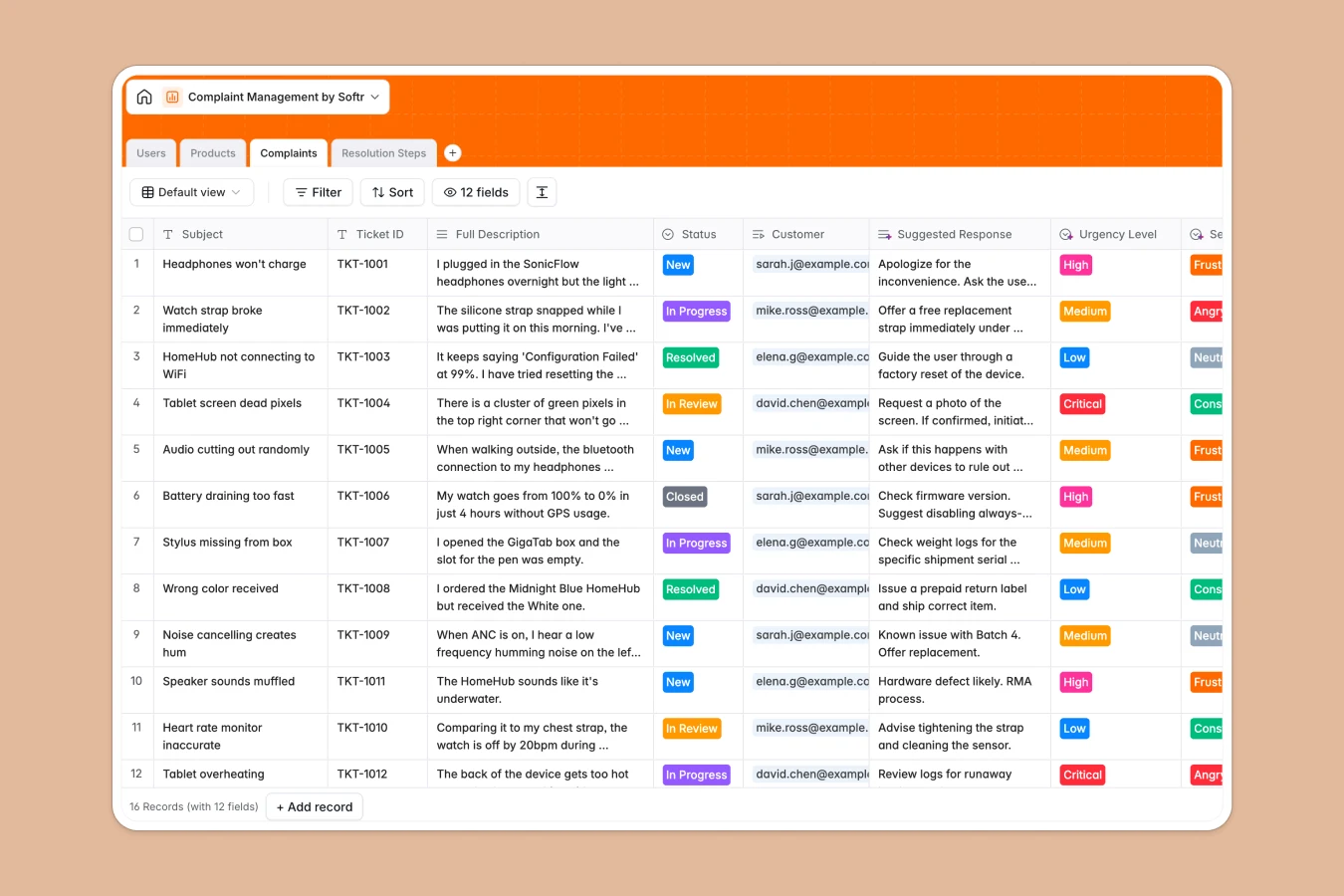
Your Complaint Management database at a glance
This template centralizes customer grievances, assigns tickets to agents, and tracks every corrective action until resolution. It helps your team identify recurring product defects and prevent customer churn with clear visibility.
Everything connects logically across tables for Users, Products, Complaints, and Resolution Steps. A single ticket links directly to the affected customer, the assigned agent, and the product SKU, so context is never lost.
AI fields can automatically evaluate sentiment and draft suggested responses, helping support teams handle urgent issues faster.
When month-by-month complaint sheets start splitting into conflicting copies
A complaint management spreadsheet usually starts fine, but soon splits into separate tabs like `Q1 Complaints`, `March Escalations`, or local copies saved by different agents. When columns get renamed or ticket statuses change in one place, the master file becomes unreliable.
What a structured database changes
A structured database maintains one clean record for every complaint, customer, and product. Dates remain valid timestamps, urgency levels stay standardized, and resolution steps link directly to tickets without broken formulas or manual copy-pasting.
This reliability is what Softr Databases provide out of the box. Your entire team operates from a single source of truth that never falls apart as ticket volume grows.
What you can do with this template
You can log resolution activities like emails, phone calls, and refunds directly against tickets. Rollup fields automatically count total complaints per product SKU to reveal quality trends instantly.
With built-in Database AI agents, you can analyze sentiment across incoming customer complaints and generate suggested reply drafts automatically.
-
Users
Manage profiles, roles, contact details, and assigned ticket responsibilities
-
Products
Track product catalog items, descriptions, and aggregate complaint volumes
-
Complaints
Handle customer tickets with AI sentiment detection and suggested responses
-
Resolution Steps
Log troubleshooting actions, communications, and grievance resolution history
Who is this Complaint Management database for
This template helps customer-facing and quality assurance teams streamline grievance resolution.
- Customer Support Leads: Oversee incoming tickets, assign agents, and monitor resolution timelines.
- Quality Assurance Teams: Track recurring complaints by product SKU to catch recurring defects.
- Operations Managers: Standardize escalation procedures and audit logs across the support department.
- Product Managers: Identify user friction points and feature issues directly from customer feedback.
How to take it further
You can easily tailor this database to your organization's workflow. Add custom urgency tags, include extra resolution types like warranty replacements, or adjust status stages within minutes.
If you have existing tickets in CSV files or external tools, import them directly to preserve your historical logs. You can also connect via API to sync tickets from contact forms automatically.
When you are ready, use Softr's AI app generator to turn this database into a complete portal. You can define granular users and permissions so customers only view their own tickets while support agents access full resolution workflows.
-
1
-
2
-
3
-
4
Frequently asked questions
-
What is a complaint management database?
-
Why use a no-code database to build a complaint management tool?
-
How can AI help managing data for complaint management?
-
Can I build an app with complaint management database?
-
Is this Complaint Management template free?
-
How is this database better than a complaint management spreadsheet?
Start building today. It's free!
Build and launch your first app in under 30 minutes.