


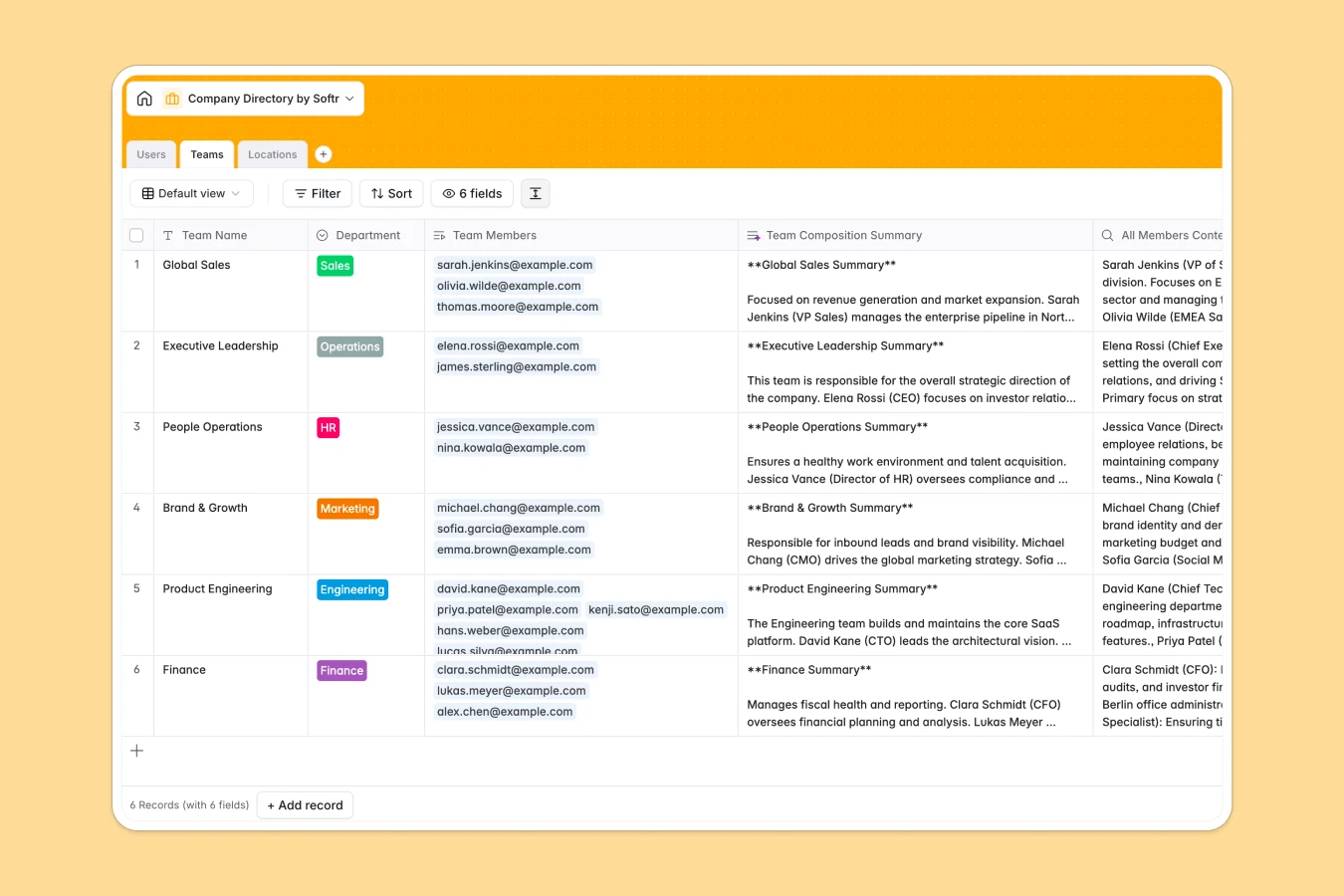
Your Company Directory database at a glance
This template gives you a centralized hub to manage your entire organization's staff, reporting lines, and office hubs. It replaces disconnected contact lists with a clean, structured repository where employee details stay up to date.
Everything connects logically across three dedicated tables: Users, Teams, and Locations. Each employee record links directly to their manager, their team department, and their physical office, automatically calculating headcount totals and organizational rollups.
Native AI features automatically generate a Team Composition Summary by analyzing individual member responsibilities, giving leadership instant visibility into team capabilities.
Why separate staff records from reporting lines in a flat sheet falls apart
Maintaining team structures and manager relationships in a static spreadsheet quickly leads to broken formulas, outdated titles, and contradictory organizational charts.
What a structured database changes
In a structured database, every record has explicit data types: emails stay formatted, avatar photos attach cleanly, and select fields keep departments consistent.
Instead of retyping manager names or team names, tables link natively. Assigning an employee to a manager immediately updates direct reports and office headcounts without brittle lookups.
This is exactly what Softr Databases are designed for, giving you a reliable relational backend that scales as your company grows.
What you can do with this template
You can immediately map complex organizational hierarchies, link direct reports to team leads, and monitor headcount across global office locations in real time.
With built-in Database AI agents, your directory synthesizes team roles into detailed summaries automatically as new hires join.
The database is ready to use out of the box, letting your team find colleagues and verify internal roles effortlessly.
-
Users
Maintain employee directory with roles, missions, and reporting lines
-
Teams
Organize departments and generate AI summaries of team compositions
-
Locations
Track physical company office locations, addresses, and headcount
Who is this Company Directory database for
This database is designed for growing teams and operational leaders who need reliable visibility into their people.
- People Operations & HR: Maintain single-source-of-truth employee profiles, contact details, and department headcounts.
- Team Leads & Managers: Track direct reports, align mission statements, and understand team composition quickly.
- Internal Operations: Keep accurate office distribution records and streamline internal staff routing.
- Growing Startups: Transition away from messy contact sheets into a scalable internal directory.
How to take it further
1. Customize the database
Adapt the structure to match your exact company setup in seconds. Add custom fields like dietary preferences or start dates, adjust office location choices, or create custom tags for cross-functional project groups directly in the visual editor.
2. Import your existing data
Bring your current team list over with a fast CSV upload to populate names, titles, and departments in bulk. You can also connect external HRIS platforms via API to keep contact information and active status synced automatically.
3. Build a full app around it
When you are ready to turn this database into an interactive internal portal, you can generate an app with AI simply by describing what you need. Softr automatically creates searchable team grids, individual profile pages, and organizational charts on top of this exact schema.
Configure granular users and permissions so employees can edit their own bios while sensitive details like access roles remain restricted to administrators.
-
1
-
2
-
3
-
4
Frequently asked questions
-
What is a company directory database?
-
Why use a no-code database to build a company directory system?
-
How can AI help managing data for a company directory?
-
Can I build an app with this company directory database?
-
Is this Company Directory template free?
-
How do I import existing employee lists into this template?
Start building today. It's free!
Build and launch your first app in under 30 minutes.