


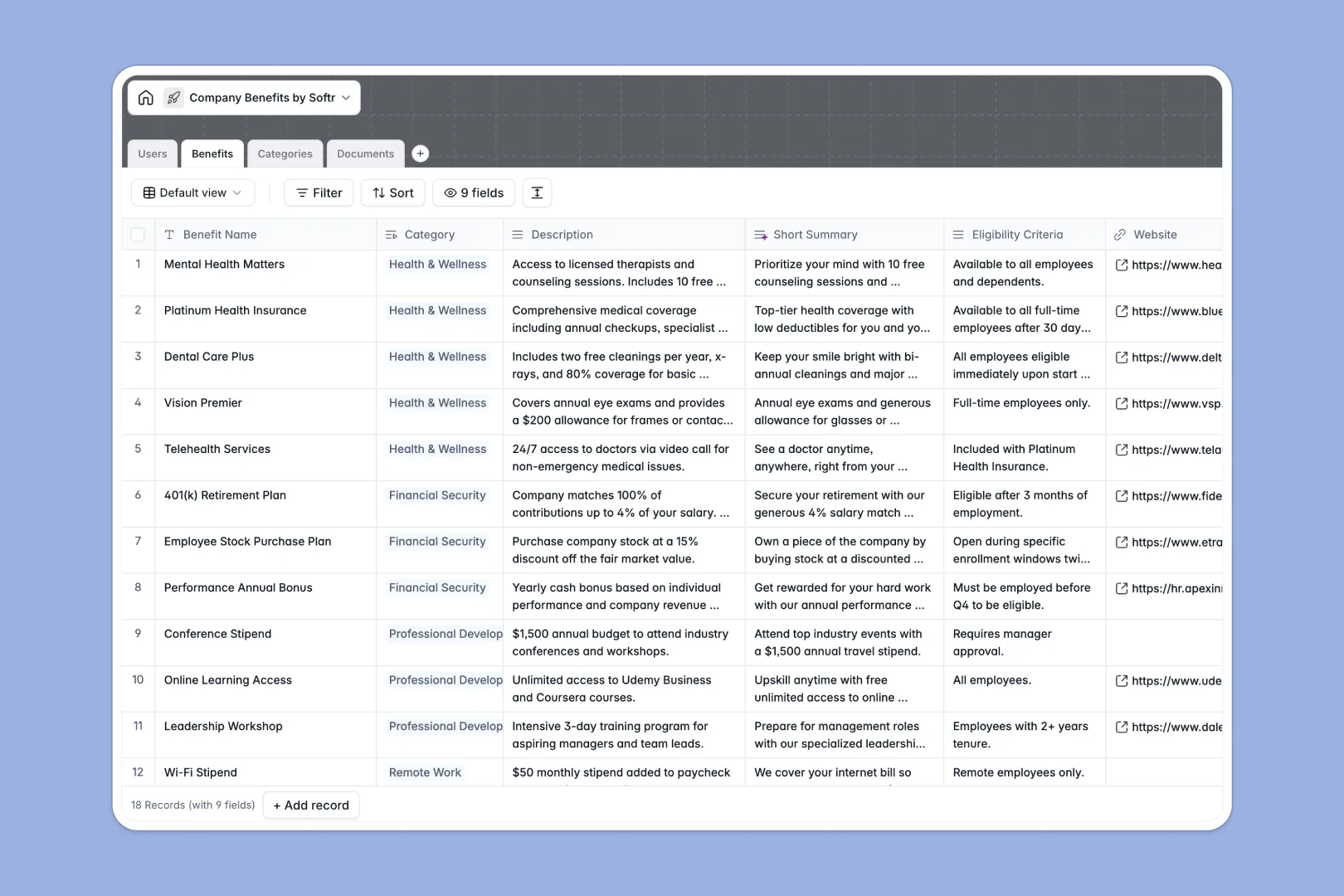
Your Company Benefits database at a glance
This template centralizes your entire perks catalog so employees can easily find exactly what they are entitled to. It eliminates the confusion of scattered PDFs and outdated wikis.
It works by cleanly linking your Benefits table to designated Categories and attached Documents. This ensures every insurance policy or claim form stays perfectly organized under the right perk.
Built-in AI automatically writes elevator pitches for your perks and tags them with keywords. This helps employees search and find relevant benefits instantly without tedious data entry.
Why managing company benefits in Excel breaks down
Tracking employee perks in spreadsheets quickly turns into a messy grid of broken links and outdated plan details. When HR needs to update a policy, navigating endless rows to find the right document is frustrating and error-prone.
What a structured database changes
In a proper system, every piece of data has a specific format that cannot be accidentally broken. Your PDFs stay securely attached as files, select fields enforce consistent categories, and relationships link documents directly to their corresponding benefits.
This setup ensures that an employee's access to claim forms is always tied to the correct underlying health plan. This secure, relational approach is exactly what Softr Databases are designed for.
What you can do with this template
You can instantly map out your entire benefits package, from healthcare options to wellness stipends, in one unified view. Teams can cleanly separate policies, guides, and FAQs while keeping them strictly linked to the right provider.
Thanks to built-in Database AI agents, you can automatically summarize complex policy descriptions into digestible employee-friendly snippets. It even generates searchable tags so your team always finds what they need intuitively.
-
Users
Manage employee profiles with roles, departments, and access credentials
-
Benefits
Catalog perks and insurance plans using AI to generate summaries and keywords
-
Categories
Group benefits with AI-generated descriptions for logical organization
-
Documents
Store policy records, forms, and guides linked to specific benefit plans
Who is this Company Benefits database for
This template is built for teams looking to streamline how employee perks are managed, categorized, and shared transparently.
- HR Managers: Centralize all insurance policies, claim forms, and eligibility rules in one secure place.
- People Operations: Track exactly which perks are active and keep categorized documentation easily accessible.
- Department Heads: Give new hires immediate, organized visibility into their available health and wellness options.
- Internal IT: Maintain a clean directory of benefit providers and associated platform websites without spreadsheet clutter.
How to take it further
You can easily adapt this database to fit your exact company structure. Modify the existing department choices in the Users table or add strictly enforced dates to track when specific benefits renew.
Moving your existing records into this structure takes just a few clicks. Simply import your current Excel or CSV files directly to instantly populate your benefits, categories, and user lists.
When you are ready, you can use the interface builder to turn this database into a fully functioning employee portal. Instead of just managing data internally, you can build an actual web application where employees log in to view their specific perks.
Because this data is structurally sound, applying reliable users and permissions is effortless. You can ensure that executives see certain premium benefits while standard employees only see standard health and wellness options.
-
1
-
2
-
3
-
4
Frequently asked questions
-
What is a company benefits database?
-
Why use a no-code database to build an HR system?
-
How can AI help managing data for company benefits?
-
Can I build an app with this company benefits database?
-
Is this Company Benefits database free?
-
How is a benefits database different from Excel?
Start building today. It's free!
Build and launch your first app in under 30 minutes.