


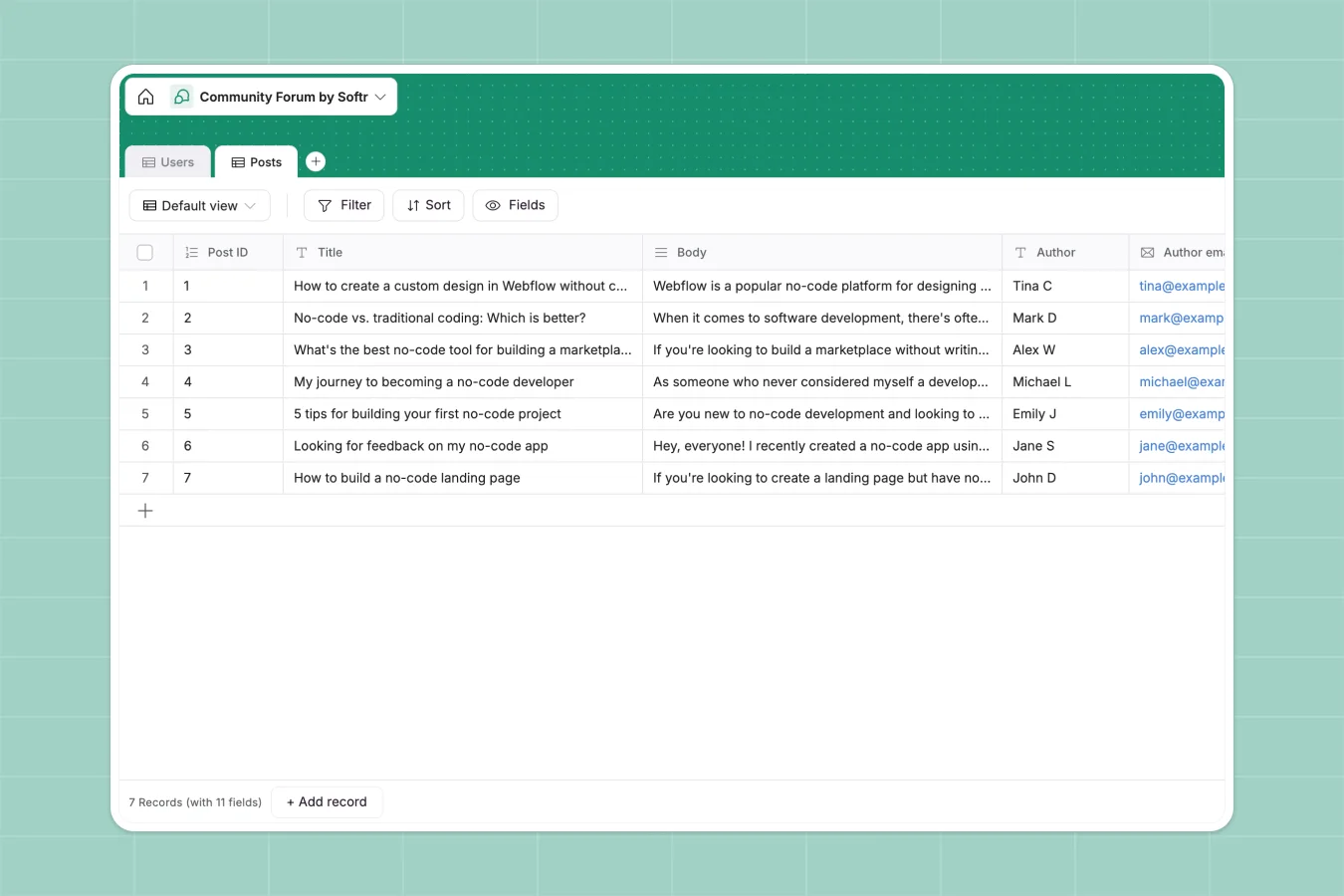
Your Community Forum database at a glance
This template tracks your forum discussions and user details strictly and securely. Keep feedback, stories, and tutorials neatly structured in dedicated tables without the clutter.
It includes two core tables for Users and Posts. Track member roles like Moderators cleanly, and automatically capture post timestamps so no entry ever gets lost.
Why a community forum gets messy in Excel
Managing active discussions quickly turns into a nightmare in spreadsheets. Rows jump around, long text blocks become completely unreadable, and crucial file attachments routinely break.
What a structured database changes
Spreadsheets fail to enforce structure when tracking long text bodies or capturing changing user roles. Every column needs specific guardrails to keep data pristine as discussions grow and scale.
This is exactly what Softr Databases are designed for. A structured system keeps avatars as real files, timestamps strictly automatic, and post categories completely standard.
What you can do with this template
Categorize every thread effortlessly using preset tags like Discussions, Personal Stories, and Feedback.
Keep track of Moderator and Member roles natively. This cleanly separates core team members from regular users without relying on fragile color-coded rows.
-
Users
Manage community members with their profiles, contact info and moderation roles
-
Posts
Organize forum content with categories, attachments and author associations
Who is this Community Forum database for
This foundation is ideal for teams and creators looking to build engaged, well-organized spaces.
- Community Managers: Track discussions and tag relevant tools or resources easily.
- Product Teams: Gather bug reports and user feedback systematically without losing context.
- Content Creators: Curate community tutorials and personal stories in an organized repository.
How to take it further
Adjust the Category choices on the Posts table to precisely match your specific community niches. Softr's native database setup makes renaming or expanding these selects completely effortless.
Pull your current user list and past discussions effortlessly via a quick CSV import. This instantly populates your tables so you see immediate value from the template.
Transform this structure into a live portal where users can log in and submit posts themselves. A well-structured backend makes mapping fields to a beautifully designed frontend extremely straightforward.
You can easily configure proper users and permissions to keep your community secure. Ensure that moderators have full editing rights while members can only read or create new threads.
-
1
-
2
-
3
-
4
Frequently asked questions
-
What is a community forum database?
-
Why use a no-code database to build a community forum offline?
-
How can AI help managing data for a community forum?
-
Can I build an app with a community forum database?
-
Is this Community Forum template free?
-
Why do complex discussions track poorly in spreadsheets?
Start building today. It's free!
Build and launch your first app in under 30 minutes.