


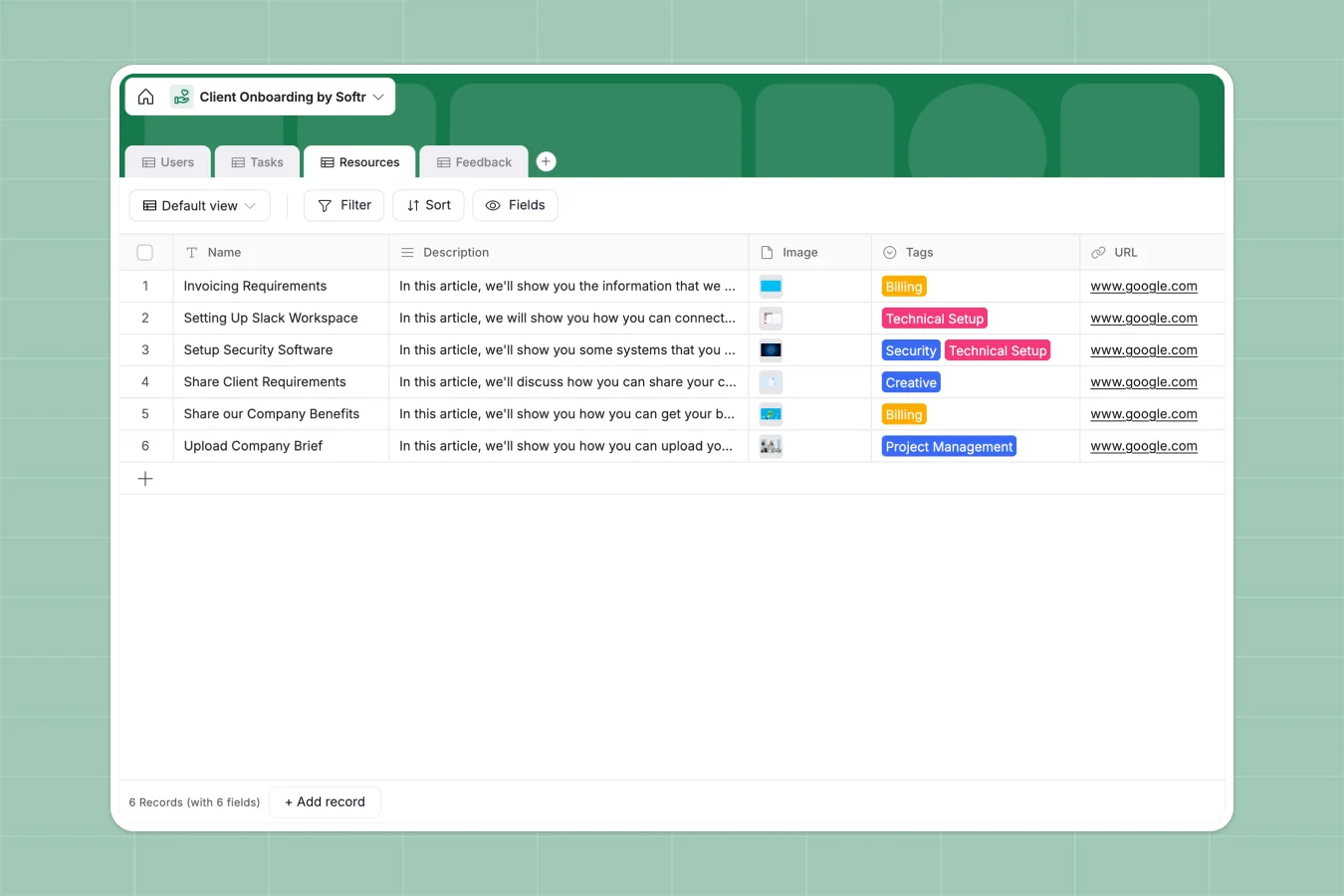
Your Client Onboarding Portal database at a glance
This template replaces scattered files with a centralized hub to track new clients, assign tasks, and securely share welcome resources. Say goodbye to manual updates and confusing email threads.
It directly links your clients to specific action items and training materials effortlessly. When an onboarding manager updates a stage, your whole team sees the exact progress instantly.
Why client onboarding gets messy in Excel
As your business scales, managing new clients in an Excel file quickly turns into a nightmare. Rows get accidentally deleted, attachments get lost in emails, and keeping track of task ownership is nearly impossible.
What a structured database changes
In a structured system, data isn't simply unstructured text typed into a cell. Files securely attach directly to task records, and client feedback is automatically tied to their profile.
Instead of dealing with broken formulas, you can link specific resources natively to onboarding steps without missing a beat. This is exactly what Softr Databases are designed for, keeping your data clean as your client list grows.
What you can do with this template
Give every client a clear status—from "Pending Contract" to "Active"—so nothing falls through the cracks. It gives you an immediate overall view of your pipeline.
Instantly assign designated onboarding phases to task owners. You can also securely attach crucial welcome deliverables right next to the client's action items.
-
Users
Manage client profiles and internal managers throughout the onboarding lifecycle
-
Tasks
Coordinate onboarding requirements with assignments, deadlines and progress tracking
-
Resources
Store documentation and links categorized by technical, billing or security tags
-
Feedback
Collect client experiences and initial impressions to improve onboarding workflows
Who is this Client Onboarding Portal database for
This system is built for teams that need a reliable, professional way to welcome new customers without technical hurdles.
- Agencies: Track multiple client deliverables and ensure welcome packets are sent accurately and on time.
- Customer Success Teams: Monitor account setup progress and collect early feedback seamlessly.
- Service Providers: Keep internal managers and new clients perfectly aligned on exact project timeframes.
How to take it further
You can easily tailor this database to match your exact service process. Add new tags for internal resources, update user roles, or change the precise onboarding timeframes to fit your business model.
If you have a backlog of customers, just use a CSV import directly. This instantly populates your users, feedback, and current task lists so you get immediate value.
When you're ready to share this directly with your customers, you can use the interface builder to create a custom, login-protected portal.
By setting up robust users and permissions, you guarantee clients only see their specific assigned tasks and resources. Your internal managers maintain oversight of the entire pipeline from a single, secure environment.
-
1
-
2
-
3
-
4
Frequently asked questions
-
What is a client onboarding portal database?
-
Why use a no-code database to build a client onboarding system?
-
How can AI help managing data for client onboarding?
-
Can I build an app with a client onboarding database?
-
Is this Client Onboarding Portal database free?
-
How is this onboarding database different from an Excel spreadsheet?
Start building today. It's free!
Build and launch your first app in under 30 minutes.