


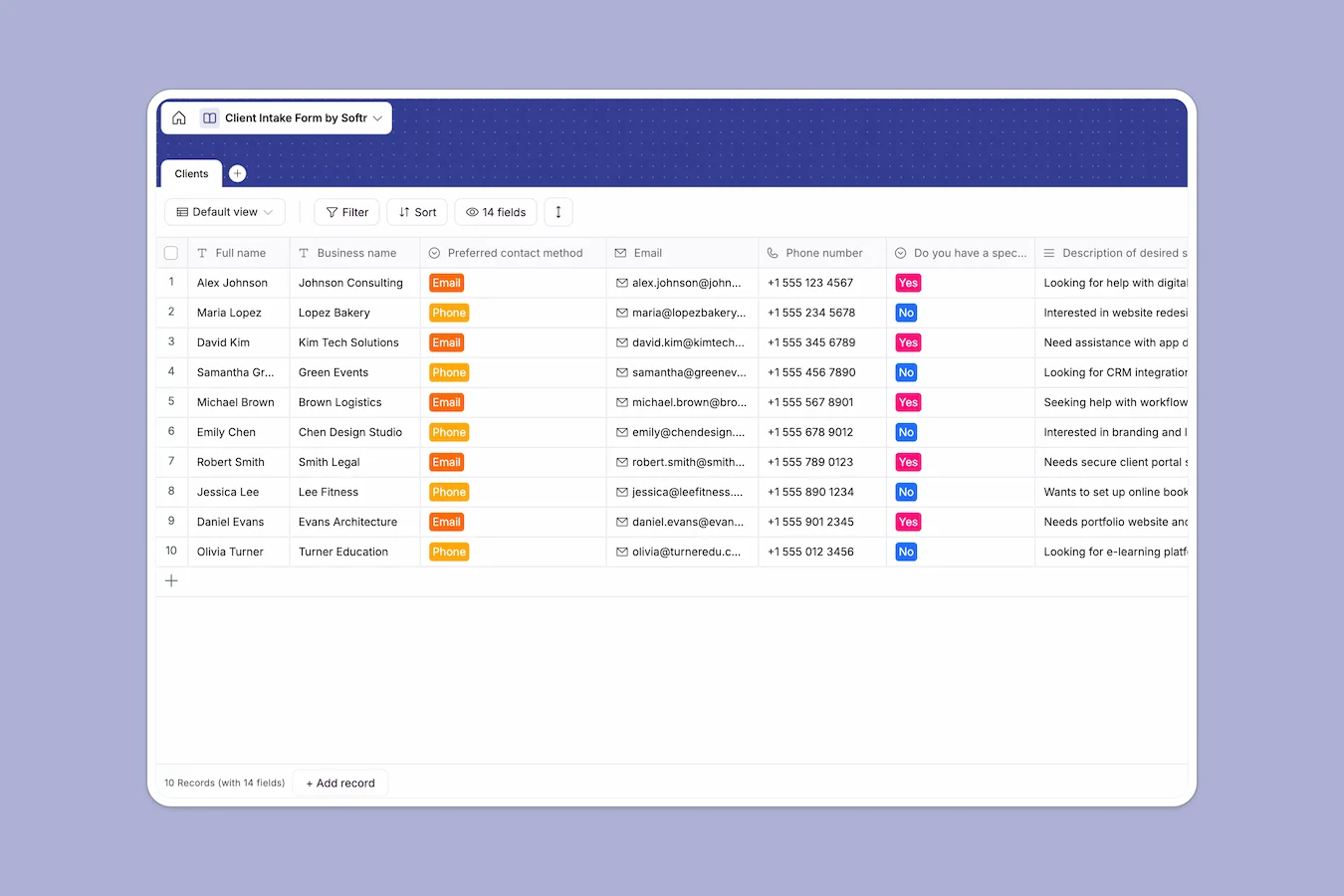
Your Client Intake database at a glance
This Client Intake template centralizes all new business inquiries, giving you a crystal clear view of every prospective client. It beautifully organizes everything from service requests and budgets to competitor context in one unified place.
The system operates around a single, highly structured table for capturing lead details. You can easily track contact preferences, project due dates, and text-heavy intake responses without digging through a cluttered inbox.
Why client intake gets messy in Excel
Tracking new prospects in spreadsheets starts out fine until rows get accidentally overwritten. Crucial details slip through the cracks when long-form responses get squished into tiny, unreadable cells.
What a structured database changes
In a structured system, data types are strictly enforced so your information stays usable. Emails are automatically clickable links, budgets are formatted numbers, and dates stay as actual dates.
You never have to squint at paragraphs of text crammed into a single spreadsheet row. This is exactly what Softr Databases are designed for—keeping data clean, actionable, and ready to scale.
What you can do with this template
Capture comprehensive client profiles consistently from day one. You can track preferred contact methods and evaluate project parameters side-by-side without chaotic horizontal scrolling.
Use it right out of the box to monitor lead sources, timeline expectations, and key competitor insights. It perfectly structures the exact information you need to close deals smoothly.
-
Clients
Store prospect intake data, project needs, and business context for lead vetting
Who is this Client Intake database for
This template is built for teams and professionals that need to process inbound leads quickly and reliably.
- Agencies and Freelancers: Evaluate new project scopes, budgets, and timelines easily before scheduling introductory calls.
- Sales Teams: Review competitor context and business overviews cleanly to prepare highly targeted pitches.
- Consultants: Standardize onboarding to ensure you collect all necessary client background information up front.
- Operations Managers: Centralize new business requests so nothing gets lost in email chains or personal messy files.
How to take it further
You can easily customize this database to perfectly match your unique sales process. Simply edit the dropdown choices for lead sources, or add new columns to track post-call follow-up statuses.
If you have a backlog of historical leads, you can upload them instantly via CSV. This pulls your existing prospect data out of fragile spreadsheets and into a structured work environment today.
When your team grows, you can use our interface builder to turn this single database into a complete custom CRM. You can build intake forms, lead dashboards, and approval pipelines in minutes.
By adding customized users and permissions, you can ensure sales reps only see their assigned leads while managers get full oversight. Starting with a properly structured database makes building these business apps effortless.
-
1
-
2
-
3
-
4
Frequently asked questions
-
What is a client intake database?
-
Why use a no-code database to build a client intake system?
-
How can AI help managing data for client intakes?
-
Can I build an app with this client intake database?
-
Is this Client Intake template free?
-
Why is this database better than using Excel for client intakes?
Start building today. It's free!
Build and launch your first app in under 30 minutes.