


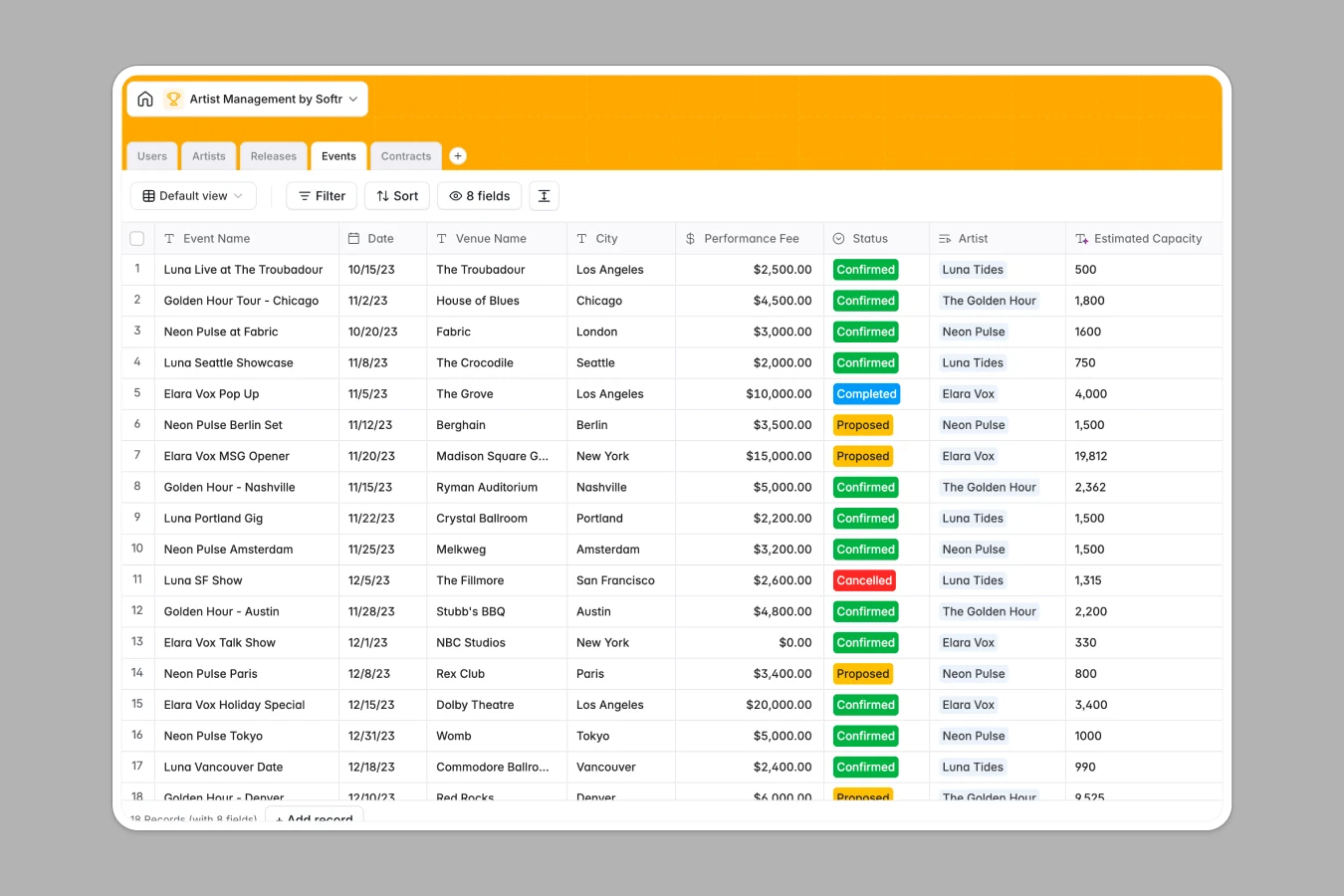
Your Artist Management database at a glance
This template gives talent managers, booking agents, and record labels a central home to manage roster operations. It connects your talent profiles directly to their upcoming releases, tour dates, and legal contracts so you never lose track of critical deadlines.
Everything stays organized across dedicated tables for Artists, Releases, Events, Contracts, and Users. Linking a tour date to a specific artist updates their schedule instantly without duplicate data entry.
Built-in AI fields automatically draft artist biographies, generate marketing pitches for new album releases, and search the web to look up venue capacities for booking planning.
When artist schedules and release dates get buried in separate tabs
Managing a growing music roster across traditional sheets usually leads to tab sprawl. You create one tab for tour dates, another for album rollouts, and a dozen separate files for booking agreements.
What a structured database changes
In a typical file, renaming an artist or updating a release date requires editing multiple tabs manually. Text notes end up inside date columns, and attached contract PDFs get replaced with broken drive links.
A dedicated structure keeps every object clean: files store high-resolution press photos, dates remain properly formatted, and event fees stay accurate. This is exactly what Softr Databases are designed for.
Because every record links natively, an artist profile automatically displays all their active contracts and confirmed gigs in one view without fragile formulas.
What you can do with this template
Track discography timelines from draft to release date, complete with UPC codes and cover art files.
Manage performance fees and booking statuses for tours while Database AI agents research venue details and write release pitches automatically.
Keep legal agreements organized by status and expiration date so your agency stays ahead of contract renewals.
-
Users
Manage managers, agents, and artist accounts with roles and contacts
-
Artists
Track artist rosters with media assets and AI-generated biographies
-
Releases
Organize discography records and craft marketing pitches with AI
-
Events
Schedule live shows and research venue capacities using AI search
-
Contracts
Manage legal agreements, riders, status stages, and PDF documents
Who is this Artist Management database for
This template is tailored for music business professionals who need organized roster operations:
- Artist Managers: Centralize your talent roster, campaign schedules, and day-to-day communications in one place.
- Independent Record Labels: Track album release pipelines, marketing elevator pitches, and distributor metadata seamlessly.
- Booking Agencies: Manage gig offers, performance fees, venue capacities, and tour dates without spreadsheet clutter.
- Legal & Business Affairs: Monitor agreement statuses, expiration dates, and signed contract files across every artist.
How to take it further
Customize fields to match your agency workflow in seconds. Add custom contract types, update music genre tags, or add fields for streaming analytics and social links directly in the database interface.
Bring in your existing roster data instantly using CSV import or connect external tools via API to keep your release schedules synced in real time.
When your team is ready, you can build an app on top of this data. Generate a dedicated artist portal where musicians view their own tour itineraries and upload press assets, while managers manage contracts securely with granular users and permissions.
-
1
-
2
-
3
-
4
Frequently asked questions
-
What is an artist management database?
-
Why use a no-code database to build an artist management system?
-
How can AI help managing data for artist management?
-
Can I build an app with this artist management database?
-
Is this Artist Management template free?
-
How is this database different from an artist management spreadsheet?
Start building today. It's free!
Build and launch your first app in under 30 minutes.