


Overview
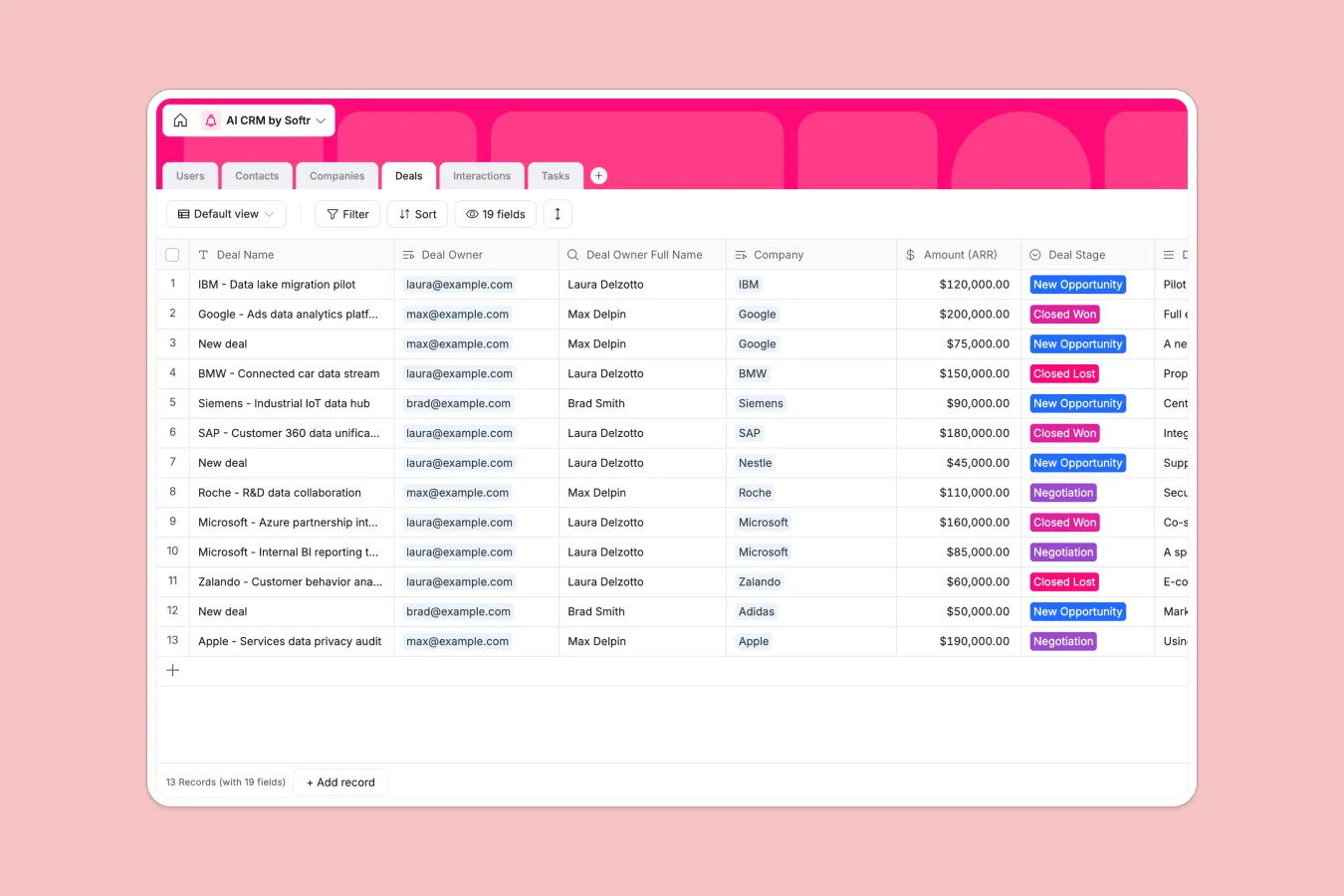
This AI CRM database organizes contacts, companies, deals, interactions, and tasks in a structured system designed for sales teams. Unlike Excel spreadsheets, it uses relational tables that connect automatically—link contacts to companies, track interactions across both, and manage deals with full context.
The database includes six connected tables: Users (sales reps with role-based access), Contacts (with company relationships), Companies (enriched with AI-powered industry, employee count, and activity descriptions), Deals (with pipeline stages and ownership), Interactions (emails and meetings timestamped and linked), and Tasks (assigned and tracked by deal). Each table enforces proper data types—dates stay dates, currency stays currency, and relationships stay connected.
Database AI agents automatically enrich company records by researching industry classification, employee counts, and business activity summaries from live web data. When you add a company name and domain, the AI fills in missing context without manual research—eliminating hours of data entry while keeping your CRM current.
Why choose an AI CRM database over Excel
Excel forces you to track customers, deals, and interactions across multiple disconnected sheets with fragile VLOOKUP formulas that break when data changes. As your pipeline grows, navigation becomes impossible, and maintaining data integrity across tabs turns into a full-time job.
The power of Softr Databases
Softr Databases enforce structure through proper column types—currency fields stay currency, dates stay dates, and relationships between tables are native. Instead of copying company names across sheets and hoping they match, you link contacts directly to companies through related records. Lookups and rollups pull insights automatically: see total interactions per company, count deals per contact, track pipeline ownership without formulas. One table equals one object—contacts in one place, companies in another, all connected seamlessly. This structure makes your data app-ready and eliminates the chaos of spreadsheet tabs.
Core features and functionality
Database AI agents research company details from the web and auto-fill industry, employee count, and activity descriptions when you add new records. The database tracks every customer interaction with timestamps and direction (inbound/outbound), then rolls up total interactions per company and contact. Deal pipeline management connects ownership, stages, close dates, and related tasks in one view, while user assignments ensure the right rep owns the right accounts—all enforced through proper relational structure instead of error-prone spreadsheet references.
-
Users
Manage team members with roles and assignments for contacts and deals
-
Contacts
Store lead details and track communication frequency and relationships
-
Companies
Monitor organizations using AI for industry classification and summaries
-
Deals
Track pipeline opportunities with ARR tracking and demo request history
-
Interactions
Log all inbound and outbound communications across emails and meetings
-
Tasks
Organize workflow items linked to specific deals and team assignments
Who is this AI CRM database for
This database helps teams tracking customer relationships without the complexity of enterprise software:
- Sales teams: Track pipeline stages, deal ownership, and customer interactions without spreadsheet chaos.
- Small businesses: Manage contacts and companies with AI-powered enrichment that eliminates manual research.
- Account managers: See complete interaction history and task ownership across all customer touchpoints.
- Growing startups: Maintain structured customer data that scales beyond spreadsheets and stays app-ready.
- Service providers: Connect client communications, project details, and follow-up tasks in one relational system.
How to take it further
Customize the database
Modify the Deal Stage select field to match your actual pipeline (Discovery, Proposal, Contract Review), adjust Industry choices to reflect the sectors you serve, or add custom fields like Lead Source or Contract Value. Because this is a native Softr Database, you can rename fields, change select values, add columns for commission tracking, or create formulas for weighted pipeline calculations—all without breaking connections between tables.
Import your existing data
Use CSV import to bulk upload contacts, companies, and deals from your current Excel sheets. For ongoing sync, connect via API to pull customer data from other tools automatically. The structured database format—with proper column types and relationships—means your imported data becomes immediately usable instead of requiring cleanup.
Build an app on top
Once your CRM data is structured, build a sales portal using Softr's interface builder that connects directly to this database. Create dashboards where reps see only their assigned deals, build client portals where customers view interaction history, or design manager views showing team pipeline and task completion. Full-stack apps in Softr combine Database + Interface + Workflows in one platform. Configure users and permissions so sales reps edit their deals but only view others', admins manage all records, and clients access read-only company information. A well-structured database makes building these interfaces straightforward—proper relationships mean data displays correctly, and enforced column types ensure reliability across your sales app.
-
1
-
2
-
3
-
4
Frequently asked questions
-
What is an AI CRM database?
-
Why use a no-code database to build an AI CRM system?
-
How can AI help managing data for customer relationships?
-
Can I build an app with an AI CRM database?
-
Is this AI CRM database free?
-
How is an AI CRM database different from Excel?
Start building today. It's free!
Build and launch your first app in under 30 minutes.