


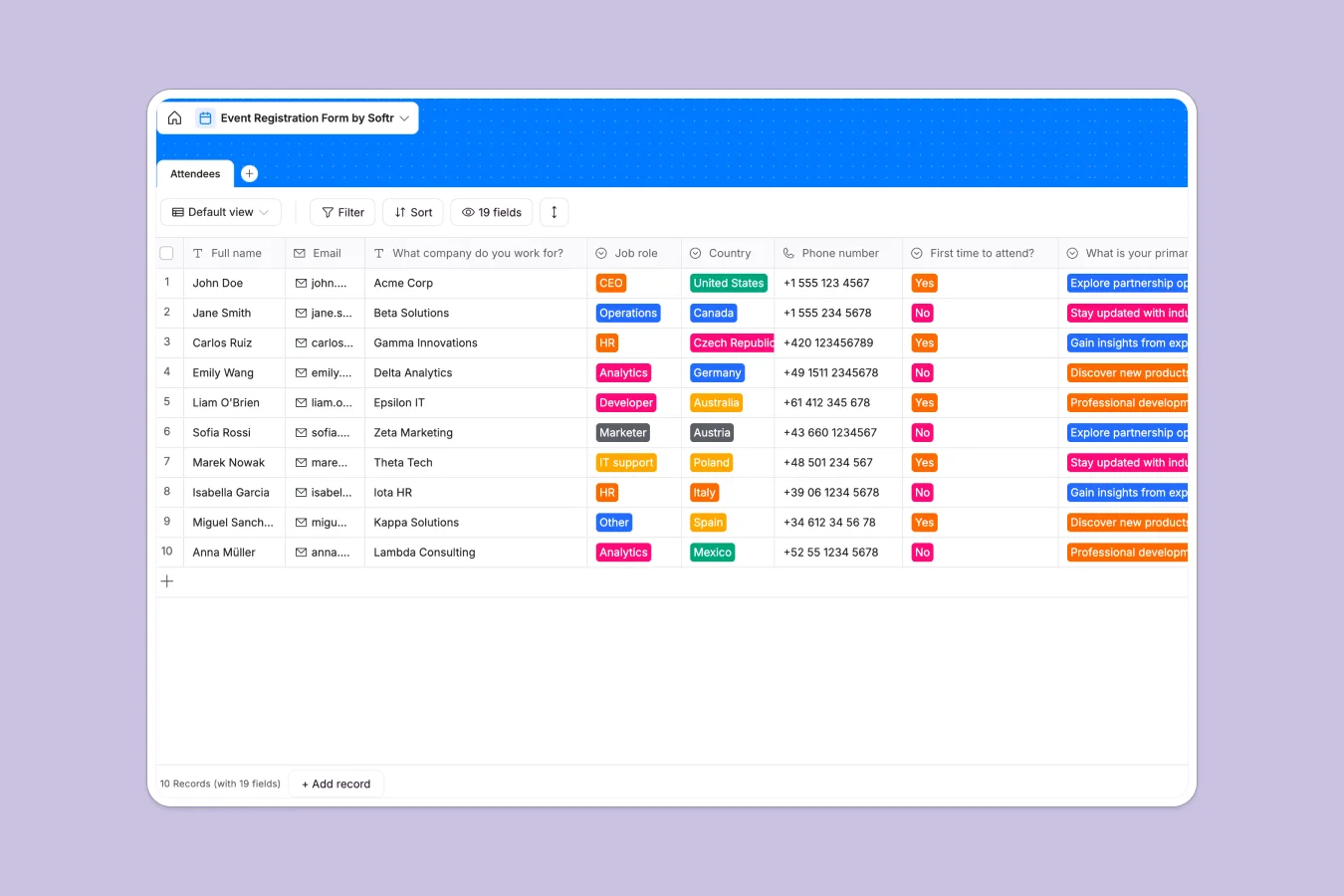
Your Event Registration database at a glance
This template gives you a centralized, organized home for every piece of information your event needs. It captures everything from basic attendee contacts to complex logistics like hotel arrangements and meal preferences.
The database uses a dedicated Attendees table equipped with specific field types to keep your data strictly structured. Dropdowns handle uniform t-shirt sizes, checkboxes catch networking opt-ins, and distinct text fields cleanly separate dietary restrictions from actual meal selections.
Why managing event registrations in spreadsheets breaks down
Event planning gets chaotic fast when you rely on spreadsheets to collect attendee data. Columns get overwritten, meal preferences get mixed up with food allergies, and securely collecting profile pictures becomes a headache as your guest list grows.
What a structured database changes
Accounts of missing data vanish when you use a proper database, because it enforces strict rules. Dates stay dates, select fields restrict input to your specific hotel or meal options, and file attachments naturally live directly inside the correct attendee record.
This structured approach means your event data stays clean and reliable, even as your guest list hits the hundreds. This is exactly what Softr Databases are designed for, giving you a production-ready home for your event operation in minutes.
What you can do with this template
You can immediately start tracking attendees, their job roles, and their core reasons for joining your event. It instantly organizes your operational logistics by giving you clean views of dietary restrictions, chosen accommodations, and required t-shirt sizes.
Everything is ready to use from day one, so you can stop wrestling with messy spreadsheet rows. Just copy the template and adapt the dropdown options to match your specific event venues and menus.
-
Attendees
Manage registration details, personal profiles and preferences for event participants
Who is this Event Registration database for
This template provides a reliable data foundation for anyone responsible for gathering and organizing event attendees.
- Event Managers: Track headcounts, hotel bookings, and dietary needs in a single reliable view.
- Marketing Teams: Capture lead roles, professional backgrounds, and effortlessly track newsletter opt-ins.
- Operations Leads: Keep logistics perfectly organized with standardized t-shirt sizing and meal selection dropdowns.
- Community Builders: Collect profile pictures and networking opt-ins securely to facilitate attendee connections.
How to take it further
Customize the database. You can easily tweak the template to fit your exact event requirements without touching code. Modify the existing accommodation options, update the daily meal choices, or add new columns for flight arrival times.
Import your existing data. If you already have a partial guest list or past event records, simply upload them via CSV. You can instantly map your existing attendee records straight over into this clean, structured format.
Build a full app around it. When your event scales, you can use Softr's interface builder to turn this database into a public-facing event portal or a secure internal dashboard. It takes your raw data and turns it into a fully functional application.
By utilizing native users and permissions, you can ensure speakers only see their specific schedules while staff can securely view and edit attendee dietary requirements. A well-structured database makes launching an app like this effortless.
-
1
-
2
-
3
-
4
Frequently asked questions
-
What is an event registration database?
-
Why use a no-code database to build an event registration system?
-
How can AI help managing data for event registration?
-
Can I build an app with this event registration database?
-
Is this Event Registration database free?
Start building today. It's free!
Build and launch your first app in under 30 minutes.