


Overview
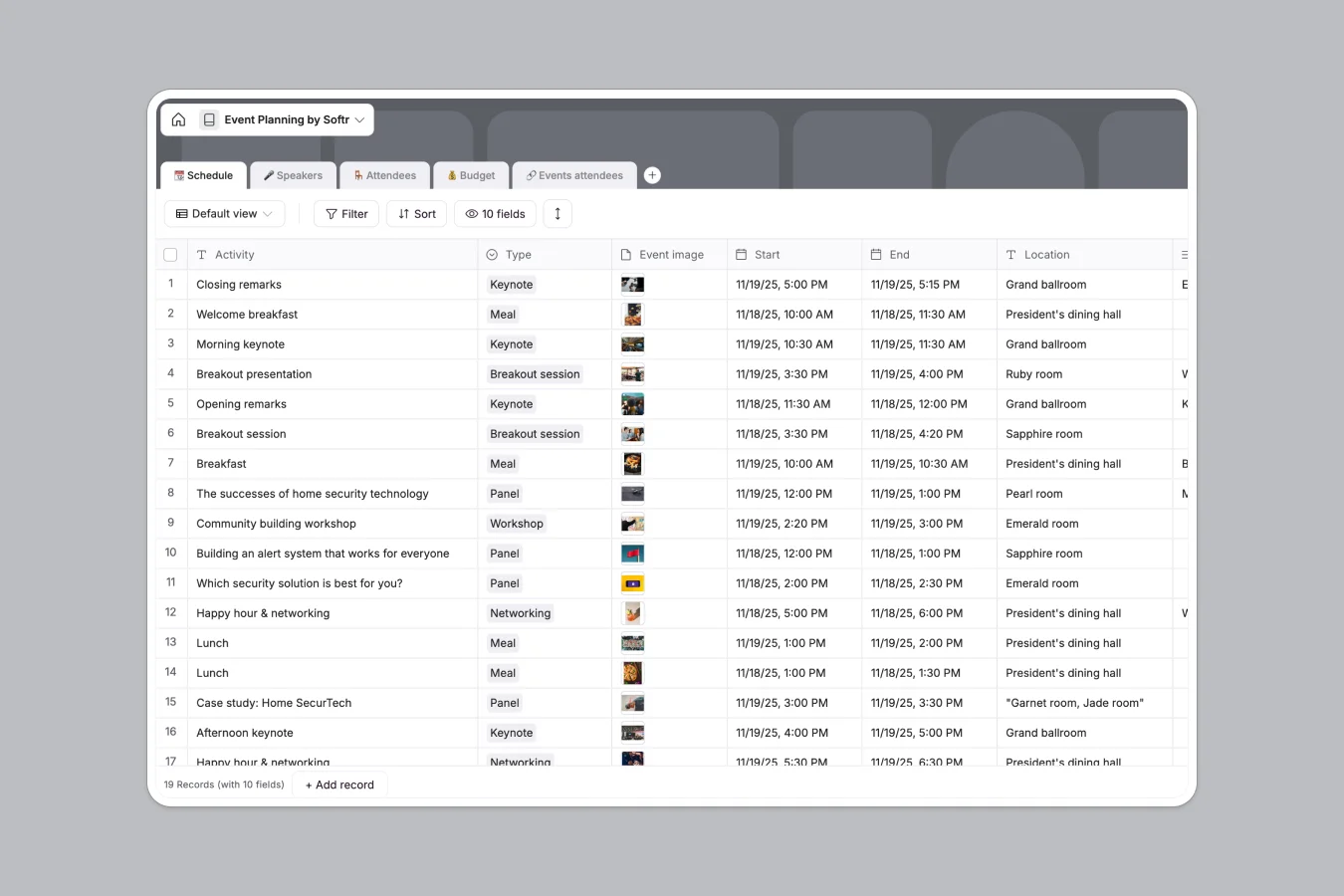
This event planning database centralizes every logistic detail necessary for executing successful events, from conferences to internal workshops. Instead of scattering information across multiple tabs, it unifies schedule management, speaker coordination, attendee registration, and financial tracking into a single, cohesive system.
The template is built on five connected tables. The Schedule table tracks session times and locations, while directly linking to the Speakers table to associate presenters with their slots. The Budget table uses formulas to calculate potential versus actual costs automatically. Finally, the Attendees and Events attendees tables manage guest lists and specific session registrations, creating a relational web of data that keeps your team aligned.
Why use this Event Planning Database (instead of spreadsheets)
The power of Softr Databases
Spreadsheets often break when you try to link data, like connecting a speaker to multiple sessions without duplicating rows. Softr Databases handle these relationships natively, ensuring that if you update a speaker's bio, it updates everywhere they are listed. Unlike Excel, column types are strictly enforced—dates stay dates and currency stays currency—preventing the data corruption common in shared files.
Core features and functionality
This template goes beyond simple listing by using formulas to monitor budget health (Comparing "Estimated" vs "Actual" costs) instantly. You can also utilize Database AI agents to automate tasks, such as enriching speaker profiles with public data or summarizing session notes, turning your database into an active workflow engine rather than a static record.
-
📆 Schedule
Organize event sessions, workshops, and networking slots with specific locations
-
🎤 Speakers
Manage guest speakers with contact details, company roles and session materials
-
🪑 Attendees
Store guest registrations, access levels and personal profiles for event participants
-
💰 Budget
Monitor event expenses by comparing estimated costs against actual spending
-
🔗 Events attendees
Connect specific attendees to their scheduled sessions to track participation
Who is this Event Planning Database for
- Event Managers: coordinate complex schedules, keynote speakers, and vendor logistics in real time.
- Marketing Teams: manage guest lists, track RSVP statuses, and store speaker assets like headshots.
- Operations Leads: monitor budget variance and ensure all line items remain within approved limits.
How to take it further
Customize the database
Tailor the template to your specific event format. You might add a "Vendors" table to track catering and AV providers, or modify the "Type" options in the Schedule table to include specific breakout categories unique to your program.
Import your existing data
If you have an existing guest list or agenda in CSV format, you can upload it directly to populate the Schedule and Attendees tables instantly. This allows you to migrate from legacy tools within minutes.
Build an app on top
A database is just the foundation. Use Softr's interface builder to create a public event portal where attendees can view the agenda and register for sessions, or a private dashboard for staff to manage budgets. With granular users and permissions, you can ensure speakers can only upload their own slides while admins retain full control over the budget.
-
1
-
2
-
3
-
4
Frequently asked questions
-
What is an event planning database?
-
Why use a no-code database to build an event management tool?
-
How can AI help managing data for event planning?
-
Can I build an app with this event planning database?
-
Is this Event Planning Database free?
-
How does this database handle budget tracking?
Start building today. It's free!
Build and launch your first app in under 30 minutes.