


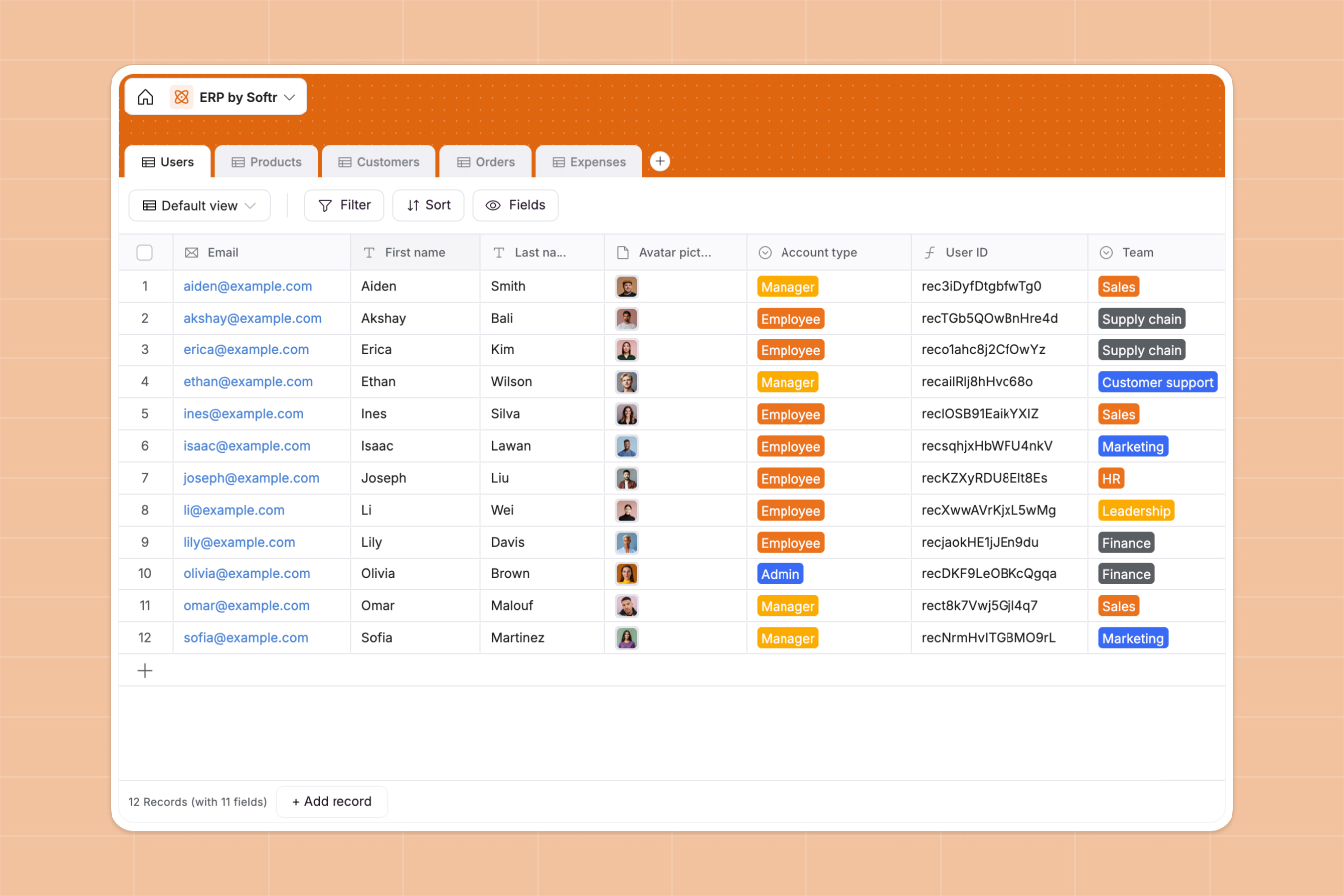
Your Enterprise Resource Planning (ERP) database at a glance
Centralizing your core business operations shouldn't require complex software. This enterprise resource planning (erp) database unites your team management, sales, and inventory into one clean system.
The template comes pre-configured with interconnected tables for users, products, customers, orders, and expenses. A new order automatically links to the customer and purchased products, ensuring your revenue metrics and stock values are always perfectly accurate.
Why managing ERP in spreadsheets breaks down
Relying on spreadsheets to run your core operations quickly leads to chaos. When inventory data lives in a different file than customer orders, tracking real-time business health becomes impossible.
What a structured database changes
A proper relational system ensures your data stays organized as you scale. Instead of relying on fragile formulas to calculate stock value or employee expenses, every piece of information naturally connects.
This is exactly what databases are designed for. You can link your orders directly to customers and products, meaning data is entered once and updated everywhere automatically.
What you can do with this template
Easily track product stock levels, unit prices, and overall inventory value at a glance. Manage your customers and see their total revenue roll up automatically based on completed orders.
Keep a tight grip on company finances by logging business expenses and linking them to specific team members. You can start centralized operational tracking on day one without writing any code.
-
Users
Maintain employee profiles with roles, teams, contracts and asset tracking
-
Products
Manage inventory catalog with pricing, categories and stock value monitoring
-
Customers
Track client companies with contact data, locations and revenue performance
-
Orders
Process customer transactions with status tracking and invoice management
-
Expenses
Monitor corporate spending by category linked to users and billing records
Who is this Enterprise Resource Planning (ERP) Database for
This template is designed for growing businesses that need a single source of truth for their day-to-day operations.
- Operations Managers: Track product stock metrics securely and streamline order processing workflows.
- Finance Teams: Monitor categorized expenses and automatically calculate total revenue from customer orders.
- Sales Leaders: Keep a clean database of customers, track unpaid invoices, and monitor sales volume per client.
- HR Departments: Maintain an accurate directory of employee roles, start dates, and equipment history.
How to take it further
You can easily customize this database to perfectly match your actual business processes. Add new product categories, update order processing statuses, or create an entirely new table for vendor management.
Stop manually typing out old records by taking advantage of automated data imports. You can instantly upload your existing customer lists and product catalogs via CSV bulk import or API.
When your team needs secure access, you can quickly build a custom portal on top of this structured data. You can set specific users and permissions so sales reps only see their own accounts, while executives access global revenue dashboards. Starting with a structured database makes launching a powerful internal app effortless.
-
1
-
2
-
3
-
4
Frequently asked questions
-
What is an enterprise resource planning (erp) database?
-
Why use a no-code database to build an ERP system?
-
How can AI help managing data for an ERP?
-
Can I build an app with this ERP database?
-
Is this Enterprise Resource Planning (ERP) Database free?
-
How is an ERP database different from managing operations in spreadsheets?