


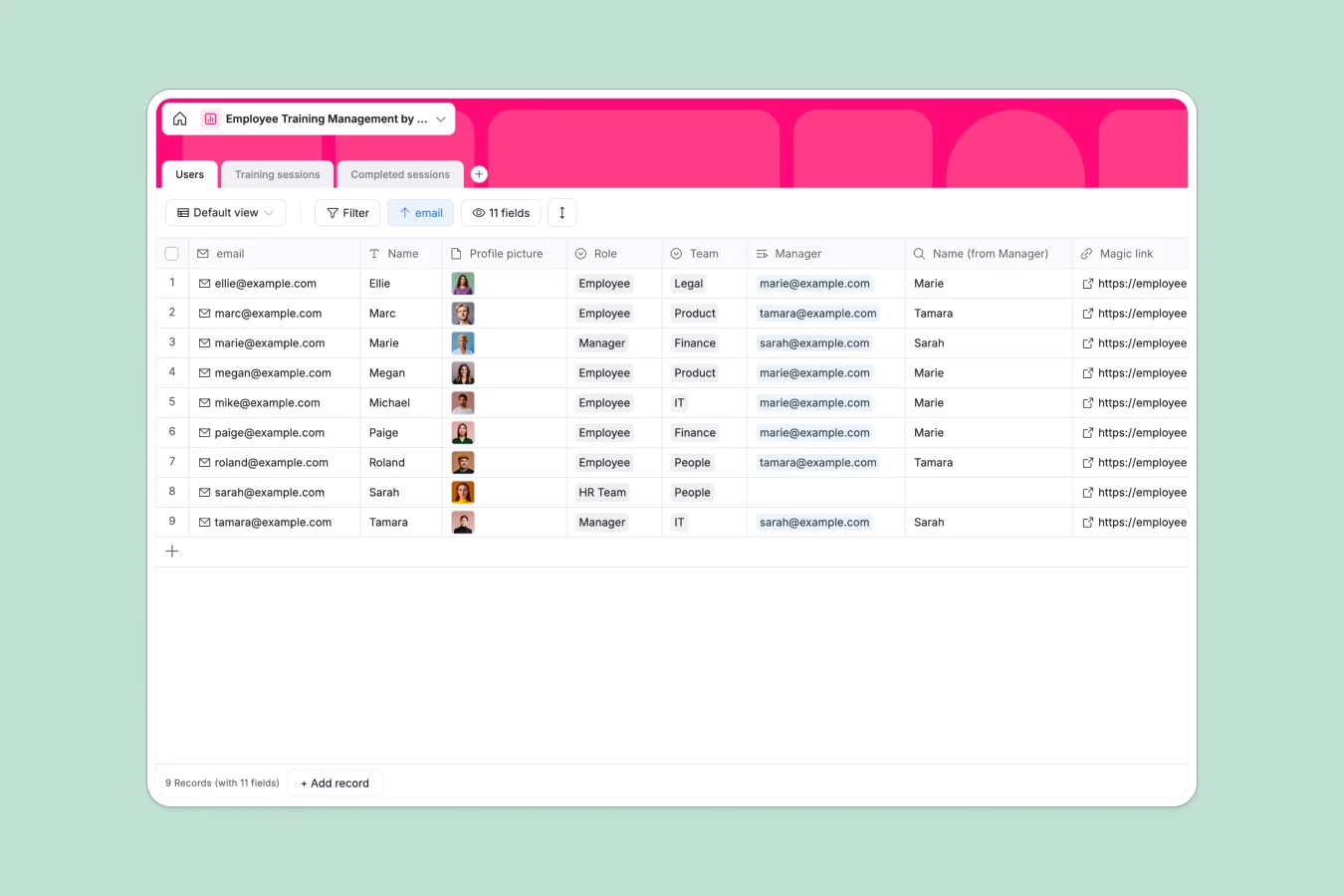
Your Employee Training database at a glance
This template helps People teams and managers organize training curriculums, schedule upcoming sessions, and verify completions across departments. It ensures compliance and employee growth without manual check-ins.
The database connects three dedicated tables: Users, Training sessions, and Completed sessions. Linking these records lets you see instantly which employee finished each course and provides automated completion totals per session.
Why blank spreadsheets fail when managing employee training
Tracking professional development in generic sheets quickly turns chaotic as course catalogs grow and attendance logs pile up across teams.
What a structured database changes
In a flat sheet, tracking who attended which workshop requires copying employee details repeatedly or maintaining fragile lookup formulas that break when rows shift.
A structured setup assigns strict types to every column: calendar dates stay clean, attachments like presentation decks stay accessible, and attendance logs link natively to individual staff profiles. This is exactly what Softr Databases are designed for.
What you can do with this template
Assign upcoming workshops directly to specific departments such as Product, Legal, or Finance, and attach presentation decks or video links directly to the session record.
Log course sign-offs with digital signature attachments in Completed sessions, giving your HR team an audit-ready compliance record in real time.
-
Users
Manage employee directory, team assignments, and manager relationships
-
Training sessions
Schedule educational programs with materials, schedules, and locations
-
Completed sessions
Track training completion logs, attendee signatures, and timestamps
Who is this Employee Training database for
This template provides dedicated tracking for any organization investing in internal skills and compliance.
- People & HR teams: Centralize company-wide compliance training and verify attendance records with verifiable signatures.
- Team leads & managers: Monitor which direct reports have completed required role-specific learning paths.
- Department heads: Organize technical workshops and share training materials across specific teams effortlessly.
How to take it further
Customize this database in seconds by adjusting department names in the Users table or adding new meeting locations to match your physical offices.
Import your existing staff rosters and past completion records quickly using simple CSV uploads or sync via API.
When ready, build an app on top of this data using Softr's AI Co-Builder to generate an interactive learning portal where staff view assigned courses and submit sign-offs. Use granular permissions to ensure employees see only their assigned modules while HR administrators maintain full management access.
-
1
-
2
-
3
-
4
Frequently asked questions
-
What is an employee training database?
-
Why use a no-code database to build an employee training system?
-
How can AI help managing data for employee training?
-
Can I build an app with this employee training database?
-
Is this Employee Training template free?
-
Can I track mandatory compliance certifications with this template?
Start building today. It's free!
Build and launch your first app in under 30 minutes.