


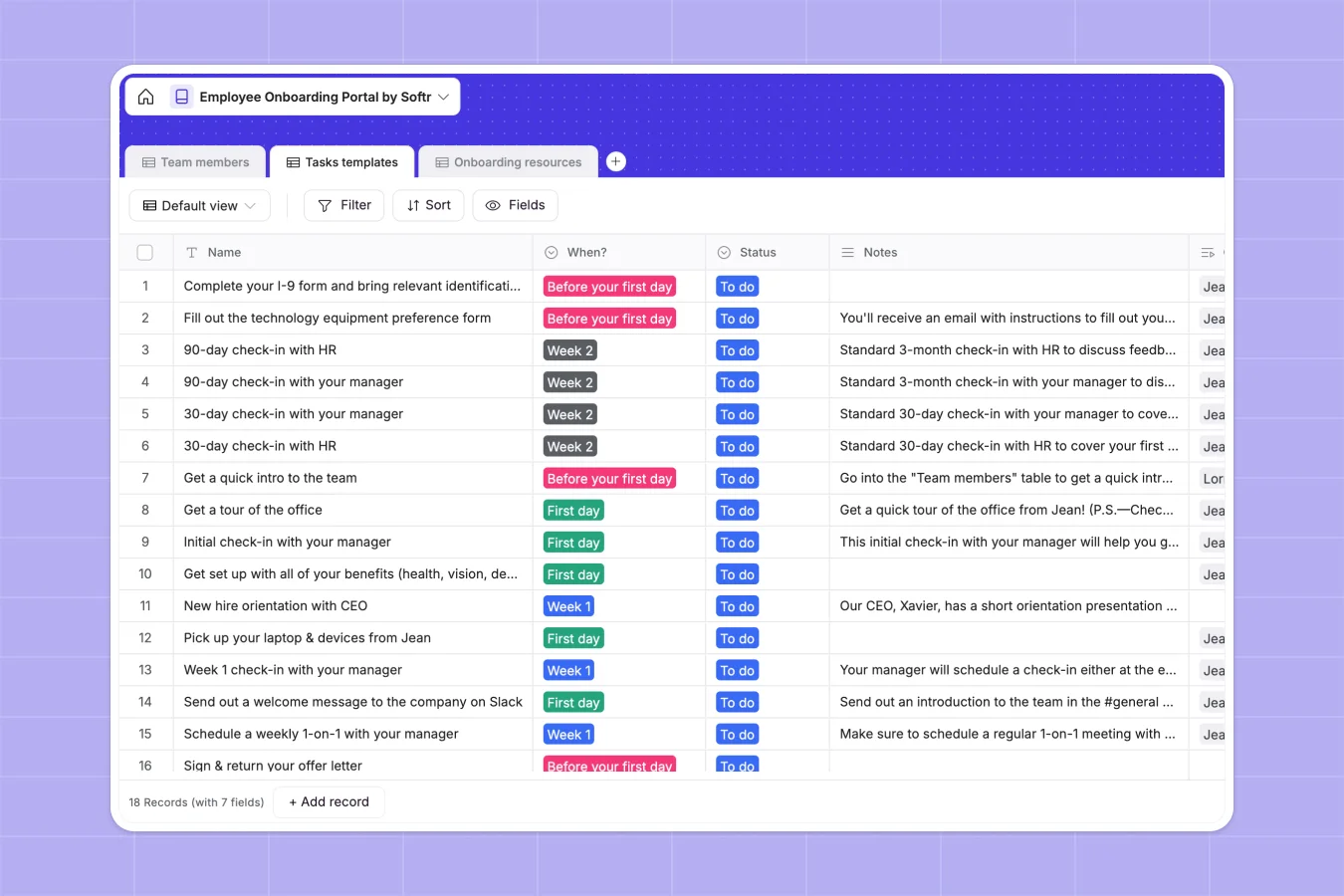
Your Employee Onboarding Database at a glance
This template gives your HR team a central hub to manage new hires, from their first day to full integration. It perfectly organizes tasks, resources, and employee profiles in one reliable system.
The database links Team members, Tasks templates, and Onboarding resources together natively. When a new hire starts, you can instantly assign tasks and automatically attach the necessary training handbooks.
Why managing employee onboarding in spreadsheets breaks down
Tracking a new hire's paperwork, daily tasks, and training links across different spreadsheet tabs quickly becomes chaotic. Formulas break, files get lost, and HR loses visibility over what’s actually completed.
What a structured database changes
A structured database connects data dynamically, turning messy rows into clear relationships. You can link a specific onboarding task directly to the required PDF document without copy-pasting links across sheets.
This is exactly what Softr Databases are designed for. Every column serves a specific purpose, ensuring emails stay formatted correctly and attachments remain securely tied to the newly onboarded employee.
What you can do with this template
Track precisely when tasks happen—whether it is before day one, week one, or beyond—while monitoring completion rates.
Keep all your training documents, company policies, and role-specific guides neatly linked to the exact task that requires them.
-
Team members
Manage employee profiles with roles, department tags and onboarding progress
-
Tasks templates
Organize onboarding steps with status tracking and links to training materials
-
Onboarding resources
Store essential documents and guides required for new hires to complete tasks
Who is this Employee Onboarding database for
This template is a perfect foundation for teams wanting to standardize their hiring experience.
- HR Managers: Centralize paperwork, track completion statuses, and ensure a smooth day-one experience.
- Department Heads: Monitor the progress of new team members and assign role-specific training tasks easily.
- Operations Leads: Keep company policies updated in one place and distribute them efficiently to new hires.
How to take it further
You can easily customize this native database to fit your company's unique process. Add new departments to the structured select fields or create new task schedules tailored to senior roles.
Pull in your existing employee lists and task structures via CSV upload. Bulk importing gets your HR team up and running with accurate records instantly.
When you're ready to share this system securely, you can build an app on top of this very database.
Instead of giving everyone broad database access, create a customized employee portal where new hires only see their own assigned tasks. Thanks to robust users and permissions, teams can interact safely while HR controls the master records.
-
1
-
2
-
3
-
4
Frequently asked questions
-
What is an employee onboarding database?
-
Why use a no-code database to build an onboarding tracking tool?
-
How can AI help managing data for employee onboarding?
-
Can I build an app with an employee onboarding database?
-
Is this Employee Onboarding database free?
-
How is an employee onboarding database different from spreadsheets?
Start building today. It's free!
Build and launch your first app in under 30 minutes.