


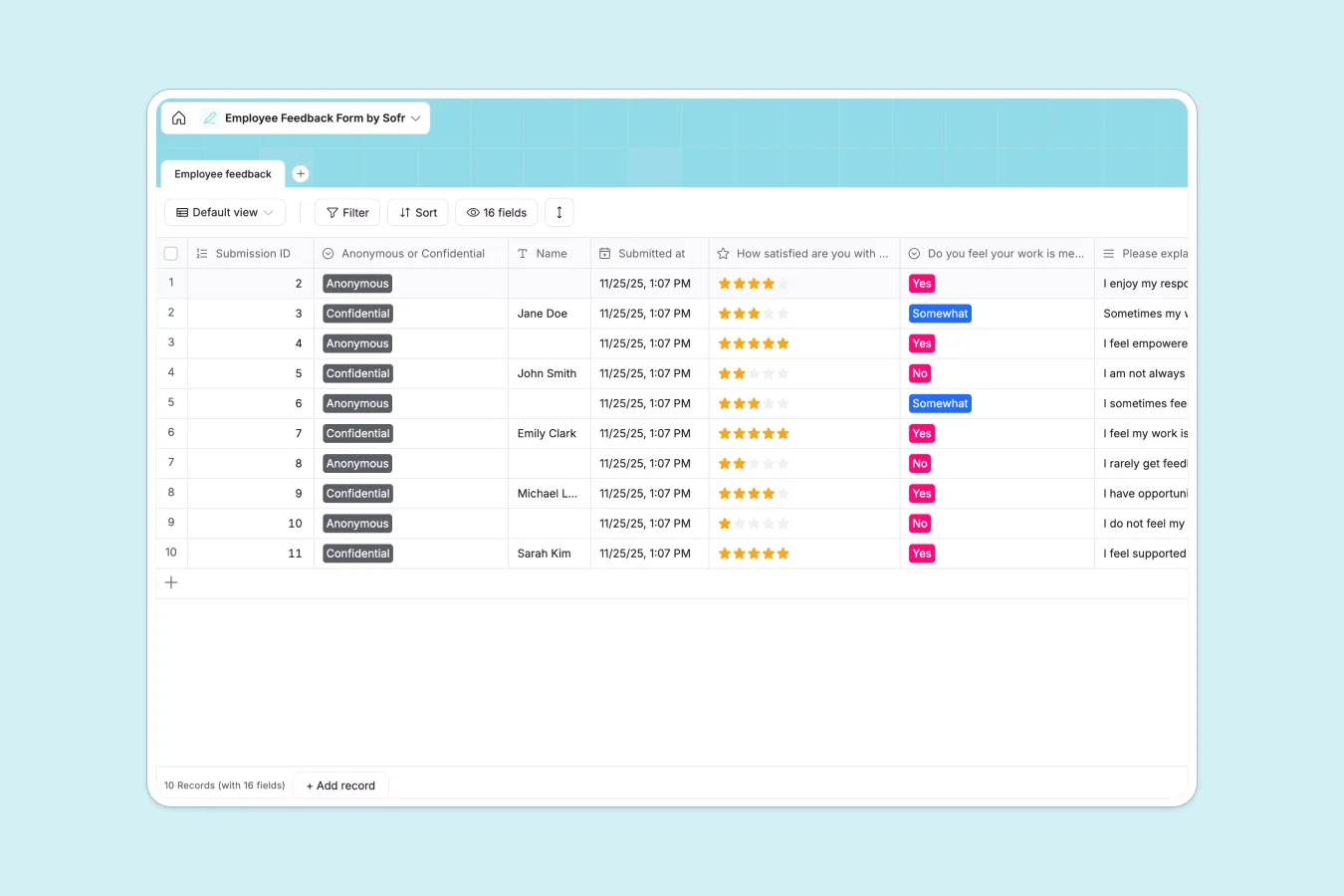
Your Employee Feedback Database at a glance
This Employee Feedback Database helps you capture, organize, and act on team sentiments securely. It gives your team a structured way to share their thoughts on role satisfaction, company culture, and growth opportunities.
The system revolves around a central feedback table where every submission is automatically tracked. Fields are pre-configured to handle both anonymous and confidential responses, complete with structured ratings and detailed text explanations.
Why managing employee feedback in spreadsheets breaks down
Gathering sensitive team feedback in shared spreadsheets is risky and quickly becomes a logistical nightmare.
What a structured database changes
Spreadsheets make it too easy to accidentally expose confidential responses or overwrite someone's text. You end up with a messy mix of partial answers and broken formatting as participation scales.
A structured database enforces strict data types, ensuring ratings stay as ratings and long-form feedback stays easily readable. This is exactly what Softr Databases are designed for—keeping sensitive information organized, uniformly structured, and secure as your team grows.
What you can do with this template
Start collecting standardized feedback instantly with pre-built fields for tracking communication, collaboration, and role satisfaction.
You can easily filter responses by submission type to quickly spot trends in how valued your team members feel. Everything stays neatly categorized so you can focus on improving culture rather than untangling data.
-
Employee feedback
Collect and analyze staff sentiment regarding roles, growth, and team culture
Who is this Employee Feedback Database for
This template is built for teams who want consistently structured insights into their company culture.
- HR Managers: Securely gather and analyze team sentiment without risking data privacy.
- Team Leads: Track actionable feedback on communication and career growth within your department.
- Founders: Keep a clear pulse on company culture and employee satisfaction as your organization scales.
How to take it further
You can easily customize this database to fit your exact review cycle. Add new dropdown options for specific departments or adjust the rating scales to match your company's performance metrics.
If you already have historical feedback, you can quickly upload it via CSV. This keeps all your past and present employee insights centralized in one reliable system.
When you're ready, you can transition this database into an internal portal using Softr's interface builder. This lets you create a secure online submission form for employees while keeping the backend data completely hidden.
By configuring users and permissions, you can ensure that only authorized HR personnel or direct managers can view the confidential responses. A well-structured database makes building this kind of secure business app entirely effortless.
-
1
-
2
-
3
-
4
Frequently asked questions
-
What is an employee feedback database?
-
Why use a no-code database to build an employee feedback system?
-
How can AI help managing data for employee feedback?
-
Can I build an app with an employee feedback database?
-
Is this Employee Feedback Database free?
-
How is this feedback database different from Google Sheets or Excel?
Start building today. It's free!
Build and launch your first app in under 30 minutes.