


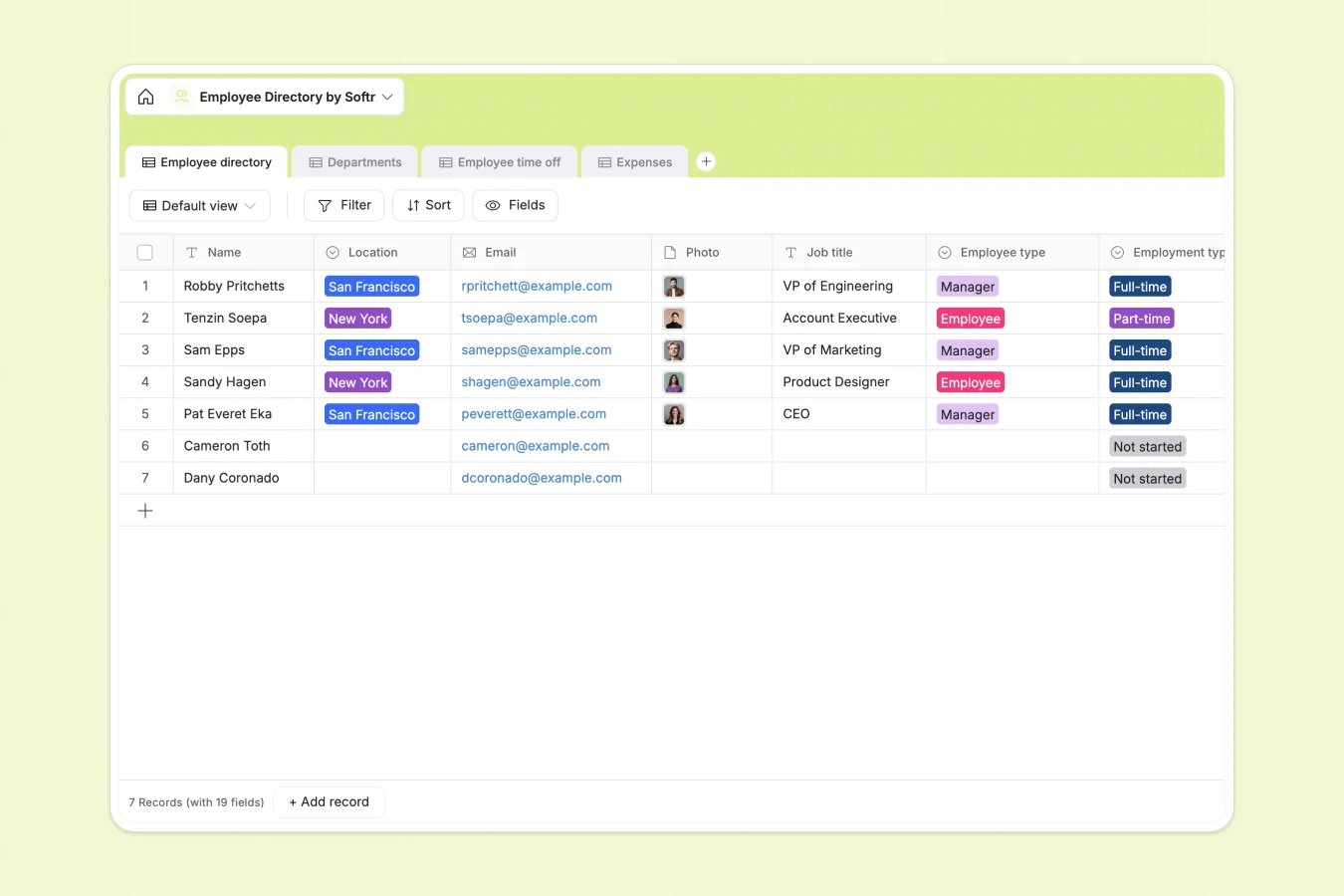
Your Employee Directory Database at a glance
This template gives you a complete, ready-to-use system to track your entire workforce. Centralize contact details, emergency info, and role assignments seamlessly.
It connects multiple tables so your data stays perfectly organized. Employees are linked directly to their departments, expenses, and time-off requests, naturally eliminating duplicate entries.
Why managing employee records in spreadsheets breaks down
Tracking expanding teams across dozens of spreadsheet tabs quickly turns into a logistical nightmare. Rows get accidentally deleted, and tying expenses to specific staff members requires fragile formulas.
What a structured database changes
A true database ensures every piece of information has a strict, reliable format. Attachment columns safely hold receipts and headshots, while lookup fields pull manager names automatically.
More importantly, records natively connect to one another across tables without writing a single VLOOKUP. This is exactly what Softr Databases are designed for.
What you can do with this template
You can immediately log new hires, assign them to departments, and instantly see headcount rollups automatically update.
It also gives you dedicated spaces to approve time-off requests and track company expenses attached to individual employees. Everything is pre-configured and ready to use.
-
Employee directory
Centralize staff profiles with roles, contact info, and personal interests
-
Departments
Manage organizational units with leadership, employee counts and team structures
-
Employee time off
Track vacation and sick leave requests with timelines and leave types
-
Expenses
Process business spending with receipt attachments, amounts, and category logs
Who is this Employee Directory Database for
This template is built for growing teams that need reliable, accessible personnel records without the overhead of enterprise HR software.
- HR Managers: Centralize staff contact details, emergency information, and start dates in a single reliable view.
- Department Heads: Monitor team structures, track exact headcount, and manage direct reports effortlessly.
- Operations Leads: Keep an organized ledger of employee expenses, receipts, and overlapping time-off requests.
How to take it further
Customize the database deeply. You can easily rename columns, add new department options, or adjust predefined time-off categories to match your specific company policies.
Import your existing data. Drop your current CSV file of staff details right into the table, or use our API to automatically sync updates from your existing payroll system.
Build a full app around it. When your team scales, you can transform this database into a secure internal portal where staff can log in to update bios or submit new expenses. By setting up proper users and permissions, managers only see their direct reports' data, keeping everything strictly private and compliant.
-
1
-
2
-
3
-
4
Frequently asked questions
-
What is an employee directory database?
-
Why use a no-code database to build a team directory?
-
How can AI help managing data for personnel records?
-
Can I build an app with this directory database?
-
Is this Employee Directory Database free?
-
How does this template connect expenses to specific team members?
Start building today. It's free!
Build and launch your first app in under 30 minutes.