


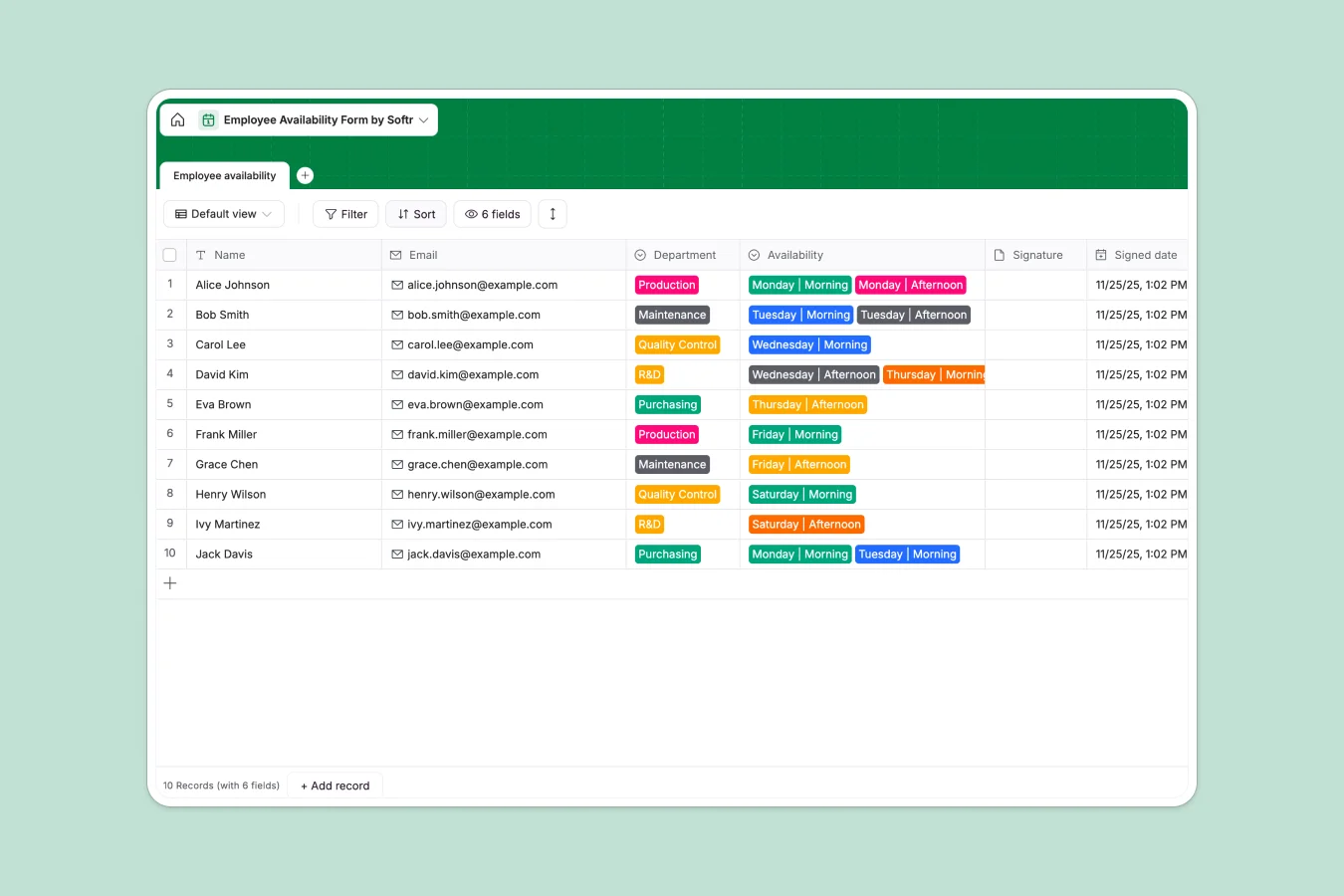
Your Employee Availability Database at a glance
This template gives you a single, organized place to track when team members are available to work. It helps you manage schedules across departments like Production and Quality Control without messy email threads.
It includes a ready-to-use table where employees can log their morning or afternoon availability by day. Every entry automatically captures the signed date and signature attachment, keeping your records accurate.
Why managing employee availability in spreadsheets breaks down
When you rely on spreadsheets to track who can work when, scheduling data quickly gets messy. Rows get accidentally overwritten, and attaching signed agreements is frustratingly clunky.
What a structured database changes
A structured system keeps your scheduling data perfectly organized and reliable. Every column has a clear purpose—files stay as attachments, emails stay formatted, and dropdowns keep departments standardized.
This is exactly what Softr Databases are designed for. You get a clean, scalable single source of truth that handles real-world business data without breaking.
What you can do with this template
Instantly collect shift preferences with clear, pre-built dropdowns for every day of the week. You can easily group availability by department to quickly spot who is ready for a specific shift.
It cleanly handles essential documentation like signatures and timestamps. This ensures you always know exactly when an employee committed to their schedule.
-
Employee availability
Manage staff schedules and departmental shifts with digital sign-off logs
Who is this Employee Availability Database for
This template is built for teams operating with shift-based schedules or flexible hours.
- Operations Managers: Coordinate shifts across maintenance and production teams efficiently.
- HR Departments: Maintain accurate, timestamped records of staff availability agreements.
- Team Leads: See exactly who is free for morning or afternoon coverage instantly.
How to take it further
Customizing this database to your exact needs takes just a few clicks. You can easily add new departments to the select fields or modify the availability dropdowns to include night shifts.
If you already have staff data stored elsewhere, you can quickly import it via CSV. This lets you populate your schedule instantly without any manual data entry.
When your team is ready, you can seamlessly connect this database to an interface builder to create a custom employee portal. This turns your backend data into a user-friendly app for your staff.
You can then apply specific users and permissions so employees only update their own schedules, while managers see the full team view. Starting with a well-structured database makes building these secure apps effortless.
-
1
-
2
-
3
-
4
Frequently asked questions
-
What is an employee availability database?
-
Why use a no-code database to build an employee availability tool?
-
How can AI help managing data for employee availability?
-
Can I build an app with an employee availability database?
-
Is this Employee availability template free?
-
How is an employee availability database better than spreadsheets?
Start building today. It's free!
Build and launch your first app in under 30 minutes.