


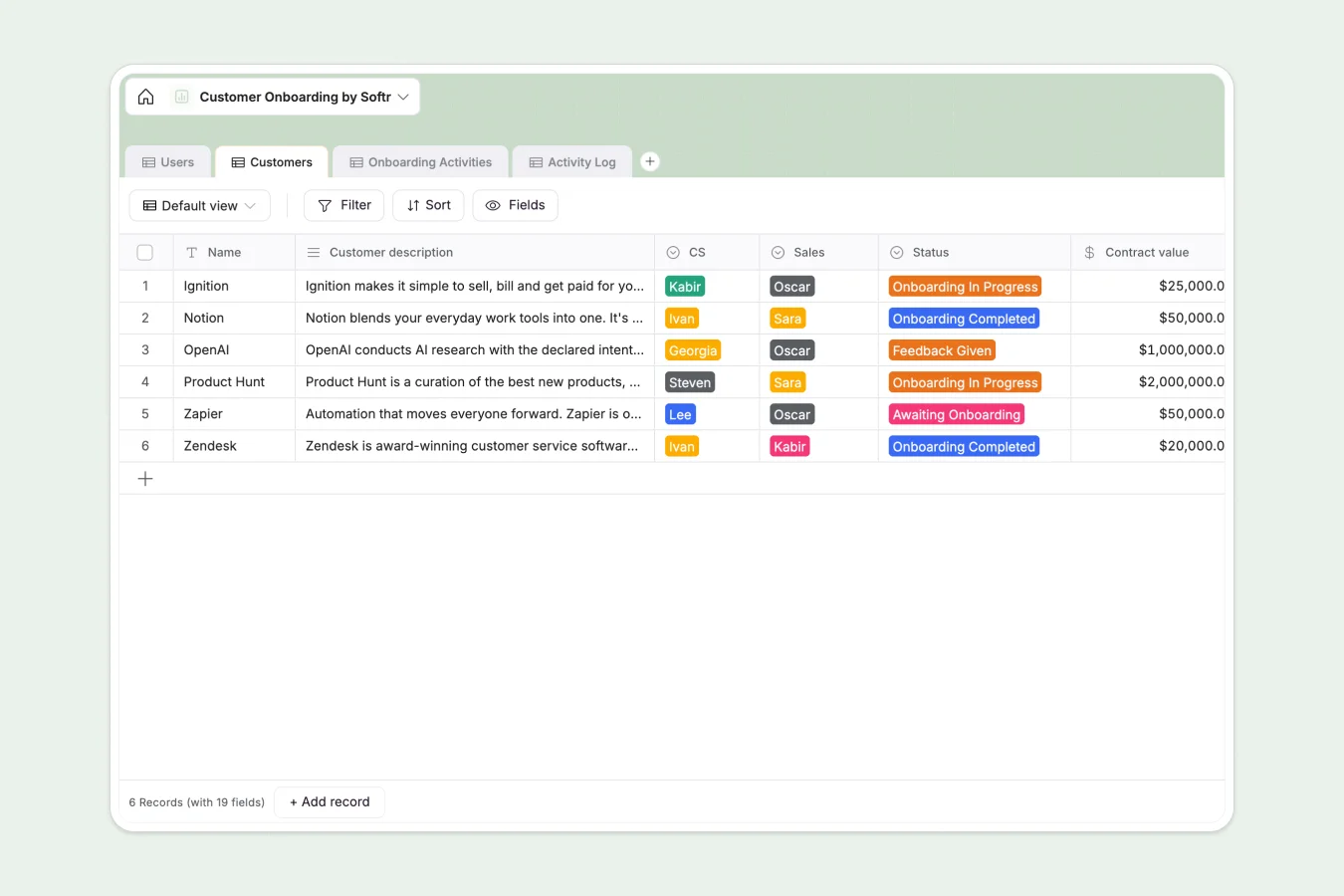
Your Customer Onboarding Database at a glance
This template gives your customer success team a centralized hub to track every new client from handoff to go-live. It keeps sales notes, success metrics, and daily tasks perfectly aligned.
Built on intuitive relational tables, it automatically links specific Customers to their detailed Activity Log and standard Onboarding Activities. This means you can assign CS reps, monitor logged hours, and update statuses without duplicating data.
Why managing customer onboarding in spreadsheets breaks down
Tracking a growing list of new customers in spreadsheets quickly turns into a messy web of broken rows and disconnected notes.
What a structured database changes
Instead of copy-pasting client data across multiple tabs, a real database keeps your information strictly organized. Statuses stay standardized, dates remain dates, and every client has a clean, single source of truth.
You can securely connect tasks to specific clients without writing fragile VLOOKUPs. This is exactly what Softr Databases are designed for—giving you scalable structure effortlessly.
What you can do with this template
Monitor entire onboarding pipelines by plan type, regional assignment, or contract value at a glance.
Instantly log specific agenda items and see whether activities are scheduled or completely done, ensuring no client falls behind.
-
Users
Manage CS and Sales team members with roles, emails, and profile photos
-
Customers
Track client onboarding status, contract values, plans, and success metrics
-
Onboarding Activities
Define standard onboarding steps with detailed agendas and execution order
-
Activity Log
Log specific onboarding tasks with status updates, dates, and meeting notes
Who is this Customer Onboarding Database for
This template is built for teams ready to standardize their client handoff and implementation process.
- Customer Success Managers: Track every customer status, logged hours, and upcoming onboarding activities in one clear view.
- Sales Teams: Safely pass along crucial sales notes and champion contact details to internal teams without bottlenecking the process.
- Implementation Specialists: Monitor agendas, deadlines, and success metrics to ensure every account hits its target go-live date.
How to take it further
You can easily customize this database to fit your exact workflow. Add new plan tiers to the select fields or attach entirely new column types to track specialized success formulas.
Ready to transition? Import your existing client lists quickly via CSV or set up an API sync to bring in new deals seamlessly from your CRM.
When your team needs more control, you can connect this database to an interface builder to create a fully fledged custom portal. Give your clients secure logins using native users and permissions so they can monitor their own onboarding progress directly.
-
1
-
2
-
3
-
4
Frequently asked questions
-
What is a customer onboarding database?
-
Why use a no-code database to build a customer onboarding tool?
-
How can AI help managing data for customer onboarding?
-
Can I build an app with this customer onboarding database?
-
Is this Customer Onboarding Database free?
-
How is a customer onboarding database different from Google Sheets?
Start building today. It's free!
Build and launch your first app in under 30 minutes.