


Overview
This template serves as a centralized repository for capturing, organizing, and acting on user insights. It replaces scattered emails and spreadsheets with a structured system to track feature requests, bug reports, and usability issues in real time.
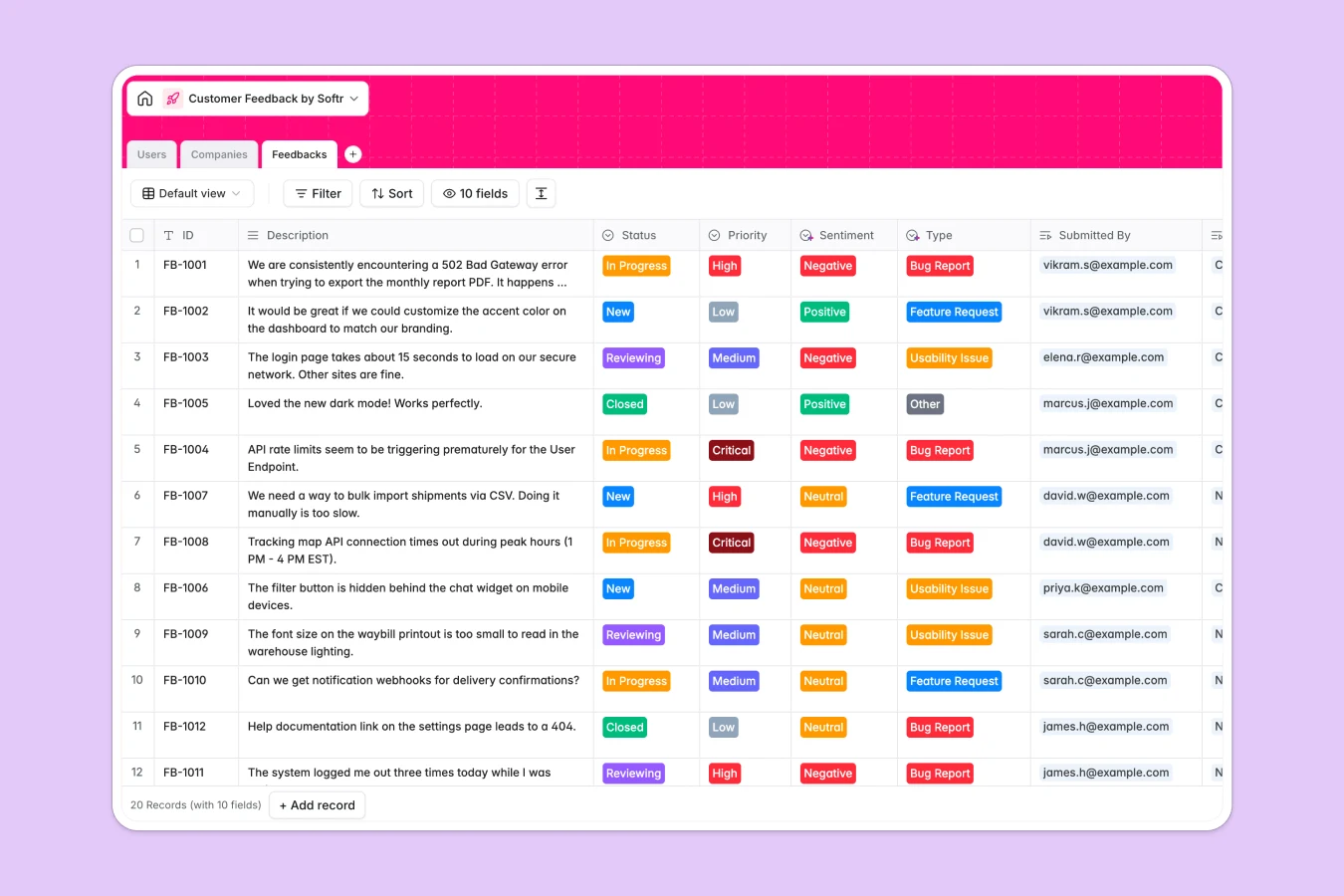
The database connects three core tables: Feedbacks, Users, and Companies. Feedback items are linked directly to specific customers and their organizations, allowing you to instantly see which high-value clients are requesting specific features. Built-in fields for Status, Priority, and Sentiment ensure you can filter noise and focus on what matters most.
With integrated AI capabilities, you can automatically enrich company profiles with industry details or use AI to analyze feedback descriptions and auto-assign sentiment scores without manual effort.
Why use this Customer Feedback database (instead of spreadsheets)
Spreadsheets often turn into data silos where critical user insights get lost in endless rows and broken formulas. A dedicated database transforms raw text into actionable product intelligence.
The power of Softr Databases
Unlike spreadsheets that rely on fragile VLOOKUPs, Softr Databases use native relational connections. You can instantly roll up the total number of requests per company or see every piece of feedback a specific user has ever submitted. Strict column types prevent messy data entry, ensuring that priorities and statuses remain consistent across your team.
Core features and functionality
This template includes built-in sentiment tracking and priority flags to help you triage issues immediately. By leveraging Database AI agents, you can automate the heavy lifting—such as summarizing long feedback tickets or enriching company domains with firmographic data—turning your database into a self-updating system.
-
Users
Manage user accounts and roles for both administrators and customers
-
Companies
Organize client organizations with industry insights enriched by AI data
-
Feedbacks
Store and analyze customer submissions by type and sentiment for priority
Who is this Customer Feedback Database for
This template is designed for product and success teams who need to close the feedback loop efficiently.
- Product Managers: Aggregate insights to prioritize the roadmap based on actual customer demand.
- Customer Success Leads: Track client requests and ensure high-value accounts feel heard.
- Support Teams: Quickly log bugs and link them directly to company records without leaving the workflow.
- Founders: Spot trends in user sentiment and product usage to make data-driven pivots.
How to take it further
Once you have centralized your feedback, you can evolve this template into a complete product management system.
Customize the database
Tailor the "Type" field to match your specific product categories or add a "Revenue Impact" currency field to the Companies table. Since this is a native Softr Database, adding columns or modifying select options like "Status" takes just seconds.
Import your existing data
Don't start from zero. You can easily import existing feedback logs from CSV files or connect via API to pull data from tools like Typeform or Zendesk directly into your new system.
Build an app on top
The real power comes when you turn this database into a user-facing tool using the interface builder. Create an internal portal where sales reps submit requests, or a public roadmap where users vote on features. With users and permissions, you can ensure customers only see their own submissions while your team sees the full picture.
-
1
-
2
-
3
-
4
Frequently asked questions
-
What is a customer feedback database?
-
Why use a no-code database to build a feedback system?
-
How can AI help managing data for customer feedback?
-
Can I build an app with this customer feedback database?
-
Is this Customer Feedback template free?
-
How is this superior to using Excel for feedback?
Start building today. It's free!
Build and launch your first app in under 30 minutes.