


Overview
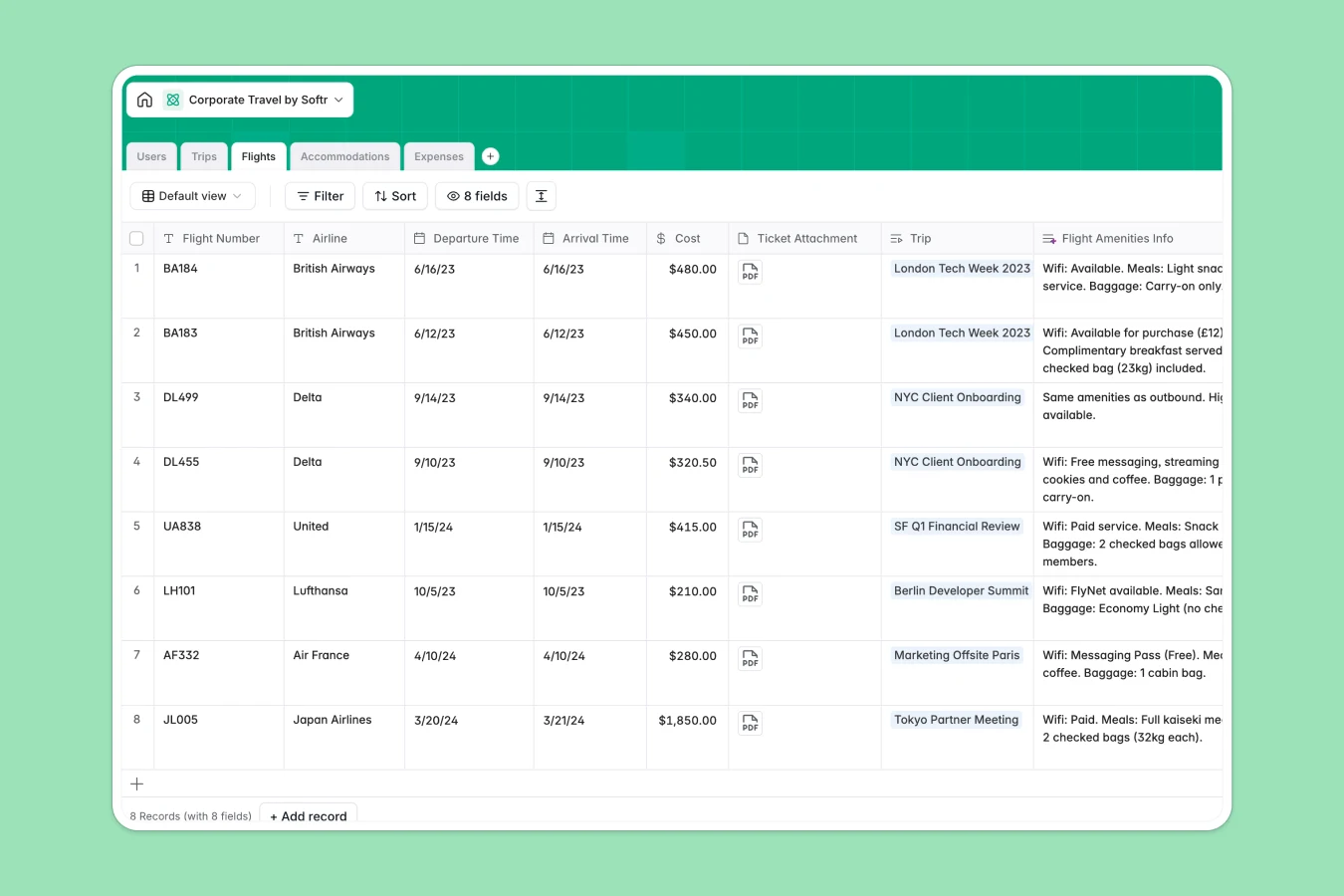
This template centralizes corporate travel management by tracking employees, trips, itineraries, and costs in a single, connected system. Instead of scattered documents, it organizes Flights, Accommodations, and Expenses into distinct tables that link directly to specific Trips and Users.
It goes beyond simple storage by automating manual research and data organization. Native AI features automatically generate safety guides for destinations, fetch real-time flight amenities, summarize hotel details, and classify expense receipts to keep financial records accurate.
Why use this Corporate Travel database (instead of spreadsheets)
The power of Softr Databases
Spreadsheets often struggle with managing complex relationships between travelers, multiple itinerary items, and receipts. Softr Databases fix this by using native relational fields to link Flights and Expenses directly to a Trip record. This relational structure ensures data integrity, prevents duplication, and allows for automatic calculations, such as rolling up individual costs into a total trip budget without fragile formulas.
Core features and functionality
This database automates the tedious parts of travel coordination. Built-in Database AI agents actively research the web to populate flight amenities and hotel summaries, while also categorizing expenses automatically based on descriptions. Additionally, smart storage facilitates proper attachment handling for tickets and receipts, keeping compliance documents organized and accessible.
-
Users
Manage employee profiles, departmental roles and individual travel preferences
-
Trips
Oversee business travel with AI-generated destination guides and safety tips
-
Flights
Log flight details using AI to research aircraft amenities and meal services
-
Accommodations
Track lodging details with AI-powered summaries of hotel ratings and amenities
-
Expenses
Process travel spending with AI classification for smart expense categorization
Who is this Corporate Travel Database for
This template is designed to streamline operations for:
- Office Managers: Coordinate itineraries and approvals without chasing email threads.
- Finance Teams: Track total costs per trip real-time with automated expense categorization.
- Traveling Employees: Access flight details and upload receipts directly to their trip records.
- HR Departments: Maintain safety by generating automatic destination guides and tracking locations.
How to take it further
Customize the database
Adapt the database to your specific travel policies. You can easily modify the "Approval Status" options in the Trips table or add a new column to track travel visa requirements for international destinations.
Import your existing data
If you have past booking data or a list of employees in CSV format, you can import them instantly. This allows you to centralize historical travel records alongside new requests immediately.
Build an app on top
Turn this database into a secure employee travel portal using the interface builder. You can create a self-service dashboard where employees submit trip requests and view their own itineraries, while managers oversee budgets. Use users and permissions to ensure employees only see their own trips and finance teams have full access to expense data.
-
1
-
2
-
3
-
4
Frequently asked questions
-
What is a corporate travel database?
-
Why use a no-code database to build a travel management system?
-
How can AI help managing data for corporate travel?
-
Can I build an app with this corporate travel database?
-
Is this Corporate Travel Database template free?
-
How is this different from a travel spreadsheet?
Start building today. It's free!
Build and launch your first app in under 30 minutes.