


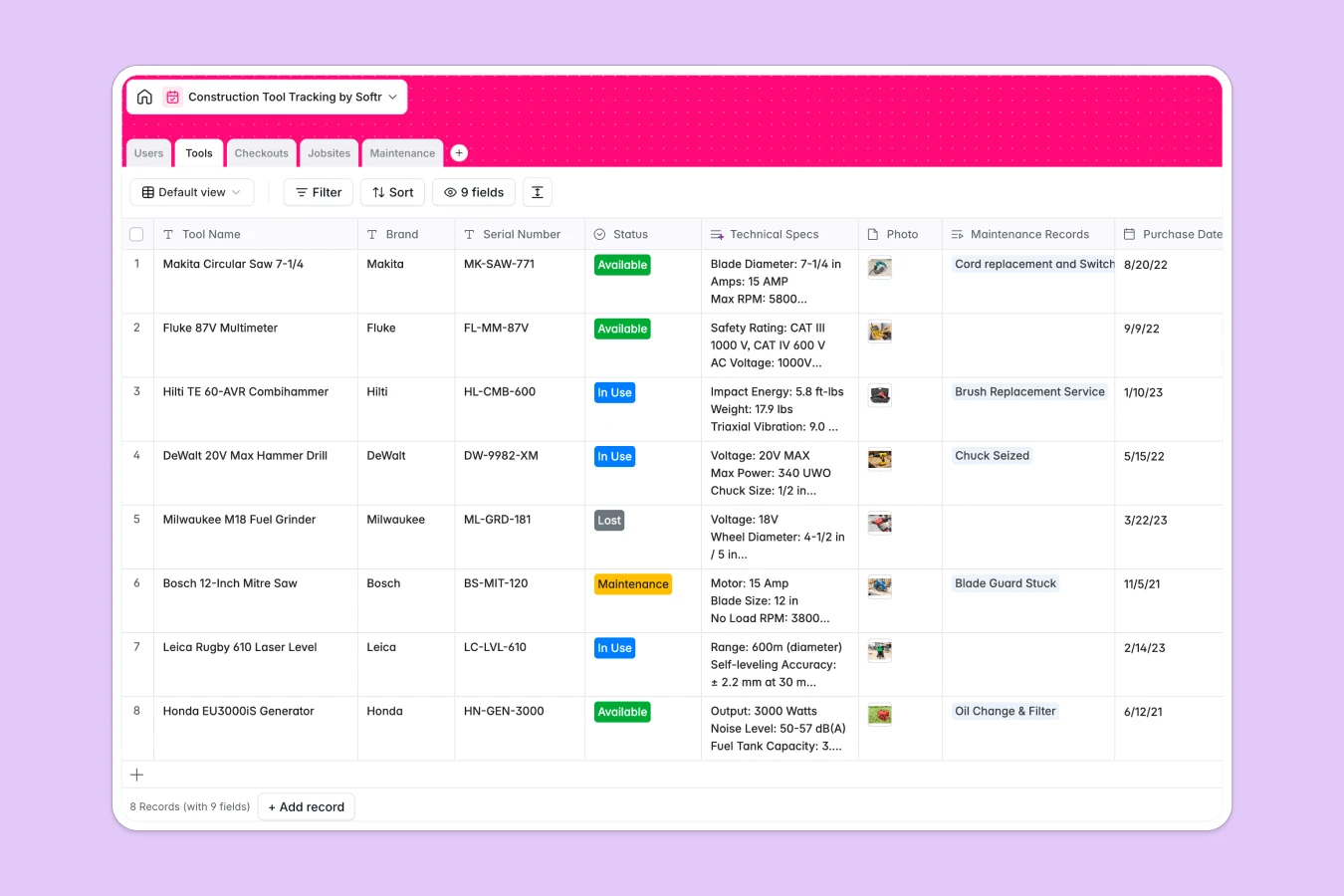
Your Construction Tool Tracking Database at a glance
This template gives you complete visibility over your equipment inventory, preventing lost tools and delayed projects.
It organizes your operations across connected tables for tools, workers, active jobsites, checkouts, and maintenance tickets. When a worker borrows a tool, the system updates its status and records the expected return date automatically.
The database even features built-in AI that pulls technical specs for new equipment and searches manuals to suggest repair steps for broken tools.
Why tracking construction tools in spreadsheets breaks down
Relying on spreadsheets to manage expensive equipment quickly turns into a mess of lost rows, outdated checkout statuses, and misplaced repair logs.
What a structured database changes
A structured system connects your data naturally, so you can see exactly which site manager has a specific drill without duplicating entries. Dates stay formatted, serial numbers remain accurate, and your inventory remains clean as you scale. This is exactly what Softr Databases are designed for.
What you can do with this template
Log tool movements instantly and track active checkouts so you always know where your assets are deployed. You can also monitor maintenance requests to catch failing equipment before it reaches the jobsite.
Integrated Database AI agents can even do the heavy lifting for your maintenance staff. They automatically research specifications and document step-by-step repair solutions based on your specific issue notes.
-
Users
Manage worker profiles, roles, and contact info for tool assignment tracking
-
Tools
Inventory of equipment featuring AI-powered technical specification generation
-
Checkouts
Monitor tool movements between users and sites with status and date logs
-
Jobsites
Track active construction locations and the volume of tools currently on site
-
Maintenance
Log repairs using AI to generate step-by-step solutions for reported issues
Who is this Construction Tool Tracking Database for
This operational system is built for construction firms, contractors, and field service teams handling shared equipment.
- Site Managers: Keep track of tools currently on site and monitor expected return dates efficiently.
- Maintenance Technicians: Access automated repair instructions and log resolved tickets to get equipment back in the field faster.
- Operations Admins: Maintain a complete directory of active assets, workers, and overall equipment costs in one clear view.
How to take it further
Start by customizing the database to fit your exact operational needs. You can easily add new jobsite tables, adjust tool status options, or configure custom maintenance tracking fields.
Once configured, upload your current equipment inventory via CSV or sync it through our API. This allows your team to get immediate value without manually typing in every serial number.
When you are ready, you can transform this raw data into a custom internal portal for your field workers using an interface builder. By connecting interfaces and workflows to this database, you can create an easy-to-use mobile app where site workers log checkouts on the go.
With built-in users and permissions, you can ensure workers only see their assigned tools while admins review all maintenance costs. A well-structured database makes building this secure workflow incredibly simple.
-
1
-
2
-
3
-
4
Frequently asked questions
-
What is a construction tool tracking database?
-
Why use a no-code database to build a tool tracking system?
-
How can AI help managing data for tool tracking?
-
Can I build an app with this construction tool tracking database?
-
Is this Construction Tool Tracking Database free?
-
How is a tool tracking database different from spreadsheets?
Start building today. It's free!
Build and launch your first app in under 30 minutes.