


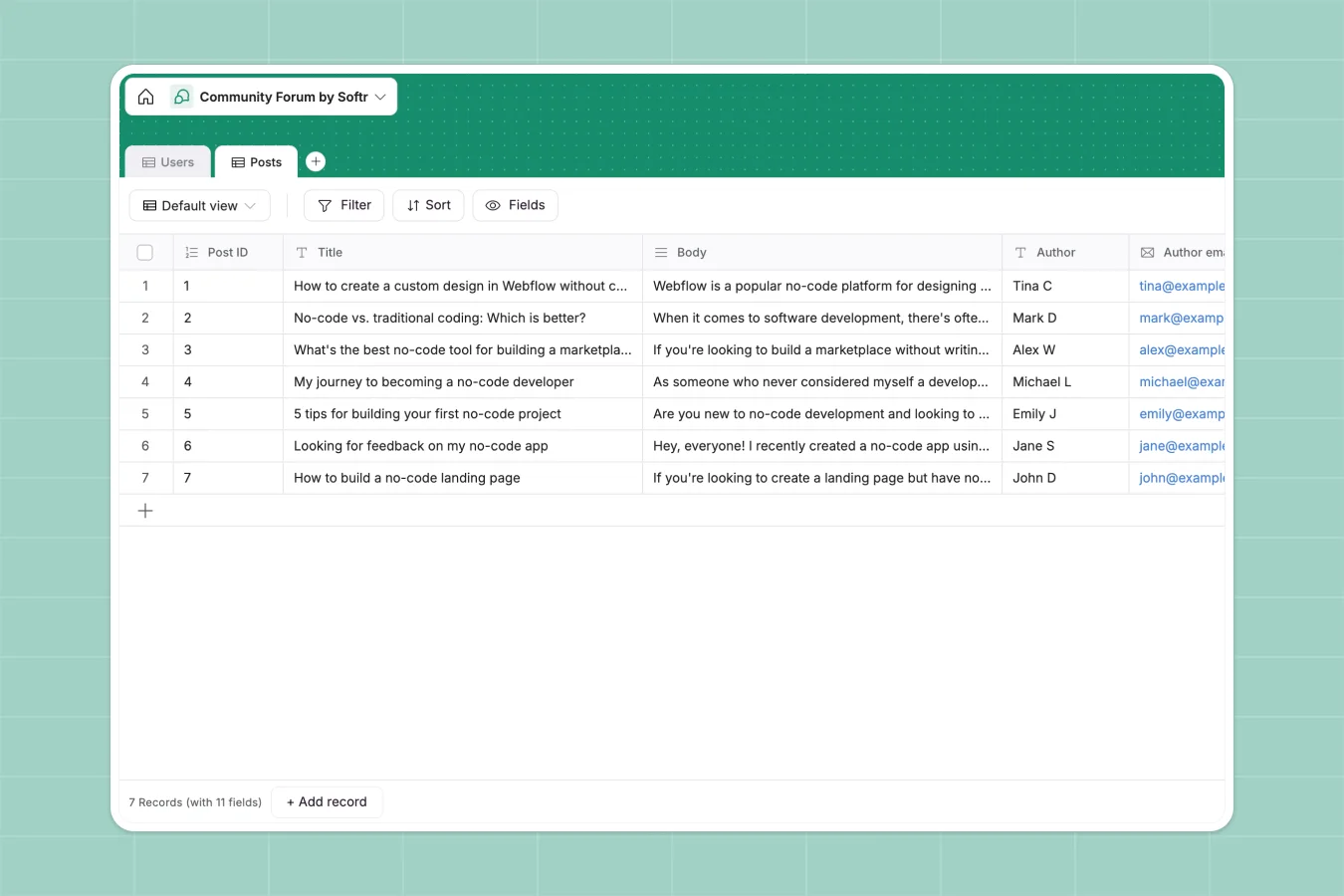
Your Community Forum Database at a glance
This template gives you a complete, ready-to-use structure for managing a thriving online community. It neatly organizes user profiles, discussions, and shared resources in one centralized workspace.
The system hinges on two connected tables: one for your community members and another for their contributions. You can easily track who published what, sort discussions by category, and differentiate regular members from moderators.
Why managing community forums in spreadsheets breaks down
Trying to run a community or track user-generated content in a spreadsheet quickly becomes chaotic. Discussions get lost in endless rows, attachments get messy, and managing member permissions is almost impossible.
What a structured database changes
A structured database brings order by treating members and their posts as distinct, properly connected objects. Every piece of data has a strict format, meaning emails stay formatted as emails and posted times are tracked automatically without human error.
You can instantly categorize discussions or link a tutorial post directly to its author without relying on manual entry or fragile formulas. This is exactly what Softr Databases are designed for, keeping everything scalable and clean as your community grows.
What you can do with this template
You can immediately start logging user profiles, complete with individual avatars and specific roles.
It’s also incredibly simple to classify active discussions into distinct categories like Feedback, Personal Stories, or Tools & Resources, giving your audience easy navigation.
-
Users
Manage community profiles with member roles, contact info and avatars
-
Posts
Store forum content with categories, attachments and author associations
Who is this Community Forum database for
This template is designed for builders who need a reliable, structured system to manage their audience and user-generated content.
- Community Managers: Keep a clean directory of active members and track moderator assignments effortlessly.
- Course Creators: Organize student questions, feedback entries, and shared tutorials in one structured hub.
- Product Teams: Collect feature requests, document user feedback, and announce new tools without losing context.
How to take it further
Once you copy this template, you can easily customize the exact fields to match your community's unique tone. You might add new category options to the Posts table or include social media links in the user profiles.
If you already have a list of engaged members or historic posts, you can quickly upload their details via CSV. This lets you populate your directory instantly and skip the painful manual data entry.
Eventually, you can turn this backend into a fully functional community portal. By using an interface builder, you can create a front-end where members log in, publish their own posts, and interact directly.
You can also configure secure users and permissions to ensure members can only edit their own content, while giving moderators the power to delete or pin posts. Starting with a cleanly structured database makes building this custom app incredibly straightforward.
-
1
-
2
-
3
-
4
Frequently asked questions
-
What is a community forum database?
-
Why use a no-code database to build a forum tool?
-
How can AI help managing data for community forums?
-
Can I build an app with this community forum database?
-
Is this Community Forum Database free?
-
How is a community forum database different from spreadsheets?
Start building today. It's free!
Build and launch your first app in under 30 minutes.