


Overview
This commercial real estate CRM database organizes your entire deal pipeline, property portfolio, and stakeholder relationships in a single structured system. It tracks properties, individual units, lease terms, occupancy status, and connects landlords and tenants to specific deals—eliminating the chaos of scattered spreadsheets and disconnected tools.
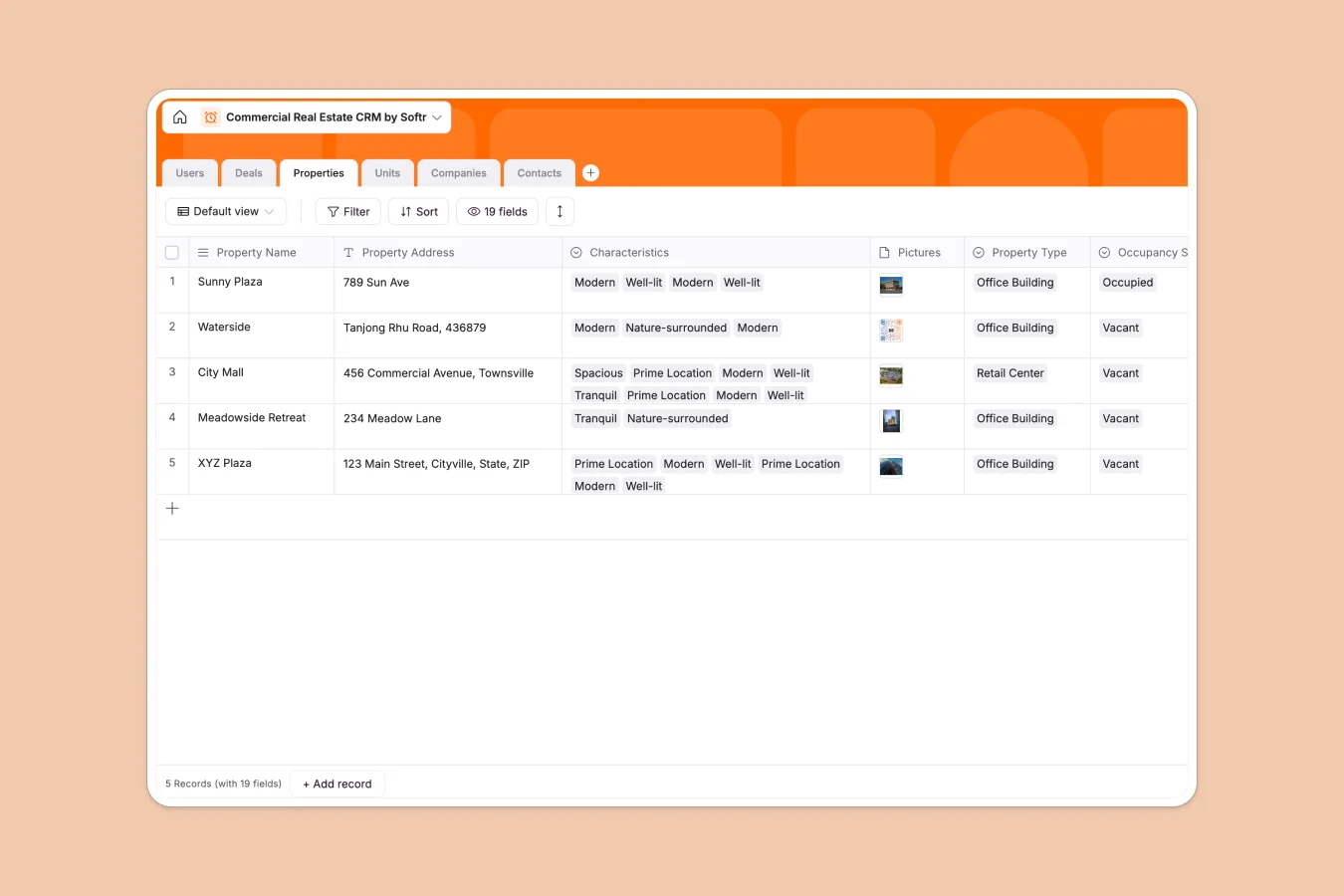
The database includes six interconnected tables: Users (agents and admins), Deals (with stages, lease values, and dates), Properties (with occupancy status and lease terms), Units (for multi-unit buildings), Companies (landlords and tenants), and Contacts. Properties link to Units, which connect to Deals; Companies and Contacts tie directly to transactions; agents get assigned to properties and deals. This relational structure ensures that viewing a deal instantly reveals the property, unit, tenant, landlord, assigned agent, and all associated documents.
Why use this Commercial Real Estate CRM database (instead of spreadsheets)
Spreadsheets fall apart quickly in commercial real estate: multiple tabs for properties, separate sheets for deals, fragile VLOOKUPs connecting tenants to units, and no clear way to track which agent owns what. As your portfolio grows, navigation becomes painful, and data inconsistencies multiply.
The power of Softr Databases
Softr Databases enforce structure that spreadsheets can't: enforced column types (dates, currency, formulas), native relational connections between tables (properties linked to units, deals connected to tenants), and proper data integrity. Instead of fragile VLOOKUPs that break when rows shift, you get related records, lookups, and rollups that stay connected. Following the principle of one table = one object—Properties, Units, Deals, Companies, Contacts—makes your data app-ready and scalable. You also gain API access for integrations and a foundation for building full-stack apps with proper users and permissions.
Core features and functionality
This template handles multi-unit properties through dedicated Units and Properties tables with clear occupancy tracking, connects deals to specific properties or units with lease terms and values, and links landlords and tenants (Companies) to transactions. Agents get assigned to properties and deals, with lookups showing ownership across the system. Formula fields automatically generate deal names, and rollups calculate total lease values across occupied units—capabilities that would require complex, error-prone formulas in spreadsheets.
-
Users
Manage internal agents and admins with roles, contact info and property assignments
-
Deals
Track lease transactions from new leads to won stages with automated naming logic
-
Properties
Centralize commercial building details, characteristic tags, and occupancy statuses
-
Units
Catalog individual rental spaces within properties including lease terms and values
-
Companies
Store landlord and tenant business profiles with linked asset holdings and deals
-
Contacts
Maintain a directory of individual stakeholders linked to their respective companies
Who is this Commercial Real Estate CRM for
This database serves anyone managing commercial real estate transactions and relationships:
- Commercial brokers and agents: Track your deal pipeline, property assignments, and tenant relationships without losing details.
- Property management firms: Maintain accurate occupancy records, lease terms, and landlord-tenant connections across portfolios.
- Real estate investment teams: Monitor lease values, deal stages, and property performance in one centralized system.
- CRE consultants: Organize client properties, deals, and stakeholder information for clear reporting and faster decision-making.
- Leasing coordinators: Keep lease start and end dates visible, manage renewals, and coordinate agent assignments efficiently.
How to take it further
Customize the database. Adjust select field values to match your market—change Property Type options (add Industrial, Multifamily, Hospitality), modify Deal Stage names to reflect your sales process, or add custom Characteristics tags for properties. As a native Softr Database, editing fields, adding columns, or adjusting relationships takes seconds.
Import your existing data. Upload property lists, deal histories, and contact records via CSV for bulk imports, or use the API to sync data automatically from your existing CRM or property management system. Proper column types ensure imported dates, currency values, and relationships stay clean.
Build an app on top. Once your data is structured, build a full-stack app using Softr's interface builder—agents can log in to view their assigned properties and deals, landlords can access their portfolio and tenant information, and admins can manage everything with proper editing rights. Full-stack apps in Softr combine Database + Interface + Workflows, all connected seamlessly. Set permissions to show agents only their deals, give landlords read-only access to lease terms, or let admins control the entire system. A well-structured database like this makes building interfaces faster—relationships are already defined, data is clean, and you can create views that pull insights across properties, units, and deals immediately.
-
1
-
2
-
3
-
4
Frequently asked questions
-
What is a commercial real estate CRM database?
-
Why use a no-code database to build a commercial real estate CRM?
-
How is a commercial real estate CRM database different from spreadsheets?
-
Can I build an app with this commercial real estate CRM database?
-
Is this Commercial Real Estate CRM database free?
-
Can I customize this commercial real estate CRM database?
Start building today. It's free!
Build and launch your first app in under 30 minutes.