


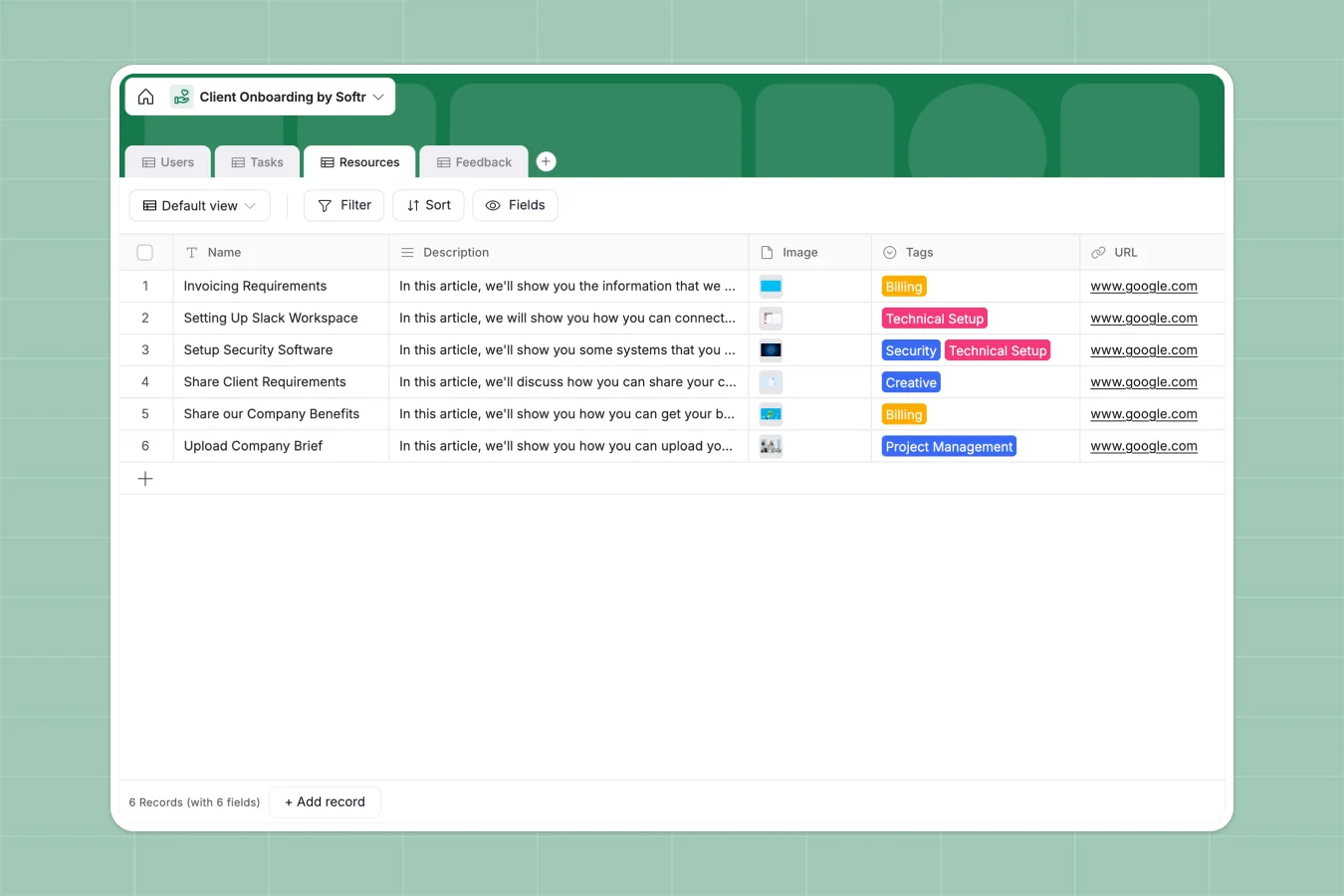
Your Client Onboarding Portal database at a glance
This template gives you a structured system to guide new clients through kickoff, milestones, and setup without dropped handoffs. Keep every client status clear from contract signing to full activation.
Everything connects cleanly across four dedicated tables: Users, Tasks, Resources, and Feedback. Link onboarding managers directly to client accounts, attach setup guides to specific tasks, and gather milestone feedback in one shared structure.
Why linking tasks to client accounts beats a blank sheet
When client onboarding runs in a basic spreadsheet, tracking individual task completion across multiple new accounts quickly falls apart. Team members overwrite shared cells, attachment links break, and client feedback gets lost across isolated tabs.
What a structured database changes
A structured database enforces strict data types so email addresses, file attachments, and milestone dates stay intact. Instead of maintaining separate sheets for every new client, you maintain a single, connected environment.
Native relations link every onboarding task directly to the assigned client and internal manager. This is exactly what Softr Databases are designed for, giving you a reliable operational core that scales effortlessly.
What you can do with this template
Assign standardized task checklists across specific time frames like "First week" or "Month 1" while tracking exact completion ownership.
Centralize helpful guides in the Resources table, link them to relevant tasks, and log client satisfaction responses without manual data entry.
-
Users
Manage onboarding clients and managers with roles and status tracking
-
Tasks
Coordinate onboarding action items with stages, assignees, and files
-
Resources
Organize helpful guides, links, and assets categorized by topic
-
Feedback
Collect onboarding experiences and user feedback messages directly
Who is this Client Onboarding Portal database for
This database structure is built for teams managing multi-step client kickoffs and implementations:
- Client Success Teams: Coordinate onboarding stages and ensure new accounts hit key adoption milestones.
- Digital Agencies: Standardize account setup, asset collection, and kickoff deliverables for new projects.
- SaaS Implementation Managers: Track technical setup steps and resource sharing across assigned accounts.
- Professional Services Firms: Guide stakeholders through compliance requirements, contracts, and feedback collection.
How to take it further
You can easily tailor this database to match your exact client journey. Add custom dropdown options for specialized onboarding stages, include extra lookup fields for billing details, or add new columns to track project kickoff dates.
When you already have existing onboarding checklists or contact directories, upload them in seconds via CSV import or sync them programmatically through the database API.
When you are ready to give clients their own branded view, you can build an app on top of this data. Softr's AI Co-Builder generates a functional interface with secure users and permissions directly from this database, letting clients log in to complete their own tasks and view assigned resources.
-
1
-
2
-
3
-
4
Frequently asked questions
-
What is a client onboarding portal database?
-
Why use a no-code database to build a client onboarding system?
-
How can AI help managing data for client onboarding?
-
Can I build an app with this client onboarding portal database?
-
Is this Client Onboarding Portal database free?
-
Can I import existing onboarding checklists into this database?
Start building today. It's free!
Build and launch your first app in under 30 minutes.