


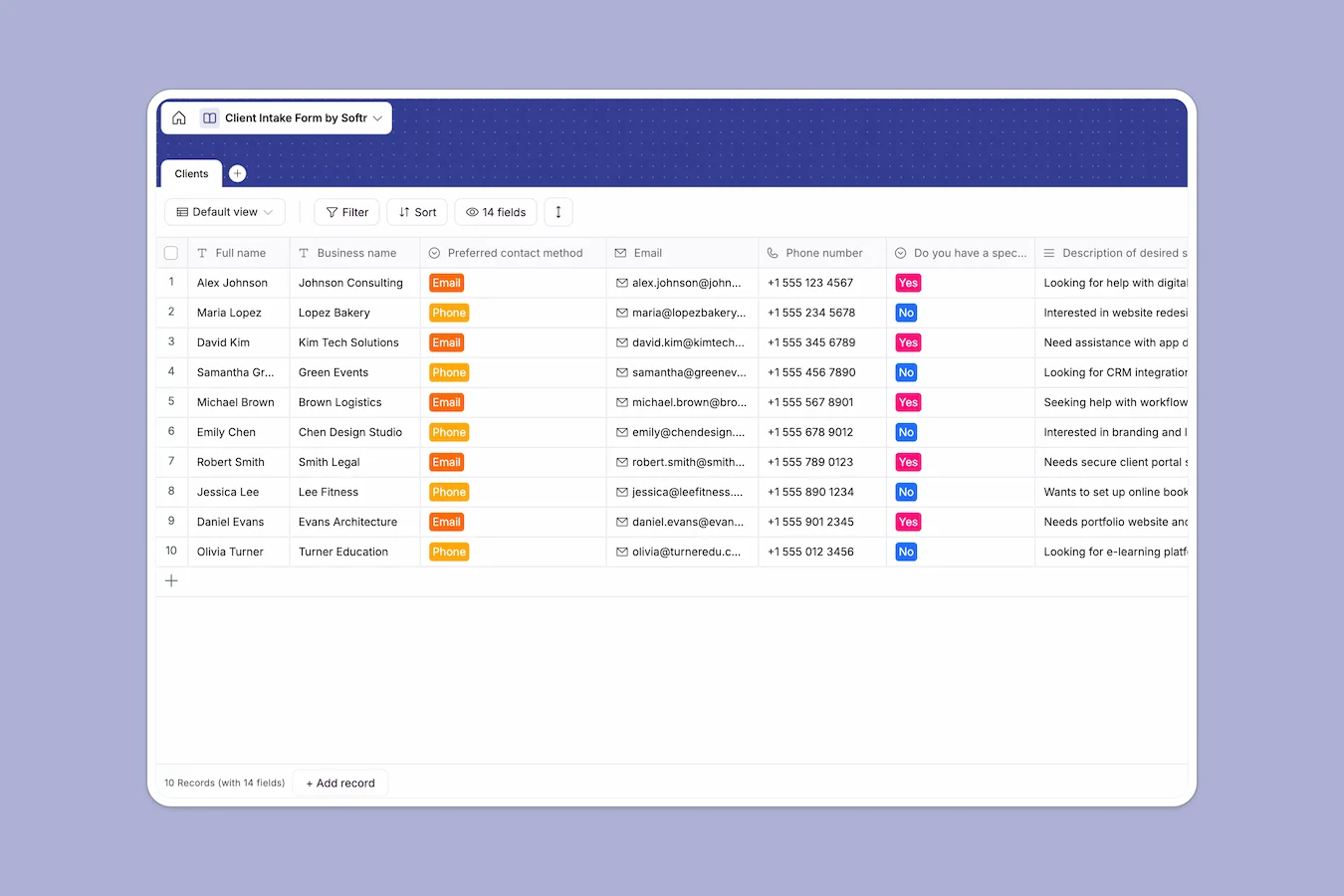
Your Client Intake Database at a glance
This Client Intake Database provides a clean, immediate way to capture and evaluate incoming leads. It helps you organize prospect details, review their budgets, and understand exactly what services they need.
The template relies on a single Clients table to store contacts, project deadlines, and competitor insights. Every new inquiry automatically logs its creation time, ensuring no lead slips through the cracks.
Why tracking client intake in spreadsheets breaks down
When you track new prospects in a standard spreadsheet, the process gets messy quickly. Long-form answers like service requirements and competitor lists disappear into tiny cells, making it impossible to evaluate leads efficiently.
What a structured database changes
Instead of a fragile grid, a smart structure ensures every piece of information stays formatted properly. Budgets strictly remain numbers, URLs stay functional, and massive blocks of text are actually readable.
You can automatically capture inquiries via connected forms and know exactly which channel brought them in. This is exactly what Softr Databases are designed for—giving you a reliable system of record that scales as your agency grows.
What you can do with this template
Instantly start logging detailed client profiles alongside their preferred contact methods and project due dates. You can quickly group inquiries by the specific service they requested or simply sort them by budget.
The structure is ready to use from day one without any complex configuration. Keep your entire team aligned on new business opportunities with a clean, centralized workspace.
-
Clients
Store lead details with contact preferences, project briefs and budget details
Who is this Client Intake Database for
This template is built for teams and solo operators who need a structured way to evaluate new business opportunities.
- Agencies & Freelancers: Review project scopes, budgets, and specific client problems before dedicating time to a discovery call.
- Consulting Firms: Keep detailed records of competitors and broad business context to personalize your initial outreach.
- Sales Teams: Track exactly how leads found you so you can identify and prioritize your most successful marketing channels.
How to take it further
You can easily customize this database to match your exact sales pipeline. Add new columns, adjust the dropdown options for contact methods, or include a status field to track deal progression.
If you already have ongoing conversations or warm leads, you can upload them instantly via CSV. This immediately populates your database so your team can continue working without skipping a beat.
When your operations grow, you can seamlessly build a secure, full-stack application strictly around this data. Give your sales reps a front-end portal to log in, review, and update their assigned prospects.
By configuring detailed users and permissions, team members will strictly see the clients they manage. A solid database foundation makes expanding into a custom app incredibly straightforward.
-
1
-
2
-
3
-
4
Frequently asked questions
-
What is a client intake database?
-
Why use a no-code database to build a client intake system?
-
How can AI help managing data for client intake?
-
Can I build an app with this client intake database?
-
Is this Client Intake Database template free?
-
How is a client intake database different from spreadsheets?
Start building today. It's free!
Build and launch your first app in under 30 minutes.