


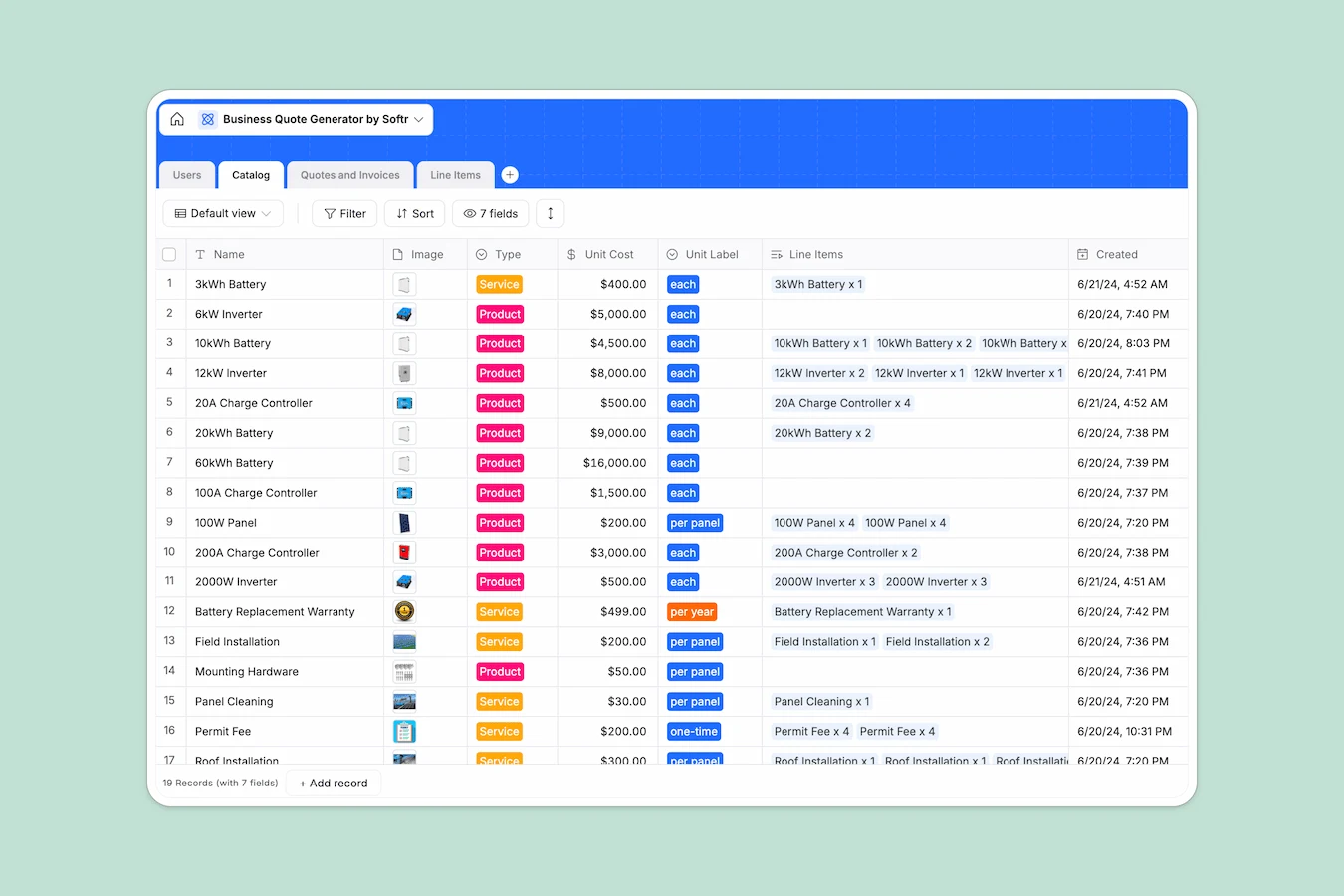
Your Business Quote Database at a glance
This template tracks client requests, manages custom quotes, and oversees your product catalog in one organized workspace. It eliminates the friction of manual data entry and easily handles complex pricing.
It connects four structured tables: Users, Catalog, Quotes and Invoices, and Line Items. When you select a product from your catalog for a quote, the database pulls the exact price and automatically calculates sub-totals, discounts, and taxes.
Sales reps can monitor new leads in real time, transition statuses from "Requested" to "Paid," and keep all customer details readily accessible.
Why managing business quotes in spreadsheets breaks down
Keeping track of product prices, client details, and quote statuses across disconnected spreadsheet tabs quickly becomes a mess.
What a structured database changes
In a spreadsheet, you rely on fragile formulas to pull a client's address or a product's price into a quote. If a row gets sorted wrong or deleted, the whole document breaks.
A structured database connects data natively without manual copy-pasting. You lock in unit costs in your catalog, and those standardized prices flow directly into every single client invoice.
This is exactly what Softr Databases are designed for. Every column has a strict purpose, ensuring tax percentages and final totals always stay completely accurate.
What you can do with this template
Instantly generate comprehensive quotes by connecting customers to specific line items. Everything from unit quantities to final invoice totals updates perfectly as you build the request.
You can also track precisely where every proposal stands—from "Draft" to "Accepted"—right alongside your customer interaction records.
-
Users
Manage customers, sales reps, and managers with contact info and roles
-
Catalog
Store available solar products and maintenance services with unit pricing
-
Quotes and Invoices
Track billing lifecycles from initial request to paid status and totals
-
Line Items
Break down specific catalog products and quantities for each individual quote
Who is this Business Quote database for
This system is built for teams that need to standardize their pricing and streamline the quoting process safely.
- Sales teams: Track new leads, monitor customer budgets, and manage follow-ups all in one view.
- Service businesses: Confidently bundle products, services, and discounts into a single reliable quote.
- Operations managers: Keep your service catalog, unit pricing, and recurring costs strictly standardized across the entire workforce.
How to take it further
Start by customizing the database structure to mirror your exact business model. You can modify the catalog with your unique service tiers, tweak the tax formulas, or update the invoice status drop-downs.
Next, bring your existing data into the system seamlessly. You can upload your current client lists and product catalogs via CSV or API so your team can begin quoting deals immediately.
When your team is ready, use the interface builder to turn this database into a robust client portal or internal sales application.
You can easily configure users and permissions to control exactly who sees what. Customers can log in to safely view their specific quotes, while sales reps only access the deals they actively manage.
-
1
-
2
-
3
-
4
Frequently asked questions
-
What is a business quote database?
-
Why use a no-code database to manage business quotes?
-
How can AI help managing data for business quotes?
-
Can I build an app with this quoting database?
-
Is this Business Quote template free?
-
How is a quote database different from Google Sheets or Excel?
Start building today. It's free!
Build and launch your first app in under 30 minutes.