


Overview
This business contacts database tracks individual contacts alongside their companies in a relational structure. Instead of scattered spreadsheets or fragmented contact lists, you maintain one source of truth where contacts automatically inherit company details through lookups.
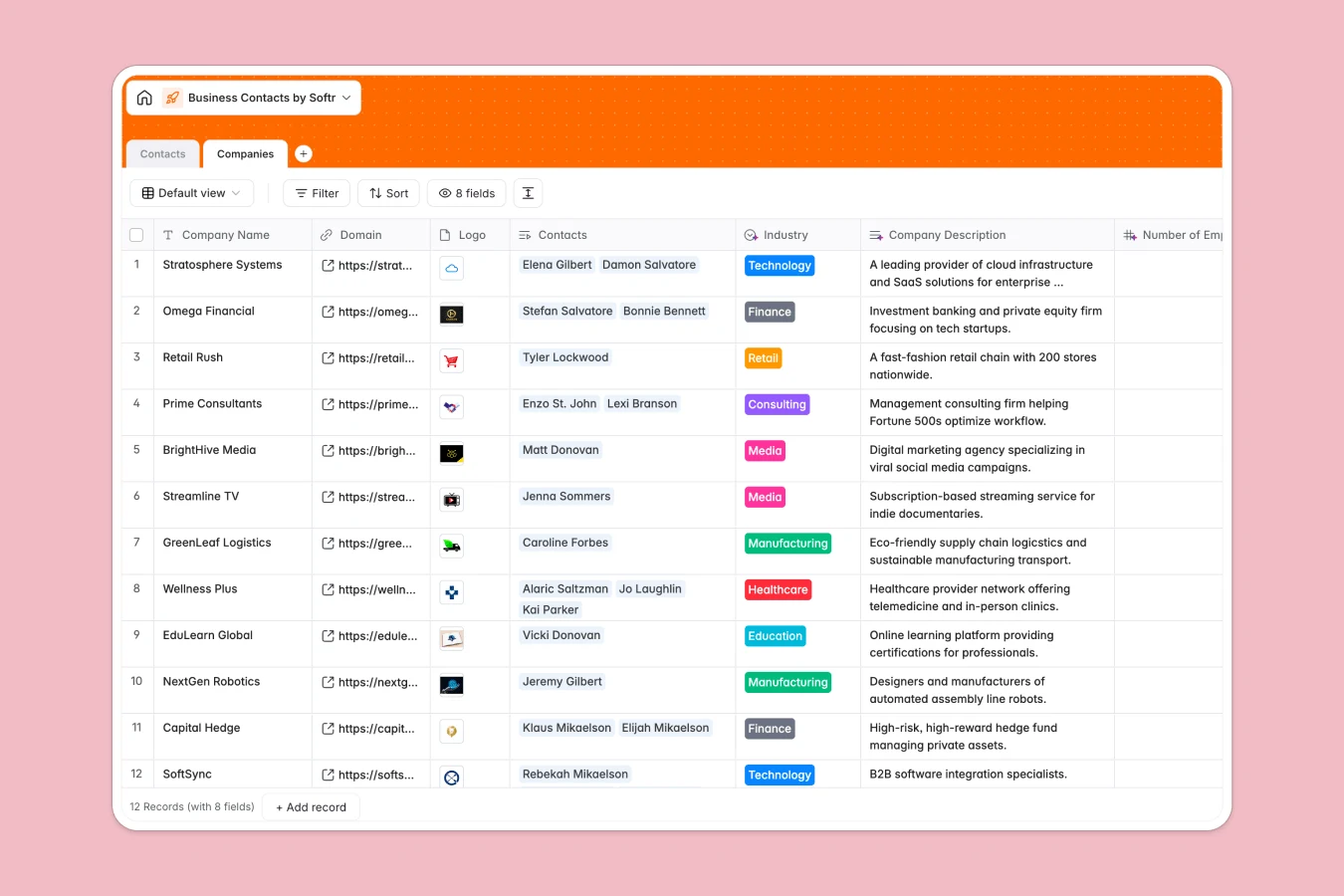
The database includes two connected tables: Companies stores business entities with fields for domain, logo, industry classification, and company metrics; Contacts holds individual relationships with job titles, contact methods, relationship type, and contextual notes. Each contact links directly to their company, pulling industry information automatically.
AI agents reduce manual data entry at both levels. At the company level, agents search the web to populate descriptions, find employee counts, identify headquarters locations, and categorize industries. At the contact level, AI suggests relevant icebreakers based on available context—making outreach more personalized without additional research time.
Why use this business contacts database (instead of spreadsheets)
Spreadsheets quickly become unwieldy for contact management. Teams often create separate sheets for different contact segments or companies, making it difficult to see relationships between people and organizations. Columns end up mixing data types—dates, notes, and categories all crammed together—and filtering or saving useful views becomes cumbersome as the list grows.
The power of Softr Databases
Softr Databases enforce proper structure with typed columns for emails, phone numbers, URLs, and select fields. Instead of fragile VLOOKUPs that break when rows shift, you use native linked records: one contact connects to one company, and lookups automatically pull company details like industry into the contact view. This follows the principle of one table per object type—contacts in one table, companies in another—making your data app-ready. You gain API access for integrations and a foundation for building full interfaces with proper permissions.
Core features and functionality
The relational structure means updating a company's industry classification instantly reflects across all linked contacts through lookups. Database AI agents handle enrichment tasks automatically—researching companies online, categorizing industries, finding employee counts, and suggesting conversation starters—triggered when records are added or updated. This reduces the manual work of maintaining contact data while keeping information current and actionable for relationship building.
-
Companies
Manage business entities with AI enrichment for industry and web research
-
Contacts
Organize individuals with AI-generated icebreakers for better outreach
Who is this business contacts database for
This template serves teams and individuals who need structured contact management with company context:
- Sales teams: Track prospects and clients with automatic company data enrichment and relationship history.
- Business development professionals: Maintain partner and vendor relationships with AI-powered icebreaker suggestions for warmer outreach.
- Consultants and freelancers: Organize client contacts alongside company details without manual research.
- Recruiting teams: Manage candidate relationships with company context and employment information.
- Event organizers: Keep attendee contacts connected to their organizations for targeted follow-up.
How to take it further
Customize the database by adjusting the Type select field values to match your specific relationship categories—add "Investor," "Advisor," or "Referral Partner" based on your business model. Modify industry classifications in the Company table to align with your market segments or add custom fields like "Last Contact Date" or "Deal Stage" to track engagement.
Import existing contacts via CSV upload for bulk additions or connect through API for automated synchronization with your CRM or email platform. This gets your current relationship data into the structured format immediately.
Build an app on top of this database using Softr's interface builder to create an internal contact management portal. Sales teams can search and filter contacts, view company profiles with enriched data, and log interaction notes—all with permissions that control who sees which contacts and who can edit records. A well-structured relational database makes interface development straightforward because relationships between contacts and companies are already defined, and your app pulls live data directly from the source.
-
1
-
2
-
3
-
4
Frequently asked questions
-
What is a business contacts database?
-
Why use a no-code database to build a business contacts system?
-
How can AI help managing data for business contacts?
-
Can I build an app with business contacts database?
-
Is this business contacts database free?
-
How is a business contacts database different from spreadsheets?
Start building today. It's free!
Build and launch your first app in under 30 minutes.