


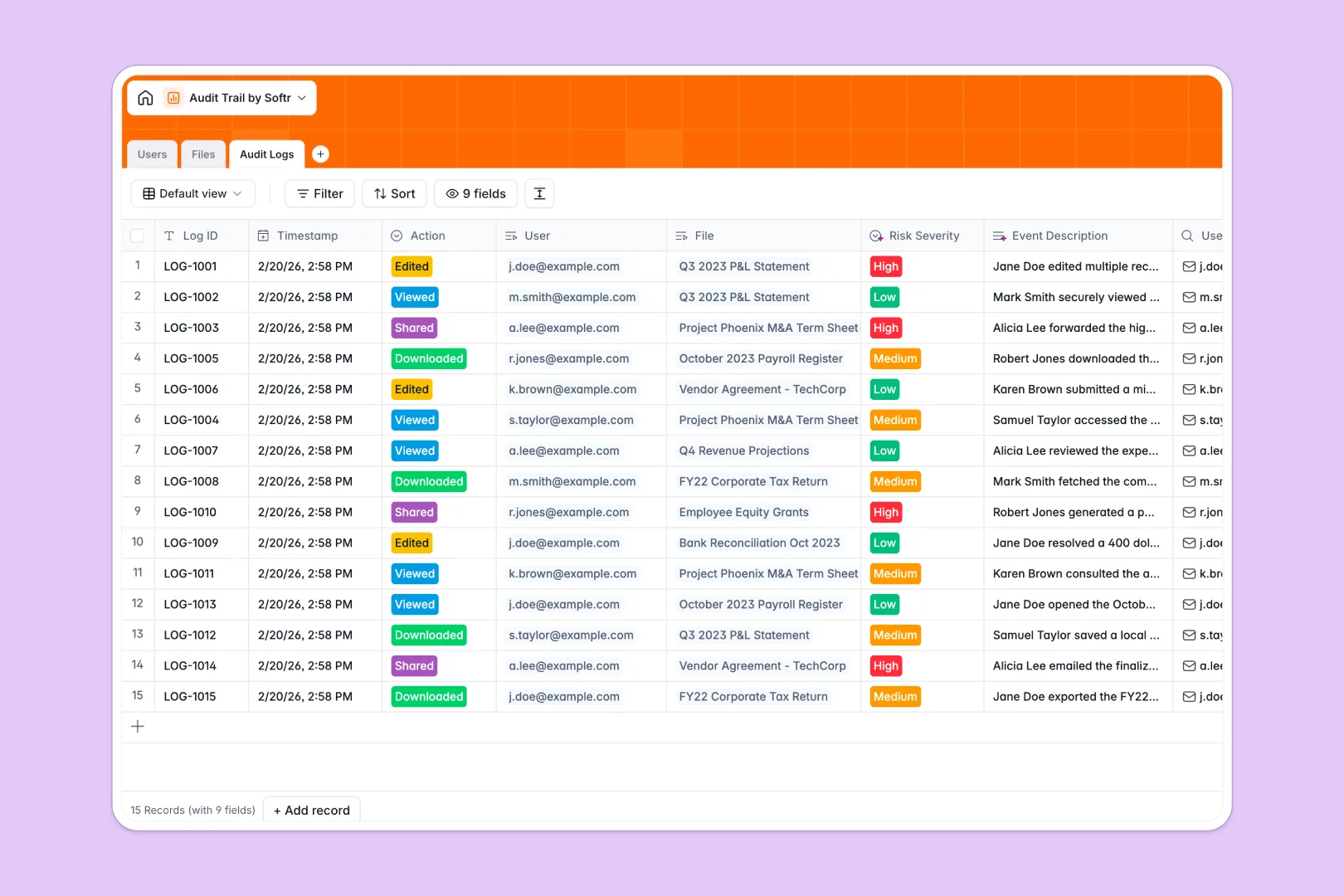
Your Audit Trail database at a glance
This Audit Trail database provides an immutable ledger to track exactly who accesses, views, or alters sensitive files across your organization. It ensures absolute visibility into document handling while keeping you compliant with internal policies.
The structure connects a directory for personnel, a secure file repository, and automated logs that record every action. When a file is modified, it links directly to the user responsible to create a perfectly traceable history.
Built-in AI automatically describes files, writes narrative event summaries, and categorizes risk severity in real time. Potential security threats are flagged instantly without requiring manual review.
Why managing an audit trail in spreadsheets breaks down
Spreadsheets are not built for security or immutability. Anyone can accidentally overwrite a cell, delete an access log, or fail to record a timestamp, ruining your compliance data.
What a structured database changes
In a structured database, records are securely interlinked and data formats are strictly enforced. Timestamps are generated automatically the second an action occurs, and document classifications stay locked in their proper fields.
Instead of relying on fragile formulas, native links securely tie the user, the exact file, and the precise time together flawlessly. This is exactly what Softr Databases are designed for.
What you can do with this template
You can maintain a permanent, structured record of every interaction with confidential contracts, payroll files, and financial statements. Every action—from views to downloads—is perfectly captured and centralized.
Native AI automatically assesses every log for risk severity and flags dangerous behavior. High-risk actions like deleting restricted documents instantly generate a plain-English narrative for your security team.
-
Users
Manage authorized personnel profiles including roles, departments, and file ownerships
-
Files
Store corporate documents with AI-powered summaries for improved file classification
-
Audit Logs
Record file activities with AI narrative generation and automated risk assessments
Who is this Audit Trail database for
This template is designed for teams handling sensitive, restricted, or confidential corporate data.
- Compliance & Legal Teams: Instantly verify who accessed confidential contracts and ensure all reporting standards are met.
- Finance Departments: Track exactly who views or edits payroll records, tax documents, and financial statements.
- IT Administrators: Monitor document handling and internal sharing activities to identify high-risk behaviors early.
- HR Managers: Securely manage employee files while maintaining an auditable trail of who accesses personnel records.
How to take it further
Start by customizing the database to fit your internal security policies perfectly. You can easily adjust the file classification labels, define new user roles, or tweak the AI prompts.
Next, import your existing compliance reports and corporate documents via a simple CSV upload. This instantly populates your file repository and brings historical records into one highly secure environment.
When your team is ready, you can build a secure internal portal to manage this data directly. You can quickly deploy custom executive dashboards to monitor high-risk events.
Robust users and permissions guarantee that regular employees only see their own files. Meanwhile, admins maintain complete oversight over the entire company audit ledger.
-
1
-
2
-
3
-
4
Frequently asked questions
-
What is an audit trail database?
-
Why use a no-code database to build an audit trail system?
-
How can AI help managing data for an audit trail?
-
Can I build an app with an audit trail database?
-
Is this Audit Trail database free?
-
How is an audit trail database different from a spreadsheet?
Start building today. It's free!
Build and launch your first app in under 30 minutes.