


Web app development guide: From idea to launch



When it comes to managing a successful business, having the right tools and processes can make all the difference. If you're like me, you've probably needed a custom web application to solve a problem or streamline an operation. But traditional development can be time-consuming, expensive, and out of reach for non-technical teams.
Thankfully, technology has evolved, and building web applications doesn’t have to be as complicated as it used to be. With AI-native no-code platforms like Softr, you can now describe the app you need in plain language and have a working, production-ready application built for you in minutes.
Whether you’re looking to automate internal processes, enhance customer experiences, or simply bring a new idea to life, this guide will give you the tools to make it happen, even if you’ve never written a line of code.
What is a web application?
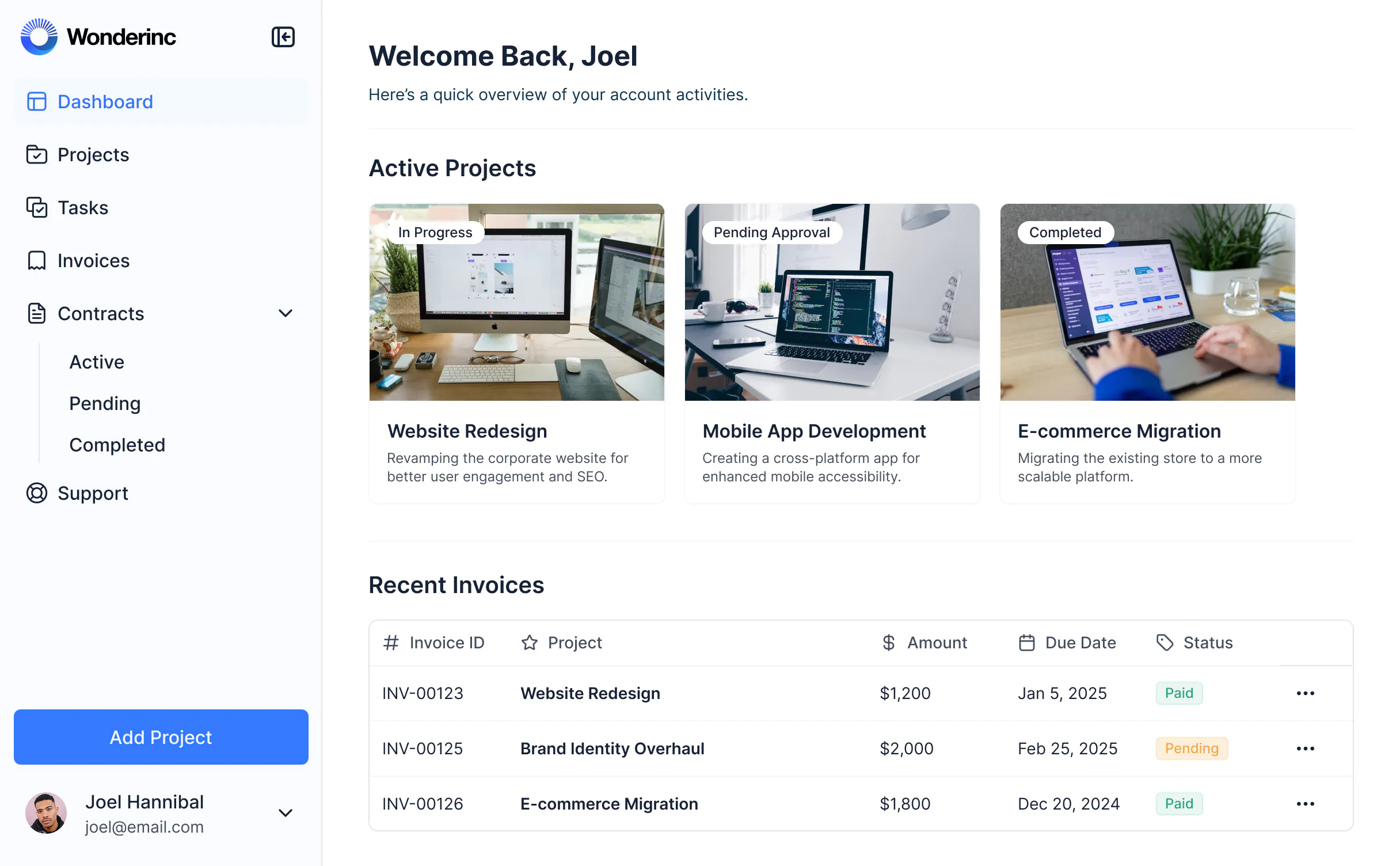
Web applications or web apps are interactive computer programs that run on a remote server, contrary to computer-based programs that run locally on the end user’s machine. Users access them through a web browser with an Internet connection.
Think about using your laptop to check your email, shop online, or access your banking accounts. All these actions most likely involve web apps.
You don't need to be a developer to build web applications. Let’s take a look at the different types of web applications out there — all of which can be built by non-technical users with Softr's AI Co-Builder.
Types of web applications
There are two main types of web applications:
- Static web applications
- Dynamic web applications
While the first group is straightforward, dynamic web apps are much more complex and diverse. Without going too deep into the technicalities of web application development, here are the basics for understanding the difference.
Static web applications
As the name suggests, static web apps aren’t the most flexible. Generally built with HTML, CSS, and a little bit of JavaScript code, they offer limited interactivity. They are difficult to update, as they appear to the user the same way they do on the server.
While limited, static web apps are still a great option when creating websites that don't require interactions, such as company information pages or personal portfolios.
Dynamic web applications
On the other hand, dynamic web apps offer a wider range of possibilities. The web application fetches data in real time based on the user’s request, whether performing a search, posting a comment, liking a post, or doing something else.
Subtypes of dynamic web applications include:
Single-page applications (SPA)
Appropriately named, SPAs allow users to interact with a web app from a single page. They are usually significantly quicker than traditional web apps since the logic is operated directly in the web browser. Examples include social networks, email services, or real-time map services.
Multi-page applications (MPA)
With logic working in the backend, MPAs include several pages and need to reload when changes are made. They're highly secure and a great fit for web portals, online stores, and enterprise apps.
Portal web applications
These apps feature different sections and categories and often require a login from a secure area. Forums, chats, and payment platforms are examples of web portals.
Progressive Web Applications (PWA)
This is a third group that doesn't fit neatly into either bucket. PWAs behave like native mobile applications despite being web apps at bottom. If we compare PWAs to native apps, PWAs can be downloaded to a mobile device, accessed and used offline, but don’t require the same technologies as native apps. Softr, for instance, allows you to build a PWA from your existing application in a few simple steps.
5 examples of web applications
1. DoorDash
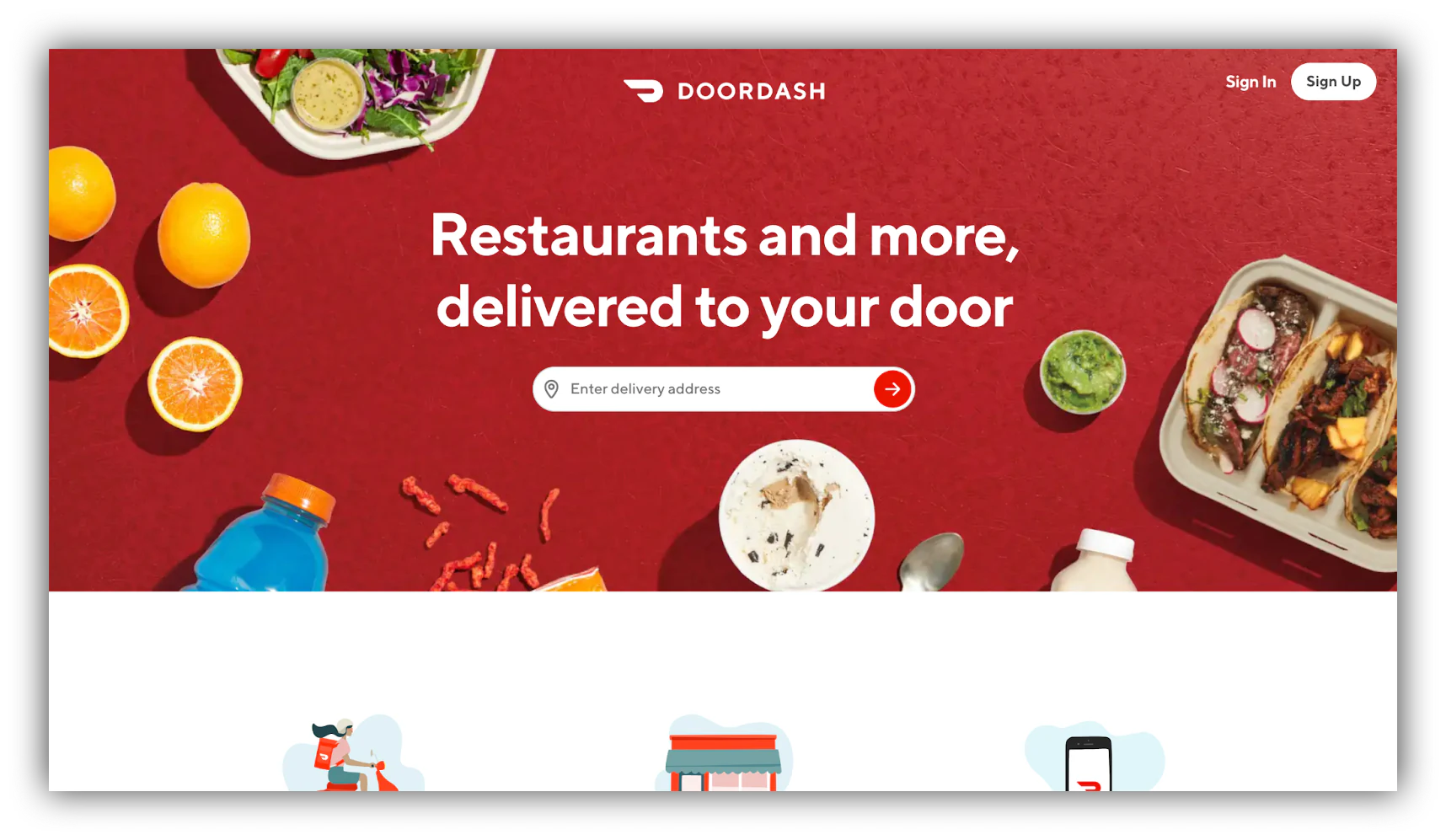
The largest food delivery company in the US, DoorDash's web and mobile app allow users to order food directly to their doors. Restaurants can reach a larger customer base, and drivers can also generate income.
2. GetYourGuide

GetYourGuide is an online marketplace for tour guides and excursions. Through the web and mobile app, users can browse and book tours and activities, from classes to tourist attractions worldwide.
3. Airtable
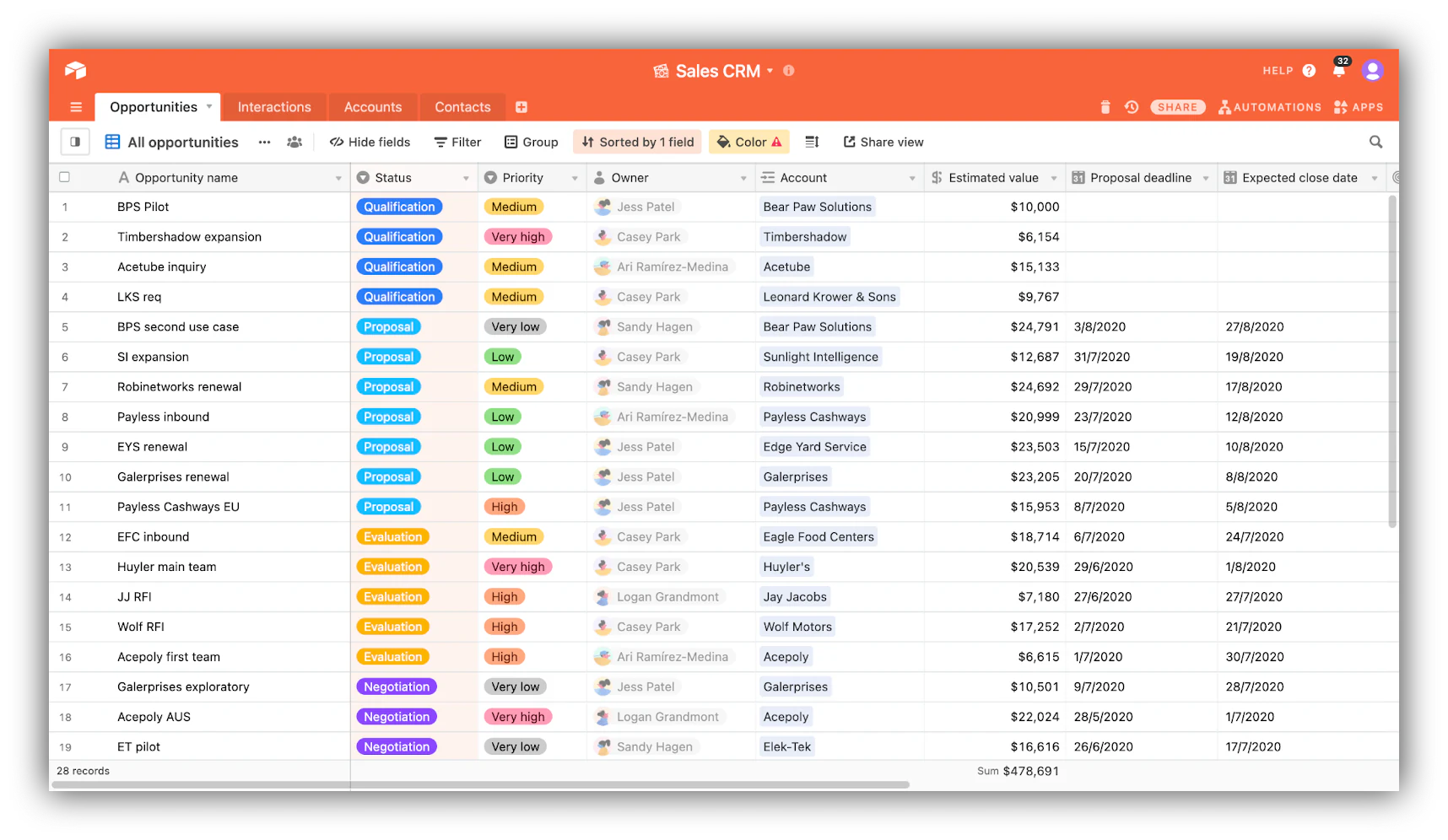
Part spreadsheet, part database, Airtable is one of our favorite web apps. Super powerful, it can be used along with Softr to create your own web application.
Related resource: What is Airtable? How to use it to easily manage your data.
4. Airbnb

One of the biggest players in the sharing economy, Airbnb's web and mobile app provides an online marketplace for lodging and tourism activities, connecting vacation renters and house owners.
5. Spotify
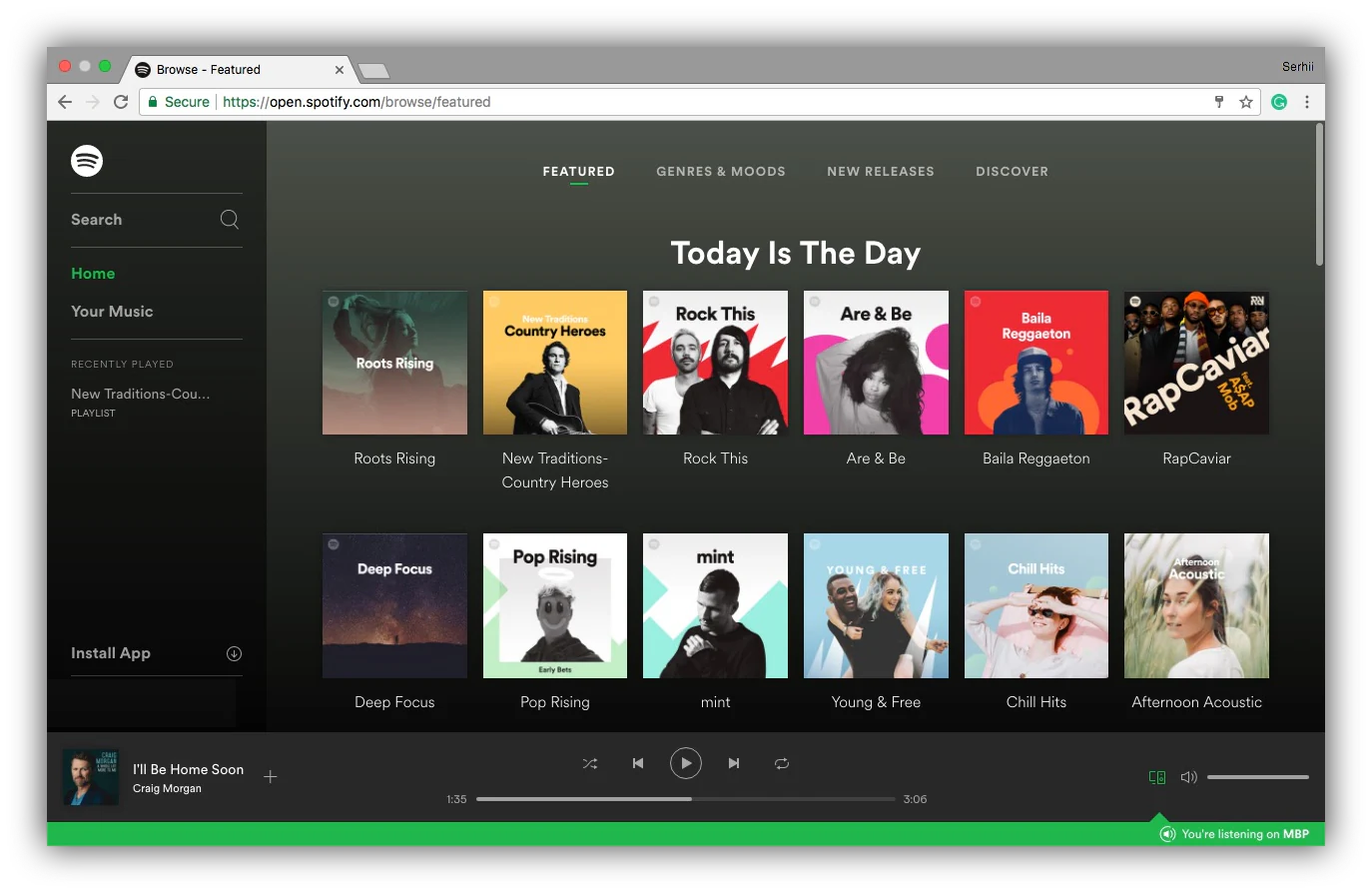
Spotify is one of the world's largest music streaming service providers. Its web and mobile apps have millions of monthly active users who stream music.
Why develop a web app?
- Availability across devices: Since web applications can be accessed through a browser, they are available to virtually anyone with an Internet connection.
- Lower development cost: Web app development allows companies to avoid costly equipment and infrastructure costs. According to Vadim Belsky, Head of Web Development at ScienceSoft, developing their custom web apps can be more cost-effective for a company in the long run than hiring a web development agency.
- Integration with other systems: Leveraging integrations with other programs is much easier than with isolated desktop applications.
- Easier maintenance: Updates or redesigns are directly applied on the host server and available everywhere. There's no need to update the version of every single client.
- Flexibility and scalability: Similar to the easier upkeep, increasing capacity for web applications is made smooth by increasing capacity on the host server.
- Centralized security: Web app security relies on established host servers that are regularly checked and kept up by dedicated companies. While native apps make sense in some cases, such as enterprise products emphasizing data security, web apps have become the norm.
Building web apps: The essentials of web app development
The next step of web application development is the web app building process. A typical beginner mistake when trying to build a web app is to get lost in the technicalities immediately:
- What coding language should I use, or will I use a no-code AI builder?
- What hosting platform is the best, or do I want to self-host?
- Will I need to hire app developers to build my idea, or can I do it myself?
While understanding the inner technical principles of web application development is important, the strategy and overall ideation process behind it is the best place to start.
1. Identify the problem
The first, seemingly obvious step in web development is to find an idea. While some might argue that finding an original, groundbreaking idea is the best approach, others think that following the steps of an already established market makes more sense.
Whatever school of thought you follow, the most essential part is identifying the problem your product will address.
2. Market research
Once you have an idea, market research is a logical next step in web development. Understanding who your competition will be and what is already available is critical to avoiding the number one trap: building something no one wants.
It is no surprise that the average age of successful founders is 45. These professionals usually spend years developing a deep understanding of their industry before launching their venture.
Likewise, understanding your market will be critical to your success.
3. Building a wireframe and prototype
You now have an established idea of your market and what you want to build. It’s time for the fun part of web development: building a prototype.
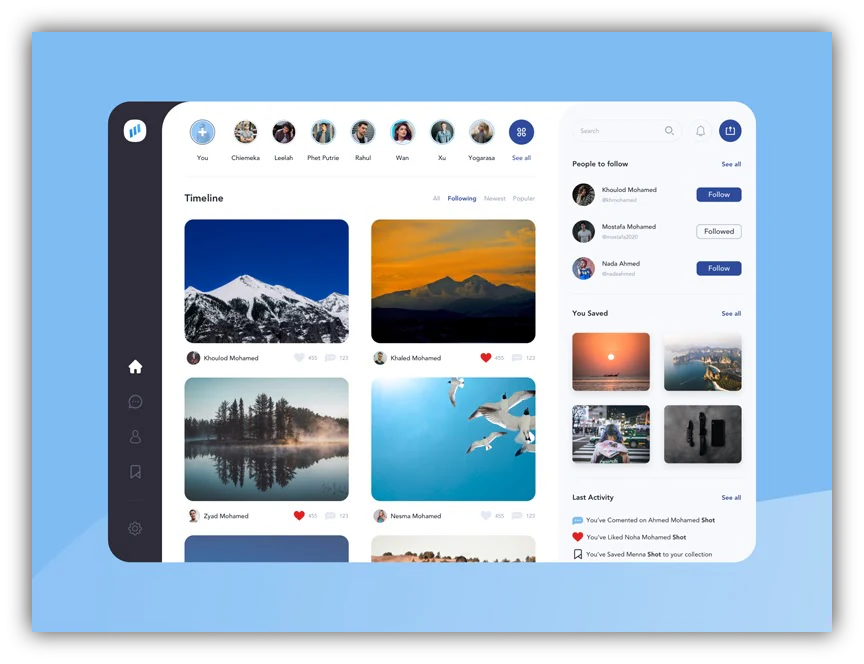
Tools such as InVision, Figma, or Justinmind will allow you to create a wireframe and prototype, a visual skeleton that you can use to showcase a semi-functional first draft of your product. This will be essential for the next step of web application development.
4. Validate your prototype
With your prototype ready, you can showcase your idea in a tangible form to potential users. By recording their interactions with your wireframes and collecting feedback, you can iterate and improve your vision and determine whether your idea is worth pursuing.
This step of web development is significant. Everything should have been relatively low-friction until now, and this is your opportunity to decide whether to dive headfirst, adjust your plans, or give up and move on to the next idea.
5. Build your app
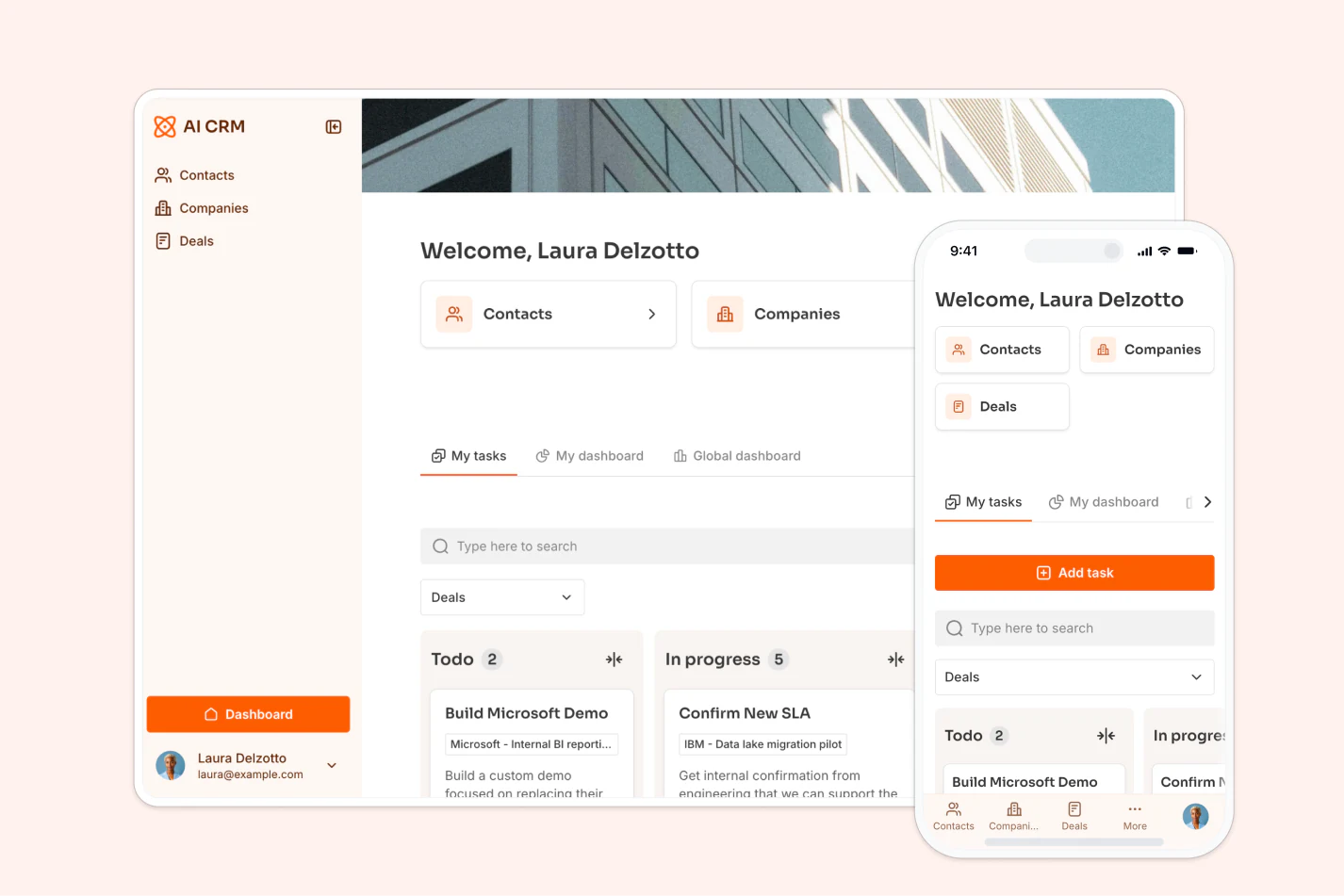
Building is obviously a huge chunk of the web app development process and one that will take a lot of energy, time, and money. This will include:
- Deciding what development framework you will use.
- Choosing your technical collaborators.
- Establishing your work methodology.
- Overview progress and set milestones.
Since this post aims to provide a more high-level perspective on web app development, we won’t discuss advanced technical details. But hold tight, as we introduce a way to build your web app without code (with AI doing much of the heavy lifting) later in the post.
6. Test the app
Testing is an ongoing process that happens throughout the building phase and as your application comes together. We wouldn’t want to deliver a faulty product (there will be bugs. A lot of bugs, probably).
There are usually two phases where you test the functionality:
- Alpha testing is internal, and it happens before you release software for external testing. Alpha testing identifies and fixes bugs, evaluates functionality, and ensures the software meets the target audience's needs.
- Beta testing happens after alpha testing, with real users testing the software in a real-world environment. Beta testing helps you gather unbiased user feedback before your official release.
7. Deploying the application
Finally, it’s time to host your app and give it to the world. This is only the beginning. You will now be growing your web application, maintaining and scaling it as you get user feedback and data.
But the initial web app development process is now complete!
Once live, it is worth deploying a web application monitoring tool in order to keep tabs on your brand-new product. This is sensible because it lets you get a baseline understanding of how it performs, and also track any issues that occur, such as crashes, so that fixes can be found. It’s an example of how web app development doesn’t end with deployment.
Now that you have a better understanding of what goes into developing a web application, two very important questions remain: "How much does it cost, and do you need to know how to code?"
Build your app: Cost and technical knowledge
Let’s address two of the biggest barriers to entry into the world of web app development: price and technical know-how. In other words: "Can you build a web app if you’re neither rich nor a coding wiz?" (Spoiler: yes, you can.)
How much does it cost to build a web app?
To determine the cost of app development, a number of factors must be considered:
- How complex is your app?
- How many features?
- What technologies are you planning to use?
- What are your technical requirements?
- Are you building it yourself or hiring developers?
- If you’re hiring, where do you live? Are you willing to outsource?
- What is your timeline? What is your budget?
It’s impossible to give a clear-cut answer given how complex the individual needs of each business are. To give you an idea, the software development company Cleveroad estimates that the cost of developing web apps can range from $3,000 for a basic application to around $250,000 for a full-fledged platform (though it can also be much cheaper with Softr).
Building a web application without code using Softr
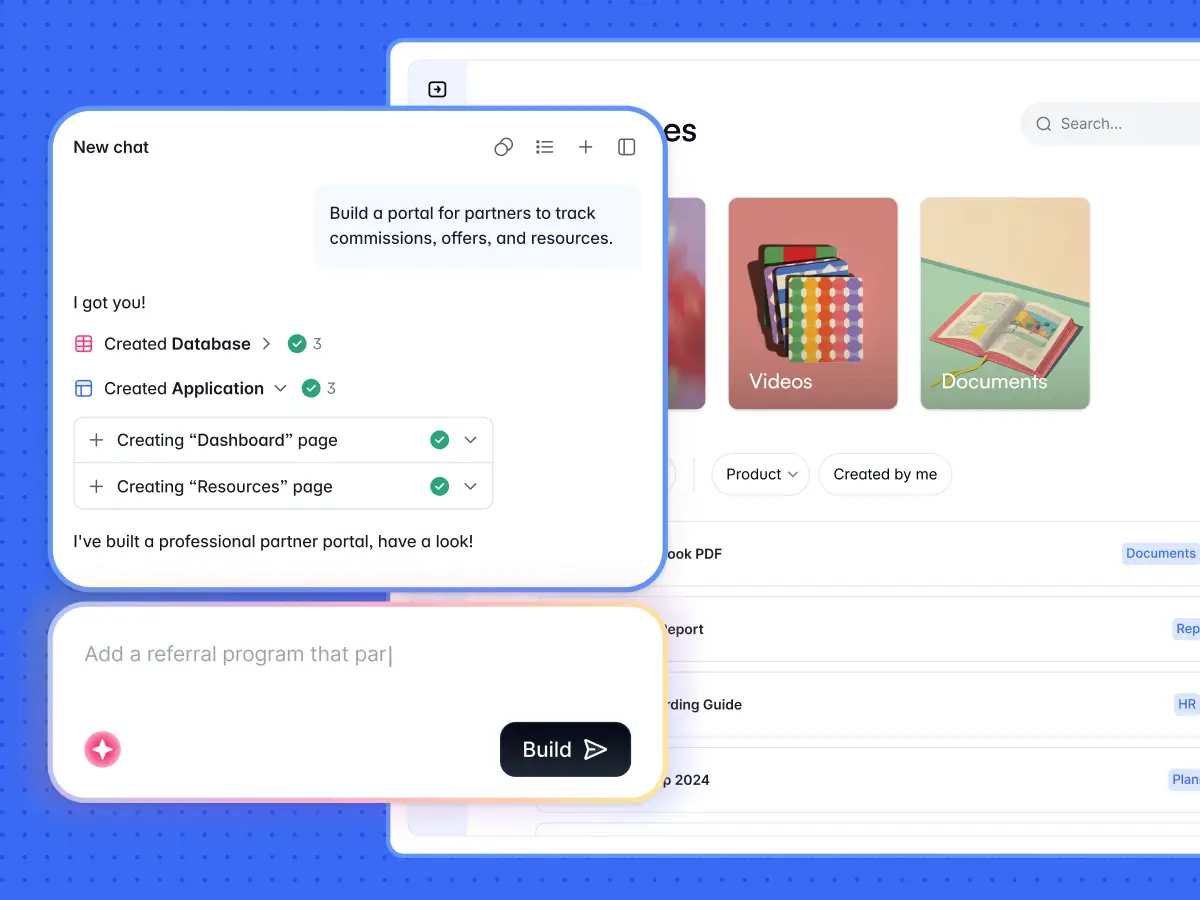
Softr is the first AI-native no-code platform, built to take you from an idea to a production-ready web app without traditional development. Use it to build client portals, internal tools, CRMs, marketplaces, and operational software that real businesses run on every day.
The key word is AI-native. Instead of dragging your way through a blank canvas, you describe what you need to the AI Co-Builder, and it builds the database, the pages, the user groups, and the permissions for you. This is AI-first, not AI-only: AI gives you a complete, working foundation in minutes, and you stay in full control to refine every detail visually afterwards.
Three ways to start your app
You can begin a Softr project in whichever way suits you best:
- Generate with AI: Describe your use case in plain language. The AI Co-Builder asks a few clarifying questions, lets you pick your authentication and theme, then scaffolds the full database structure, user groups, and pages instantly.
- Start from a template: Choose from over a hundred pre-built app, database, and workflow templates to jumpstart your build.
- Start from scratch: Build manually by creating tables, adding pages, and designing layouts yourself.
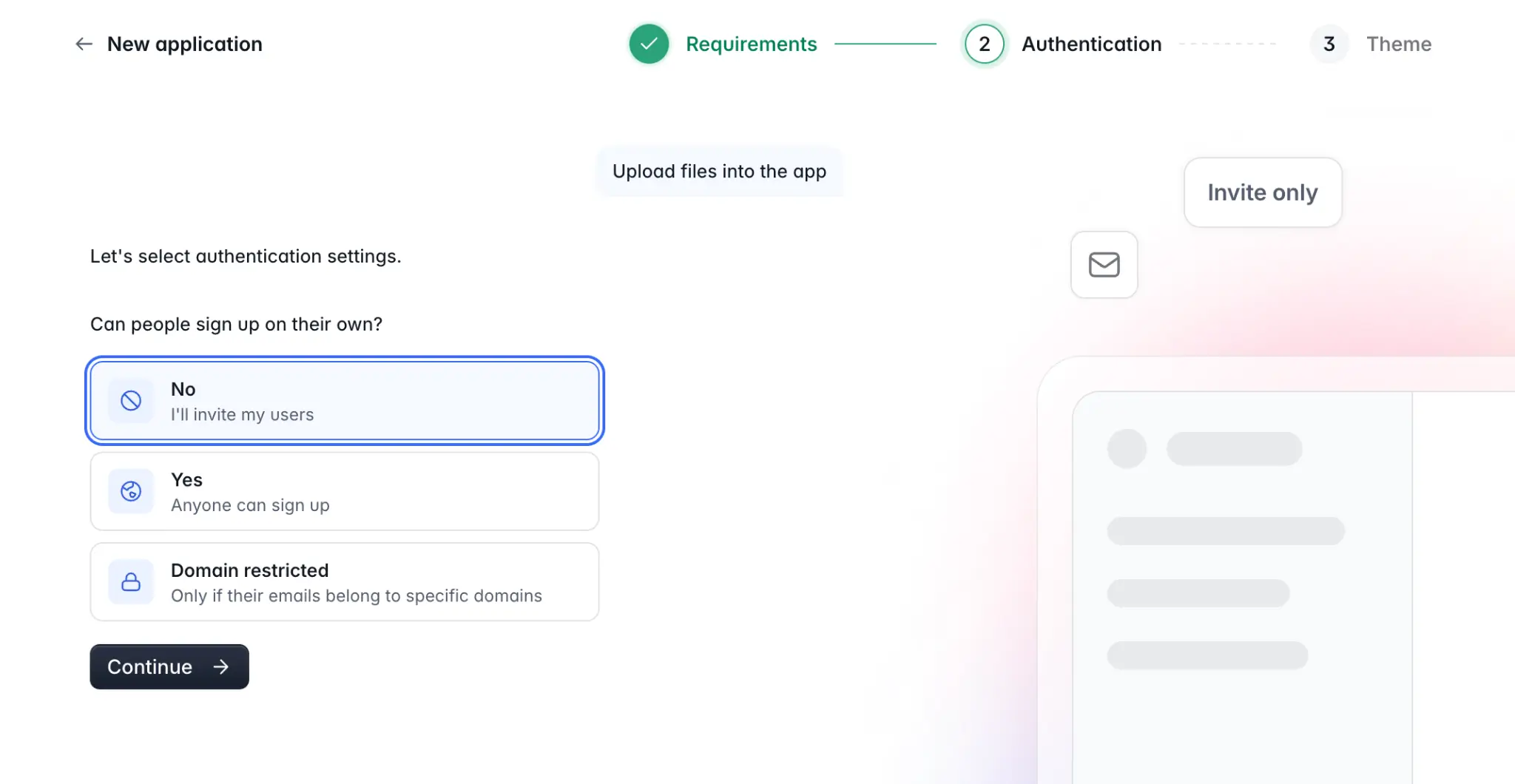
Web apps built in Softr are production-ready and secure from day one, with real authentication, role-based access, and row-level data restrictions handled by the platform. This is very different from the fragile, "vibe-coded" apps you get from pure code-generation tools, where security and maintenance quickly become your problem.
"The Softr difference is that permissions live in a visible panel, not in generated code. Visual schemas make it simple to verify block-level visibility configurations in a visual editor rather than auditing a black box of generated code."
Artur Mkrtchyan, CTO and Co-founder of Softr
Your data layer: Softr Databases first
Every web app needs a data layer. With Softr, the recommended default is Softr Databases, the native relational database. Keeping your data, interface, and automations inside one platform gives you the best performance, with none of the API limits or latency you hit when relying on external sources.
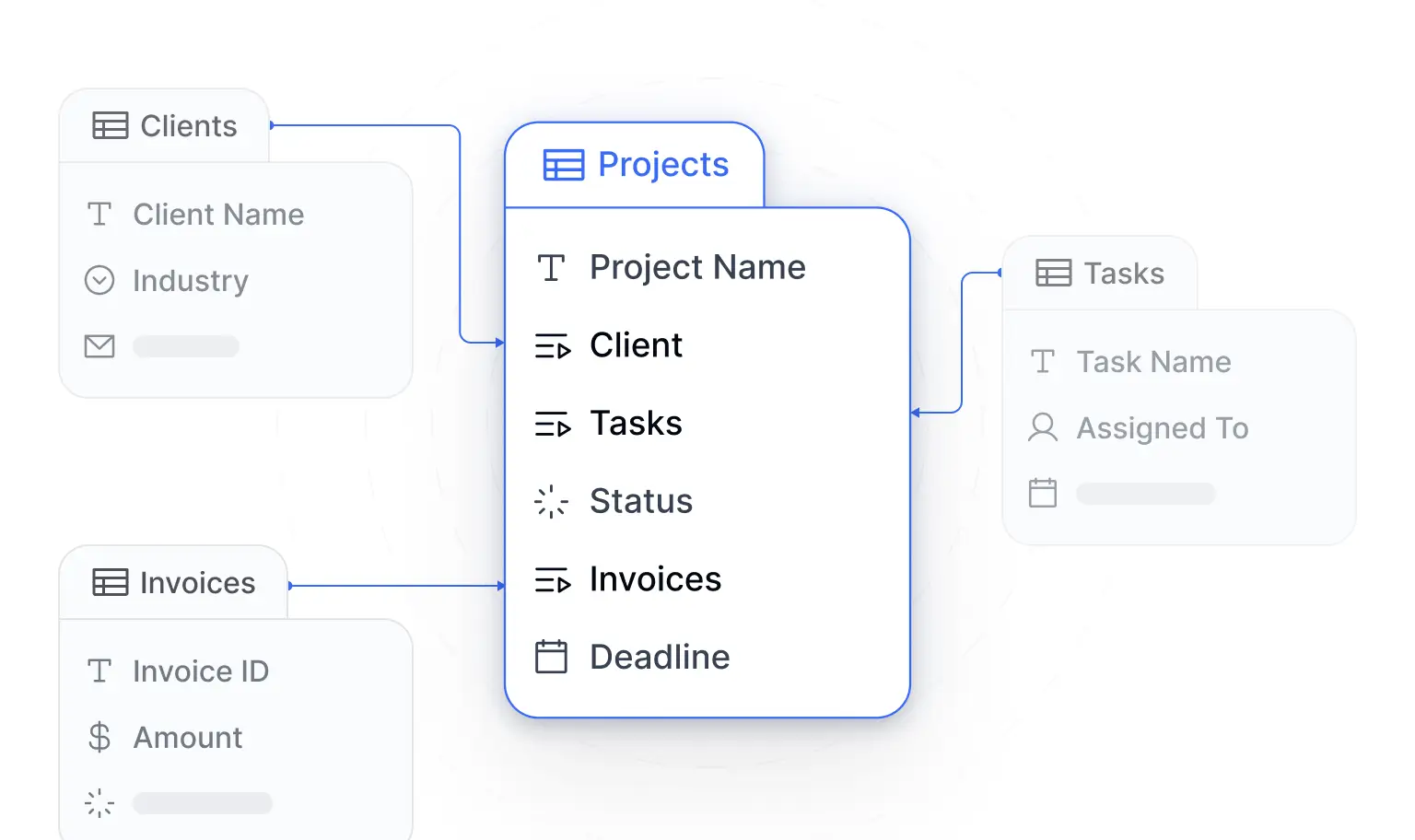
If your data has to live elsewhere, Softr connects natively to 21+ external sources, including Airtable, Google Sheets, HubSpot, and SQL databases, so you can build the interface layer on top of structures you already have.
Your interface: native blocks and the Vibe Coding block
For the interface itself, Softr follows an 80/20 philosophy. Native blocks (tables, list grids, Kanban boards, charts, forms, detail pages) cover roughly 80% of what a business app needs. They are battle-tested, responsive, and inherit your theme instantly. You can add and configure them visually, or ask the AI Co-Builder to add them for you by describing what you need.
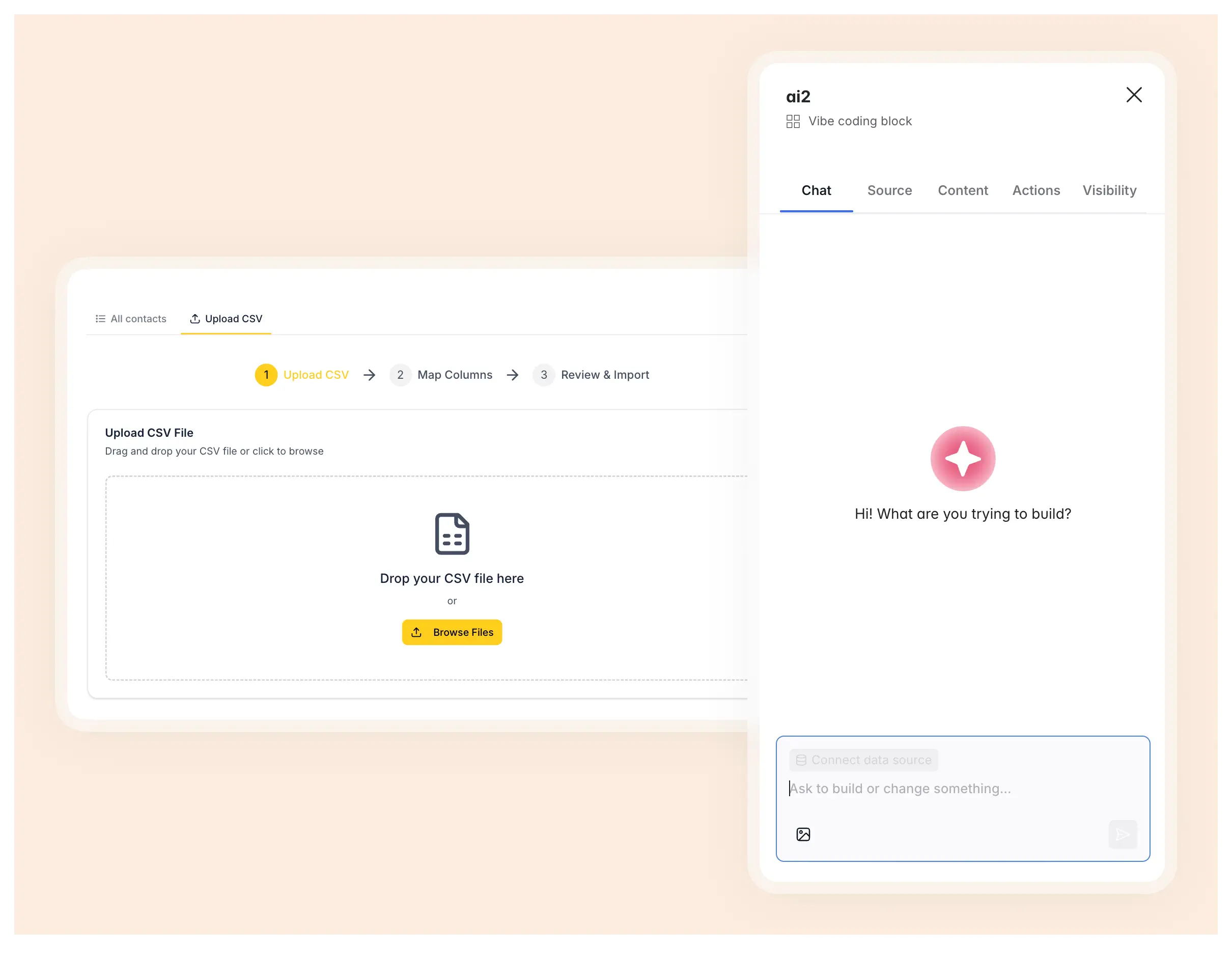
For the remaining 20%, when a behavior does not exist natively (a drag-and-drop calendar, a custom CSV mapper, a bespoke widget), reach for the Vibe Coding block. It generates secure custom React, JavaScript, and CSS components from a plain-language description, connects directly to your databases, and stays bound by your app's permissions. Crucially, it surfaces no-code settings and actions so you can tweak labels, colors, and data access visually without re-prompting.
Your logic: Softr Workflows
To automate your app, Softr Workflows is the native engine. Because workflows are triggered directly by UI interactions (like an action button) and by changes in Softr Databases, they fire instantly without the polling delays of external tools. You can draft personalized emails with AI inside a workflow, run bulk operations with loops, and show users a live waiting screen while logic runs in the background. If you need an outside service, Softr also offers native integrations with Zapier, Make, and n8n.
"Softr allows me to deliver business apps in a few days where a custom stack would take weeks. The visual editor is straightforward, and the native components cover most of my needs without CSS. Softr solves three very concrete problems for my clients: the dispersion of data across tools, the prohibitive cost of custom development for internal tools, and the dependency on a developer for every change."
Verified User, Computer Software (Small-Business), G2 review
How to build a web app with Softr
Here is the full path from idea to live app:
- Structure your data: model your app as related tables (for example clients, projects, tasks, invoices) in Softr Databases, or connect an existing source.
- Generate the app: describe your use case to the AI Co-Builder so it scaffolds your database, pages, and structure, or start from a template.
- Set up user groups and data restrictions: define dynamic user groups (such as Admin or Client) and enforce global, row-level data restrictions so each user only sees their own records.
- Build your pages: assemble native blocks for the standard 80%, and use the Vibe Coding block for the custom 20%.
- Automate with Workflows: connect action buttons and record changes to native Softr Workflows for emails, approvals, and AI-powered steps.
- Publish and invite users: push the app live in seconds on a Softr subdomain or custom domain, then invite your users.
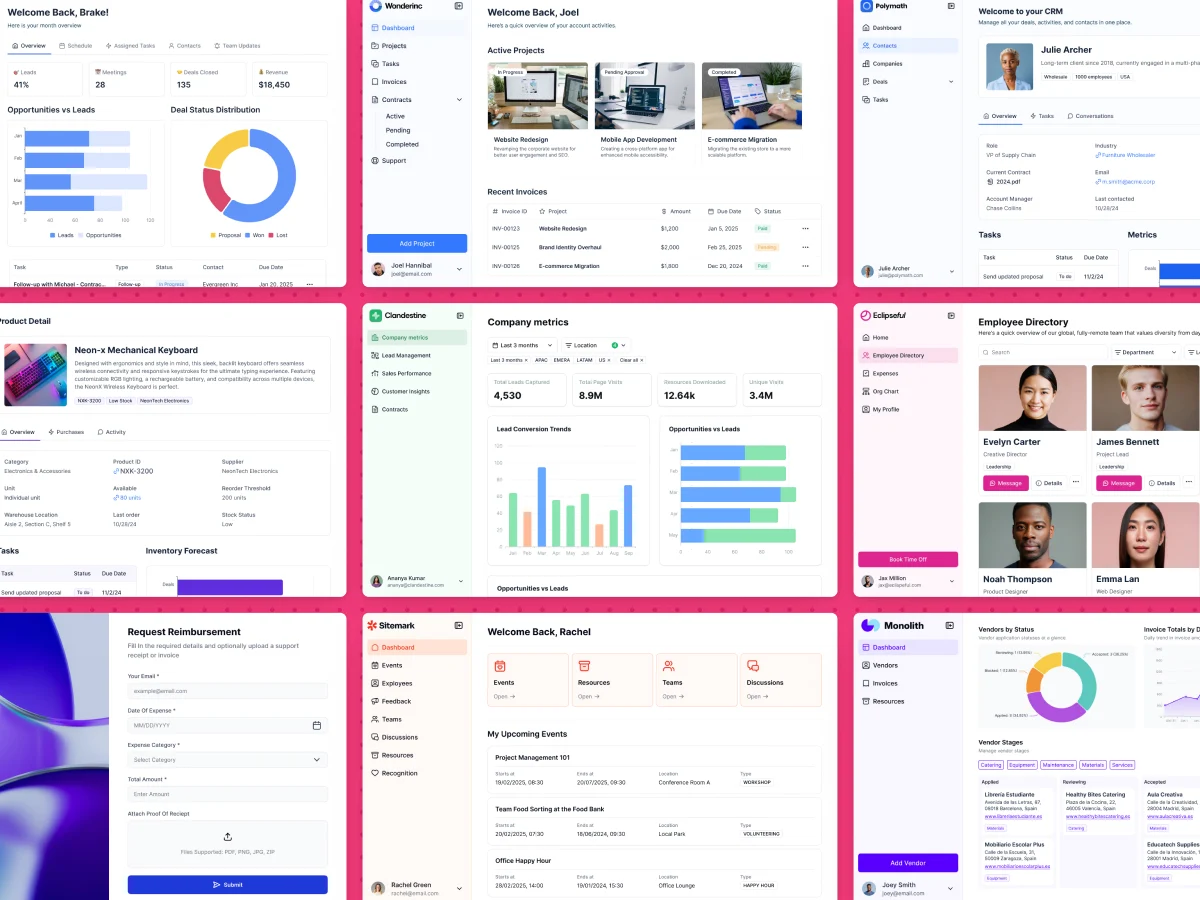
The results speak for themselves. MIT's Project Manus replaced a custom Ruby on Rails maker portal (which cost $100K+ to build and maintain) with a Softr app serving 2,800+ users, built by a single person. The recruitment company CareVista launched a three-sided portal that saved 100+ hours a month and avoided €50,000+ in development costs.
Try Softr free and start building your own web app today.


