


Most "web app idea" lists are built for the next consumer startup: a recipe finder, a book-swap app, the next social network. Those are fun to brainstorm, but they are not where the real, fundable, ship-this-quarter opportunities live. The web apps that businesses actually need are far less glamorous and far more valuable: the client portal that ends the email back-and-forth, the CRM that replaces a tangled spreadsheet, the intranet that finally gives everyone one place to look.
This article focuses on those ideas. Every concept below maps to a problem a real business is paying to solve right now, the kind of internal tool or customer-facing portal you can put in front of users this week instead of someday.
Why use a web app for business
A web application is software that runs in a browser and lets people interact with live data: log in, see records that belong to them, submit a form, move a deal forward. That interactivity is exactly what separates an app from a static website, and it's also what makes business use cases so strong. A company always has data scattered across spreadsheets and inboxes — and almost always needs a cleaner, permissioned way for a specific group of people to act on it.
You might assume building that kind of software is slow and expensive. No-code platforms turned that into a myth years ago, and AI has pushed it further. Softr, for example, uses an AI Co-Builder that generates the database, app pages, and permissions from a single prompt, so an operations lead or agency owner can ship production-ready software without waiting on a developer.
1. Client portal that replaces email threads
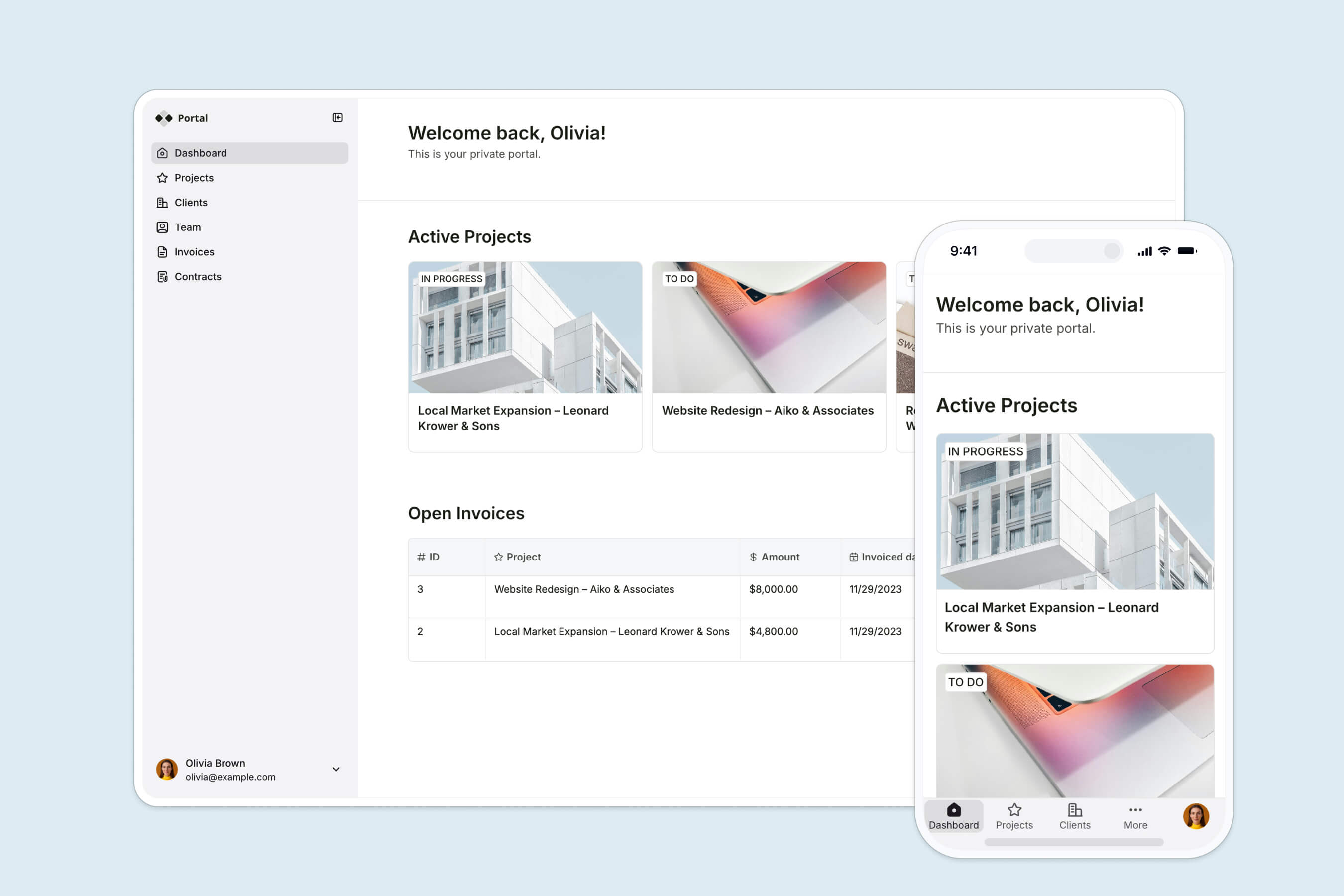
The problem: Agencies, consultancies, and service firms drown in repetitive client questions. "What's the status? When are you working on my project? Where's that report?" Each answer is a one-off email that does not scale.
Who it's for: Any business that delivers ongoing work to external clients, from marketing agencies to accountants to law firms.
What it includes: Secure per-client login, a dashboard of active projects and deliverables, shared files and reports, invoices, and a single place to ask questions. The point is personalization at scale, every client sees only their own data, pulled live from your back office.
Officeheads, an accounting firm, built exactly this. Their CEO Rebecca Berneck was spending hours answering the same contract and reporting questions by email. With Softr, the team built per-client dashboards pulling live data and reports, so 50+ clients now self-serve their financials securely instead of waiting on a reply.
"One of the things I was trying to solve was answering questions about the contract, which is a forever thing. Questions like: When are you working on my stuff? How do I get a hold of people? What are you doing for me?" — Rebecca Berneck, CEO at Officeheads
2. CRM for contact and deal management

The problem: Off-the-shelf CRMs are either bloated and expensive or too rigid for how your team really sells. Most small teams give up and track deals in a spreadsheet that nobody keeps current.
Who it's for: Sales teams, founders, and operators in any industry with a pipeline, from roofing contractors to recruiters managing candidate stages.
What it includes: A contacts and deals database, a drag-and-drop Kanban pipeline, record detail pages, activity notes, and filtered views per rep. Because it is yours, you build only the fields and stages you use and skip everything you don't.
This is one of the most common tools people build on Softr, and the economics are the real story.
3. Internal hub or intranet
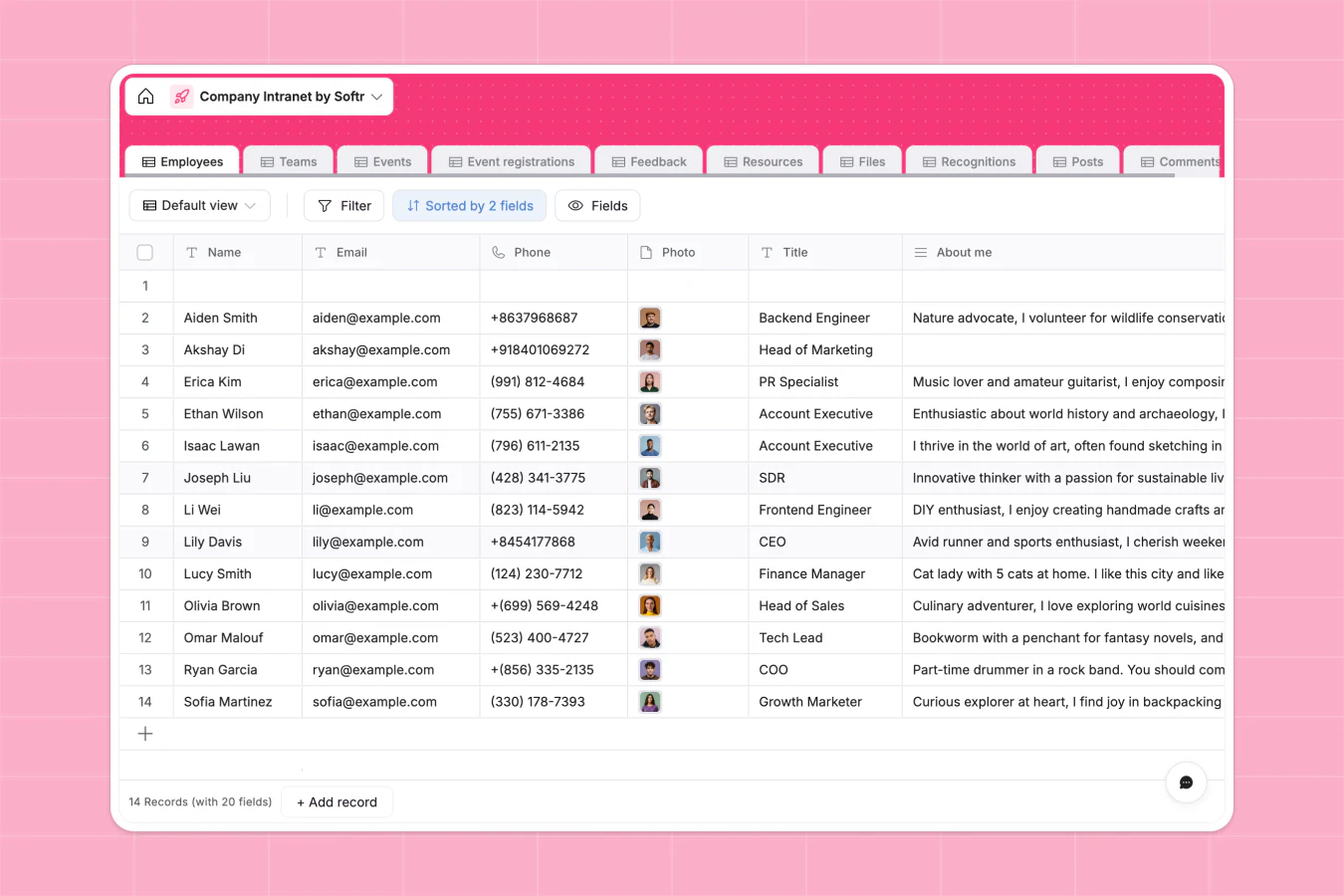
The problem: Company knowledge lives in a dozen places. New hires ask the same questions, policies get lost, and nobody is sure which document is current.
Who it's for: HR and operations teams at any growing company, especially distributed or hybrid ones.
What it includes: A secure home for internal news, policies, guides, a staff directory, and team resources, with permissions so each department sees only what is relevant to it. Bolt on a structured onboarding flow and it doubles as the place new hires start. This matters more than it sounds: better onboarding strongly correlates with employees staying longer, and a single hub removes the friction that makes a first week chaotic.
The ability to surface the right data per audience, from one back end, is exactly why operators reach for Softr here.
"The ability to pull data from different Airtable bases into different blocks and display them on one page was one of the main reasons I chose Softr. It's also more user-friendly than other no-code tools." — Dan Smith, Director at DS Automotive
4. Vendor or partner portal for the other side of your supply chain

The problem: Sharing product information, files, invoices, and updates with suppliers or partners over email is slow, error-prone, and impossible to audit.
Who it's for: Manufacturers, distributors, and any organization that coordinates with an external network of vendors or partners.
What it includes: Partner login, shared documents and specs, order or invoice status, and update feeds, all scoped so each partner sees only their own relationship with you. It is the same access-control engine as a client portal, pointed outward at your supply chain.
Skill IT, a business-automation consultancy, builds OEM partner portals for manufacturing clients exactly this way, using Airtable as the back end and Softr for the interface. Founder Steven Cornelis moved off another tool because it demanded too much effort from the client side, and Softr met his requirements while staying easy for non-technical partners to use. Read more in the Skill IT case study.
5. Project and operations tracker for your team
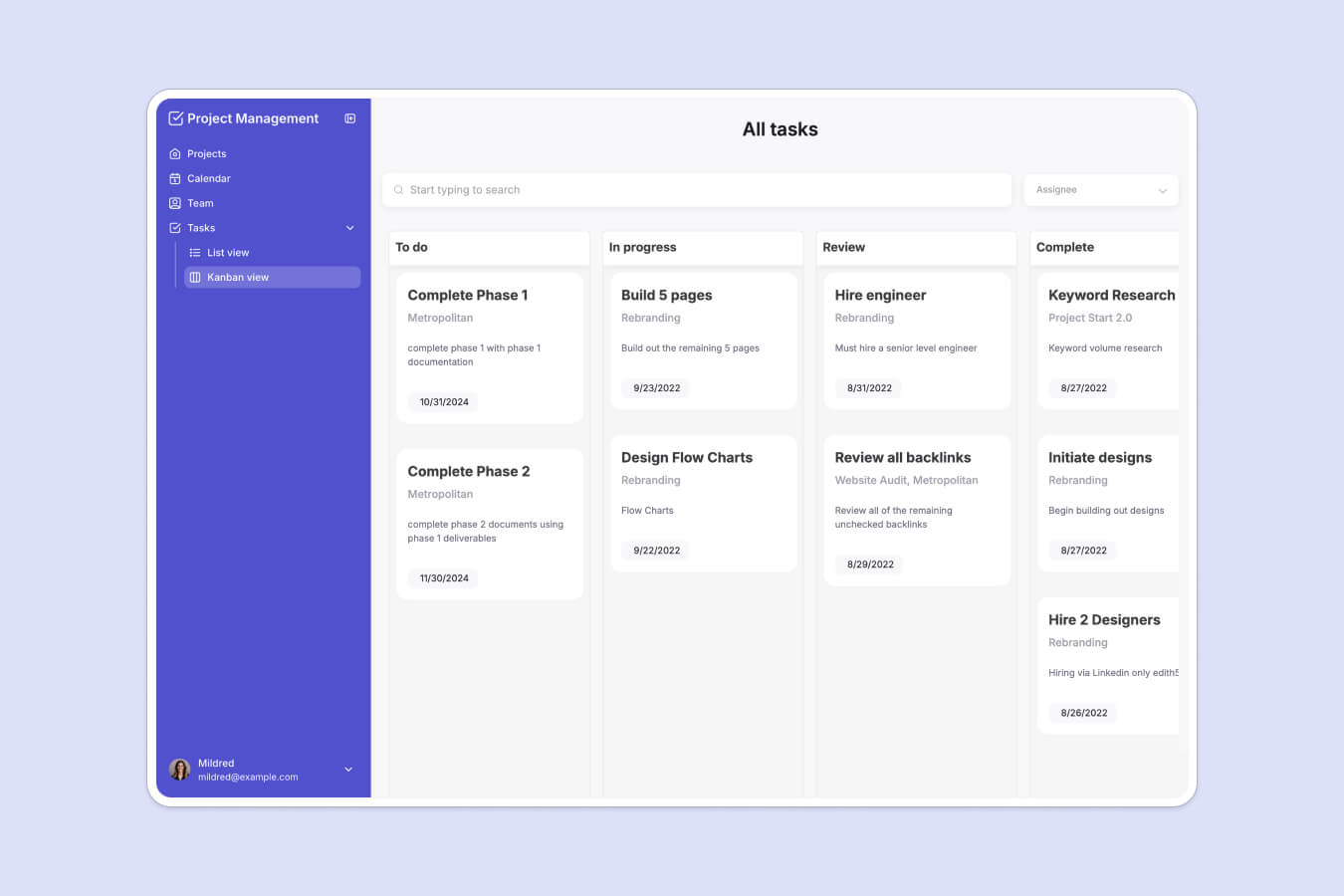
The problem: Spreadsheets do not enforce process, and project management suites are overkill (and overpriced) for the specific workflow your team runs.
Who it's for: Operations, project, and program managers who need a shared source of truth without a heavyweight tool.
What it includes: A tasks or projects database, Kanban and list views, status and owner fields, filtered "my work" views per person, and dashboards that roll up progress. Add inventory or asset tables and the same foundation handles stock levels, equipment checkouts, or order tracking.
MIT's Project Manus makes a strong case for how far this scales. The team built a maker portal where students, faculty, and managers log in via university SSO to run and report on hands-on experiments, replacing a custom application that had cost over $100k to build and maintain. More than 2,800 people use it daily.
"With Softr we are able to experiment and innovate at the speed of conversation, which keeps everyone engaged and gives users a sense of control and ownership." — Oliver Thomas, Maker Digital Systems Architect, MIT
6. Member or community portal with gated access and payments

The problem: Serving a paying audience (members, students, a talent network) means gating content, managing profiles, and handling payments, which is a lot to stitch together.
Who it's for: Associations, learning communities, course creators, and niche professional networks.
What it includes: Membership sign-up, gated content and resources, member profiles, and built-in payments, optionally a directory or job board layered on top. The value is a logged-in, branded space where members get something they cannot get from a public page.
Tech Ladies, one of the largest communities of women in tech, built a member portal and talent network on Softr where members complete detailed profiles and connect to job opportunities. The team iterated on features without engineers, and the network grew into a seven-figure business while placing women at companies that invest in inclusive hiring.
7. Reporting dashboard for stakeholders
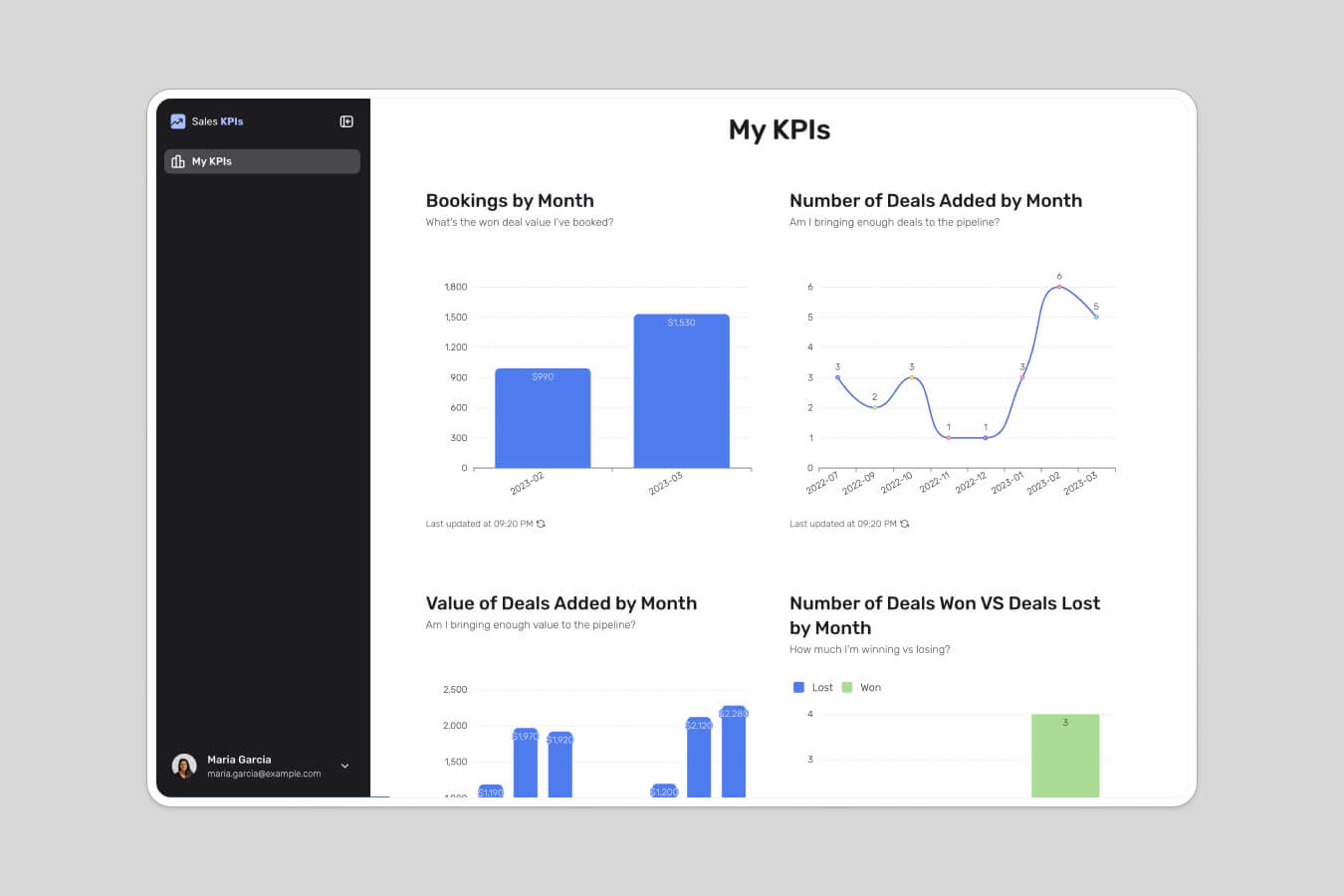
The problem: Leadership, clients, or investors keep asking for the same numbers, and someone keeps rebuilding the same report by hand.
Who it's for: Founders, finance and ops leads, and agencies reporting to clients.
What it includes: Charts and KPI tiles, filtered tables, and a live connection to wherever the numbers actually live, behind a login so each viewer sees only their slice. This pairs naturally with the client portal and CRM ideas above, turning raw records into a view a non-technical stakeholder can read at a glance.
How to build web apps with Softr AI
Once you've settled on an idea, you can turn it into a working app surprisingly fast. Softr is the first AI-native no-code platform for building business software, and it gives you three ways to get started: generate the app with AI, start from a template, or build from scratch. And unlike fragile vibe-coded apps, what you ship is production-ready and secure from day one.
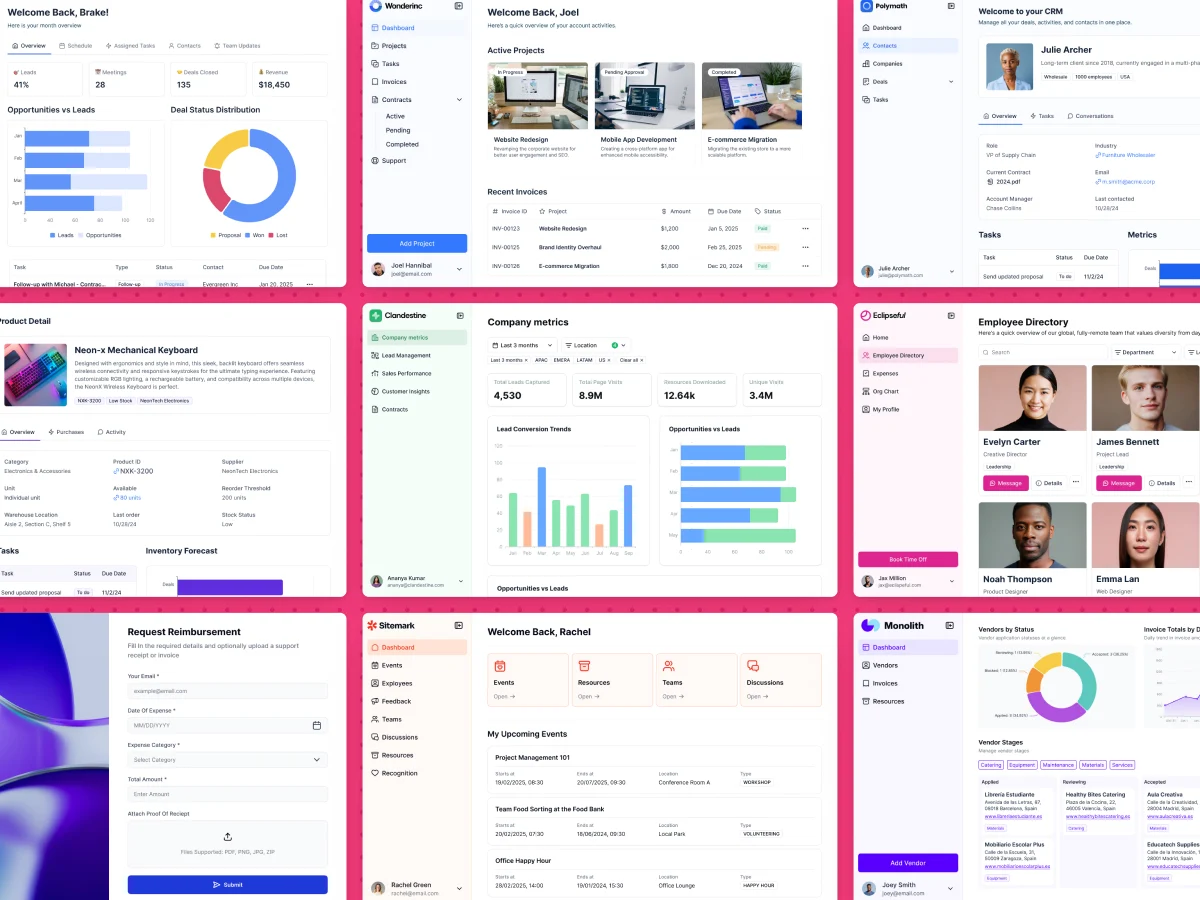
Here's the typical app building flow:
- Structure your data: Start with Softr Databases for native speed, or connect to one of 21+ external sources like Airtable, Google Sheets, or HubSpot if your data already lives there.
- Generate the app: Describe your idea to the AI Co-Builder and it scaffolds the database, pages, and permissions for you. You can also start from a template or a blank canvas.
- Set up user groups and data restrictions: Define who logs in and apply global data restrictions so each user only ever sees their own records, the foundation of every portal idea above.
- Build your pages: Use native blocks (tables, lists, Kanban boards, charts, forms) for the standard 80%, and the Vibe Coding block for any custom UI you need.
- Automate with Softr Workflows: Trigger automations directly from buttons and forms in your app, or connect to Zapier, Make, and n8n via native integrations.
- Publish and invite: Push the app live in one click and invite your users.
About Softr
Softr is an easy-to-use AI app builder that lets you create powerful web apps, member-only websites, client portals, and more. It's a full-stack ecosystem: native Softr Databases, a visual interface builder, and Softr Workflows for automation. Softr authenticates your end-users and controls access to your content and data based on conditional rules like roles, logged-in status, and subscription plans.
Whether you want a CRM, an internal tool, a vendor portal, or a stakeholder dashboard, you can describe it to the AI Co-Builder or start from a template and have a real app in minutes. Try it free today.


