Keep track of companies, funding rounds, and LP communications with a built-in Softr Database. Connects natively to Google Sheets if you prefer your own data.
Data sources supported





.svg)


Resources


Overview
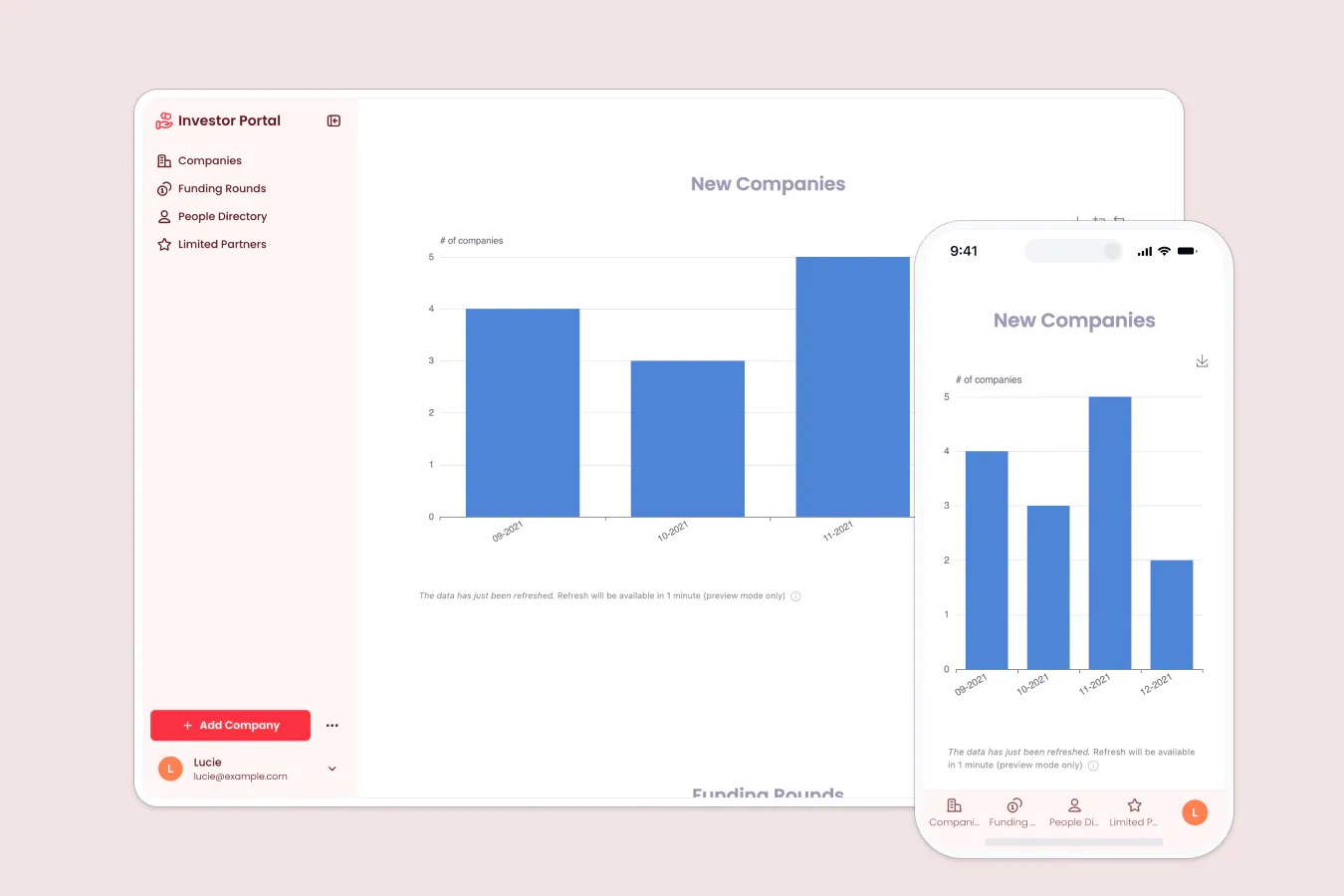
This free template helps you build a custom investor portal to streamline LP communication, share company updates, and manage your investment data, all without the spreadsheets and back-and-forth emails.
It comes with a built-in Softr Database, so you can get started right away with structured, relational data designed for app workflows rather than manual spreadsheet management. If you already track your companies, funding rounds, or LPs in Google Sheets, Softr connects to it natively, so you can keep your existing data without migrating anything.
Why use this Google Sheets investor portal template
- Keep investors informed in real time: Share portfolio updates, funding rounds, and reports without chasing emails or versioning docs.
- Limit access to sensitive information: Role-based permissions and visibility rules ensure each user only sees what’s relevant to them.
- Scale your investor communications: Build a system that works whether you’re managing 5 companies or 50.
Template features:
- Role-based access & permissions
- Company & funding round tracking
- LP resource hub
- Search & filter
- Team & partner directory
- Works on any device
Who is this Google Sheets investor portal template for?
This template is ideal for venture capital firms, family offices, or angel groups that want a streamlined, scalable way to keep LPs informed and reduce the manual overhead of investor updates. Use cases include:
- Venture capital firms: Share funding updates, track companies, and manage LP relationships.
- Angel investors: Keep members informed on deals, investments, and progress with minimal admin work.
- Startups: Share progress updates, fundraising milestones, and team info with current or prospective investors.

“What we love most about Softr is the instantaneous, customizable power a no-code platform allows.”

- 1
- 2
- 3
- 4
Frequently asked questions
Do I need a Softr account to use this template?
Do I need to use Google Sheets to run this template?
Can I use a custom domain and branding?
Can I share updates via mobile too?
Can I customize the portal after duplicating it?
Can I automate updates instead of sending them manually?