Build a custom digital asset management app with a built-in Softr Database, no coding required. Compatible with Airtable if you want to connect your own data.
Overview
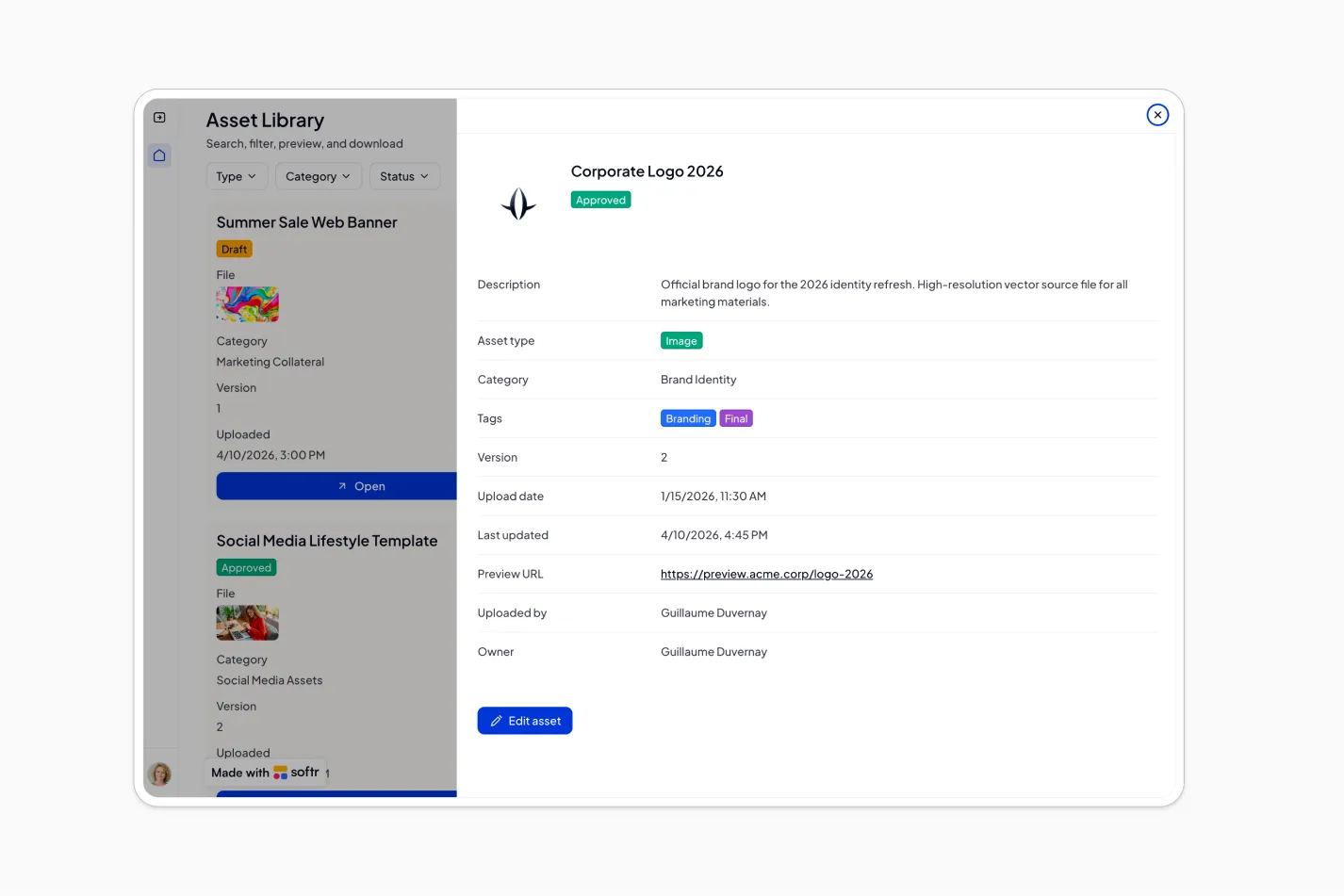
This free template helps you build a digital asset management app where your team can upload, organize, search, preview, and download company files from one secure library.
It comes with a built-in Softr Database, so you can get started right away without any external setup. Softr Databases support up to 200K records, run at 10x the speed of Airtable's API, and unlock native features like inline editing and AI Agents. If you already use Airtable and prefer to connect your own base, Softr supports that natively too.
Why use this Airtable digital asset management template
- Centralize company files: Store documents, images, videos, presentations, and other assets in one searchable workspace.
- Keep assets organized and easy to find: Use categories, tags, file types, statuses, and versions to help teams quickly locate the right file.
- Control who can manage content: Give admins full control over users, categories, and assets, while members can upload, edit their own assets, and access approved files.
Template features:
- Central asset library
Upload and store documents, images, videos, presentations, and other company files in one organized workspace.
- Asset metadata
Add names, descriptions, types, categories, tags, versions, and statuses so every file is easier to manage and find.
- Search and filters
Search by name or keyword and filter assets by type, category, or status to quickly locate the right file.
- File previews
Preview common file types like PDFs and images before downloading or sharing them with your team.
- Secure downloads
Let authorized users download the files they can access directly from the asset detail page.
- Category management
Admins can create and manage categories to keep assets structured across teams, departments, or use cases.
- Role-based access
Admins can manage all users, categories, and assets, while members can upload files, edit their own assets, and browse approved content.
- Version and status tracking
Track asset versions and statuses so teams can distinguish drafts, approved files, and archived content.
Who is this Airtable digital asset management template for?
This template is built for teams that need a simple, searchable, and secure way to manage company files and creative assets. It's a great fit for:
- Marketing teams: Organize brand guidelines, campaign assets, product images, videos, and presentations in one shared library.
- Creative and design teams: Store final files, track versions, manage asset status, and make approved resources easy for stakeholders to find.
- Sales and customer-facing teams: Access the latest brochures, pitch decks, case studies, and sales enablement materials without searching across folders.
- Operations and internal teams: Centralize policies, templates, training materials, and internal documents with controlled access for employees.

“What we love most about Softr is the instantaneous, customizable power a no-code platform allows.”
- 1
- 2
- 3
- 4
Frequently asked questions
- What is a digital asset management app?A digital asset management app is a central platform for storing, organizing, searching, previewing, and downloading company files like documents, images, videos, and presentations. It helps teams replace scattered folders, file links, and outdated assets with one searchable source of truth.
- Do I need to use Airtable to run this template?No. The template comes with a built-in Softr Database, so you can get started without any external data source. If you prefer Airtable or already have an existing base you want to connect, Softr supports that natively. You can swap the data source in Softr Studio without rebuilding the app.
- Can I control who can upload, edit, or manage assets?Yes. Softr supports granular roles and permissions, so you can control visibility and actions at the page, block, or button level. In this template, admins can manage users, categories, and all assets, while members can upload assets, edit their own assets, and browse files they are allowed to access.
- How do I edit or customize this template?
Duplicate the template into your Softr workspace, then prompt the AI Co-Builder to make a specific change, like "add a License Expiry Date field to the Assets table" or "add an Approval Notes field so reviewers can leave comments before a file moves from Draft to Approved."
Prefer hands-on control? Use the visual editor to adjust pages, layouts, forms, lists, permissions, and branding yourself. Softr's Hybrid Advantage means you can combine both: let AI handle the heavy lifting, then fine-tune the details.
- What data sources does this digital asset management app integrate with?
Softr includes a native, built-in Database and also connects to 17+ external data sources, including Airtable, Google Sheets, Notion, HubSpot, monday.com, SQL databases, Supabase, ClickUp, and more.
You can also set up Softr Workflows for this template. For example, notify the asset owner by email when their file's status moves from Draft to Approved, or alert an admin when a new asset gets uploaded to a category for review.
- Why build a digital asset management app with Softr?Softr is an AI-native no-code platform for building secure business apps like portals, internal tools, CRMs, and asset libraries. It is used by 1 million+ builders and trusted by 7,000+ organizations, with features like AI app generation, role-based permissions, enterprise-grade security, custom branding, and instant Progressive Web Apps for mobile access.