


[.blog-callout]
TL;DR
- Softr added SmartSuite as a native data source, so you can turn a SmartSuite workspace into a secure client portal or internal tool without writing any code.
- SmartSuite joins Softr's growing list of 21+ data sources, alongside Airtable, Google Sheets, HubSpot, and Softr's own native database, Softr Databases.
- Connecting SmartSuite takes about 30 seconds, and data stays in sync both ways: changes in SmartSuite show up in your Softr app, and changes made through the app update SmartSuite. [.blog-callout]
Today, we're delighted to announce reaching the next milestone in our journey of becoming a data source agnostic platform, with the arrival of a new data source – SmartSuite!
Here's a video by no-code expert Demetri Panicki providing a detailed walkthrough of the integration:
💡 The data source of choice, your choice
In the world of no-code app development, access to diverse and unique data sources is key.
We recognize that your data may reside in a variety of platforms, systems, and sources. We also acknowledge that every project, team, and budget has unique requirements. That's why Softr also offers its own native database, Softr Databases, built specifically for the interface layer, for teams starting from scratch, while still connecting to the tools where your data already lives, like SmartSuite.
Softr and SmartSuite excel in meeting these needs. Quickly and affordably, you can build client portals, internal tools, and other custom apps for your business.
SmartSuite is a collaborative work management platform that enables teams to plan, track, and manage workflows, projects, and everyday tasks. And with Softr, it can act as an excellent data source for your custom applications.
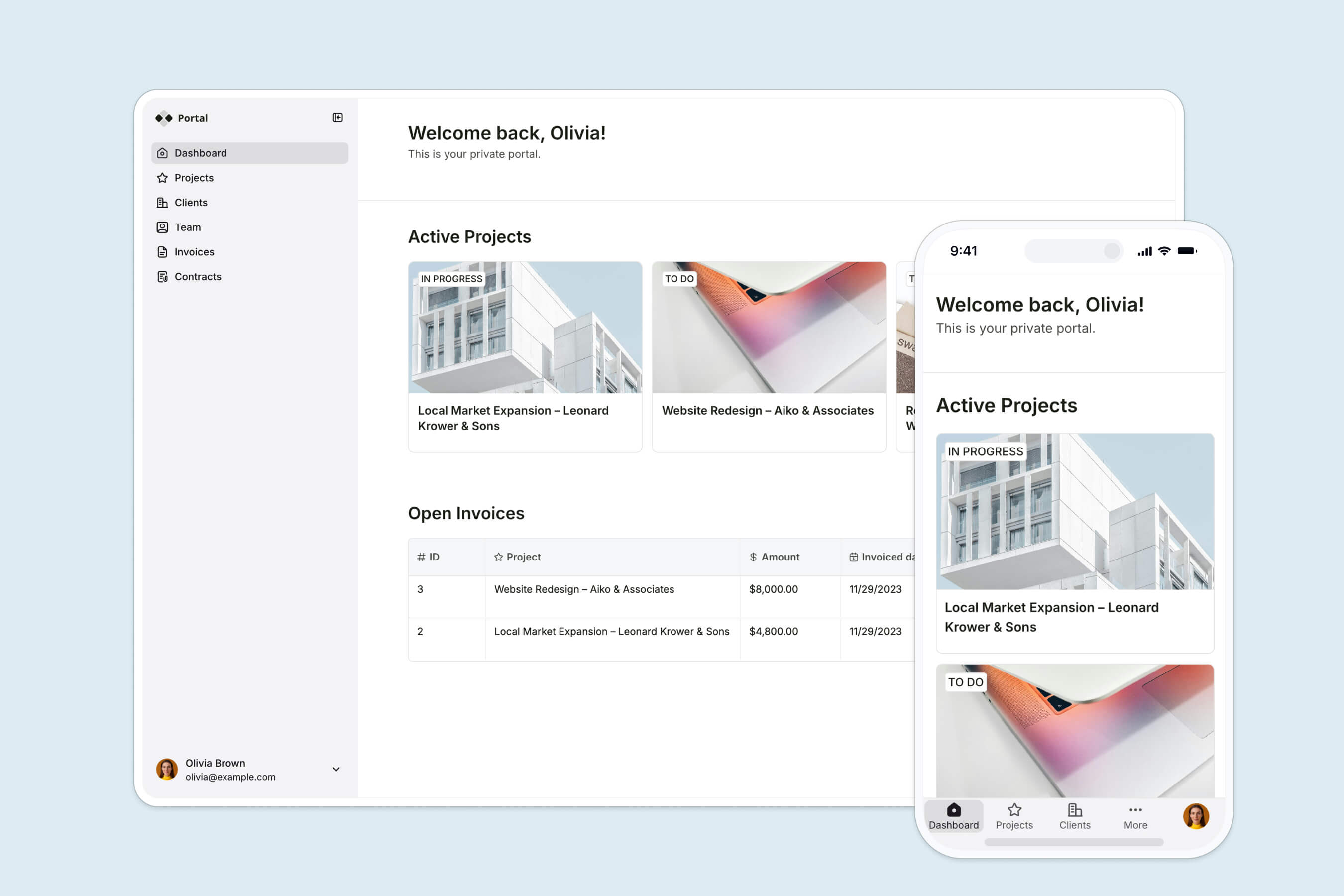
Take the client portal as an example. With this release, just as with Airtable, Google Sheets, and Softr Databases, you can:
- create stunning and custom client-facing interfaces,
- deliver action-packed logic allowing clients to access and update their data to enrich business relationships and loyalty
- provide granular access control to make sure everyone has the right access to their information, be it client portal admin, client, consultant, or external partner.
Or imagine connecting Softr and SmartSuite to create an internal tool like an inventory management system. With no coding required, you can build a user-friendly interface for your admin and employees. This tool will enable them to:
- Store and manage detailed manufacturer information, including contacts and product catalogs.
- Simplify order management with an intuitive interface.
- Quickly find and use manufacturer, product, order, or delivery information that each respective app user has access to.

All that is built in days, not months, powered by Softr's app building experience and fueled with your SmartSuite data.
"I like how easy Softr is to use, yet it is flexible enough to cover all of the different use cases that we want. It only took a couple of days to build the entire portal, including permission leveling and custom workflows... Softr lets us create a customer-specific portal with permission control, track tasks, view launch trackers, and share documents in one place." - Casey H., Advisor, G2 review
👩💻 How it works
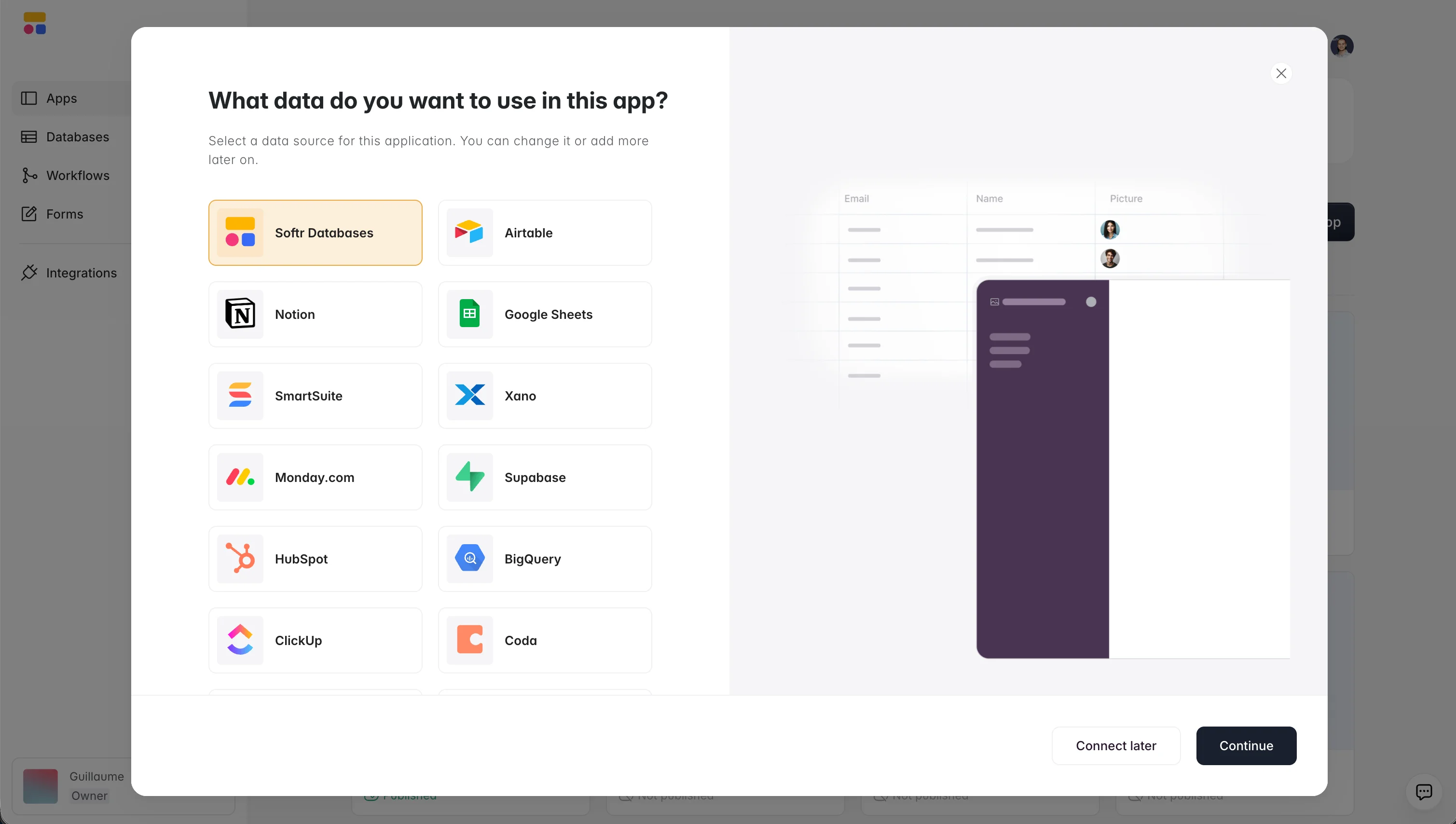
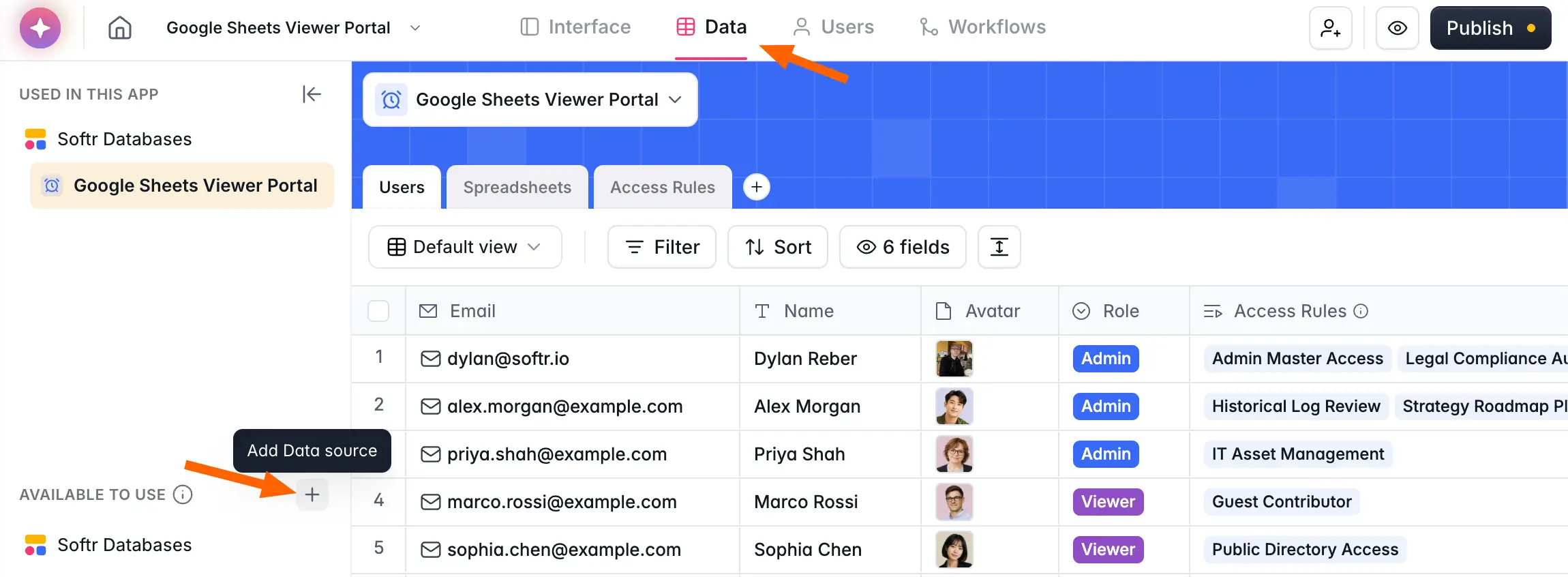
- Connect your SmartSuite data. It takes just 30 seconds: authenticate with SmartSuite from the data tab in your Softr app, the same place you'd connect Airtable, Google Sheets, or any other data source.
- Turn your SmartSuite data into interactive user interfaces using building blocks like Lists, Tables, Forms, Summary Cards, Kanban, Calendars, Charts, and many more, in Softr's interface builder.
- Any changes to your data in SmartSuite will reflect in your Softr app right away, and vice versa.
Build on the data you already have
You don't need to migrate anything to get started. Connect your SmartSuite workspace, pick the blocks that fit your use case, and set up permissions for each type of user. If you'd rather start from a blank slate instead of an existing workspace, Softr Databases is available as Softr's own native option, and the same blocks, permissions, and workflows work with either one.
Frequently asked questions
What is SmartSuite and why would I connect it to Softr?
Can I use SmartSuite alongside Airtable, Google Sheets, or Softr Databases in the same app?
Does Softr keep my SmartSuite data in sync automatically?
Should I use SmartSuite or Softr's own native database?
What kind of apps can I build with Softr on top of SmartSuite?


